キャッシュで Nix ベースの CI/CD を高速化する - Cachix の使い方 -




はじめに
GitHub Actions の CI/CD に Nix を利用する際、バイナリキャッシュを活用することでビルド時間を短縮できます。
本記事では、知名度が高く、かつ、個人利用無料である cachix-action の利用方法を解説します。
Cachix 登録
公式サイトにアクセスし、Sign up からユーザー登録します。
私は Sign up with GitHub を利用しました。
数クリックで完了したので楽でした。
キャッシュの保存先を作成
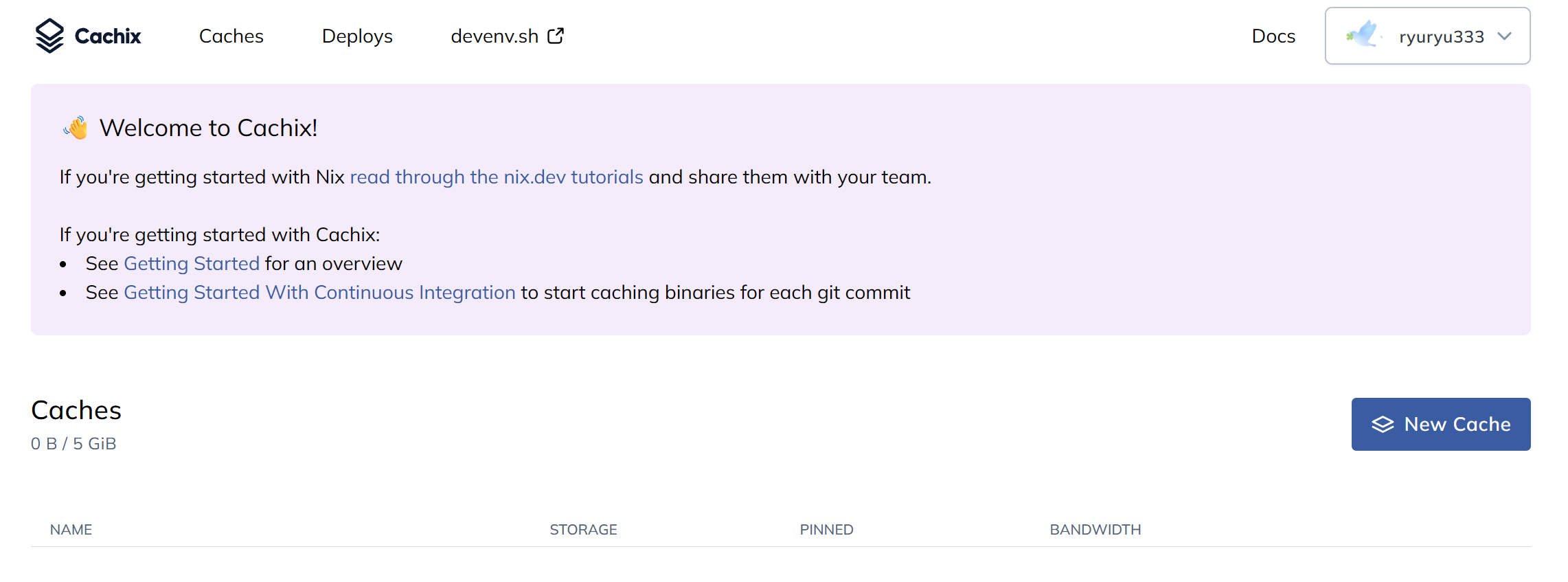
ログイン後、画面上部のメニューから Caches ページを開きます。
New Cache をクリックします。
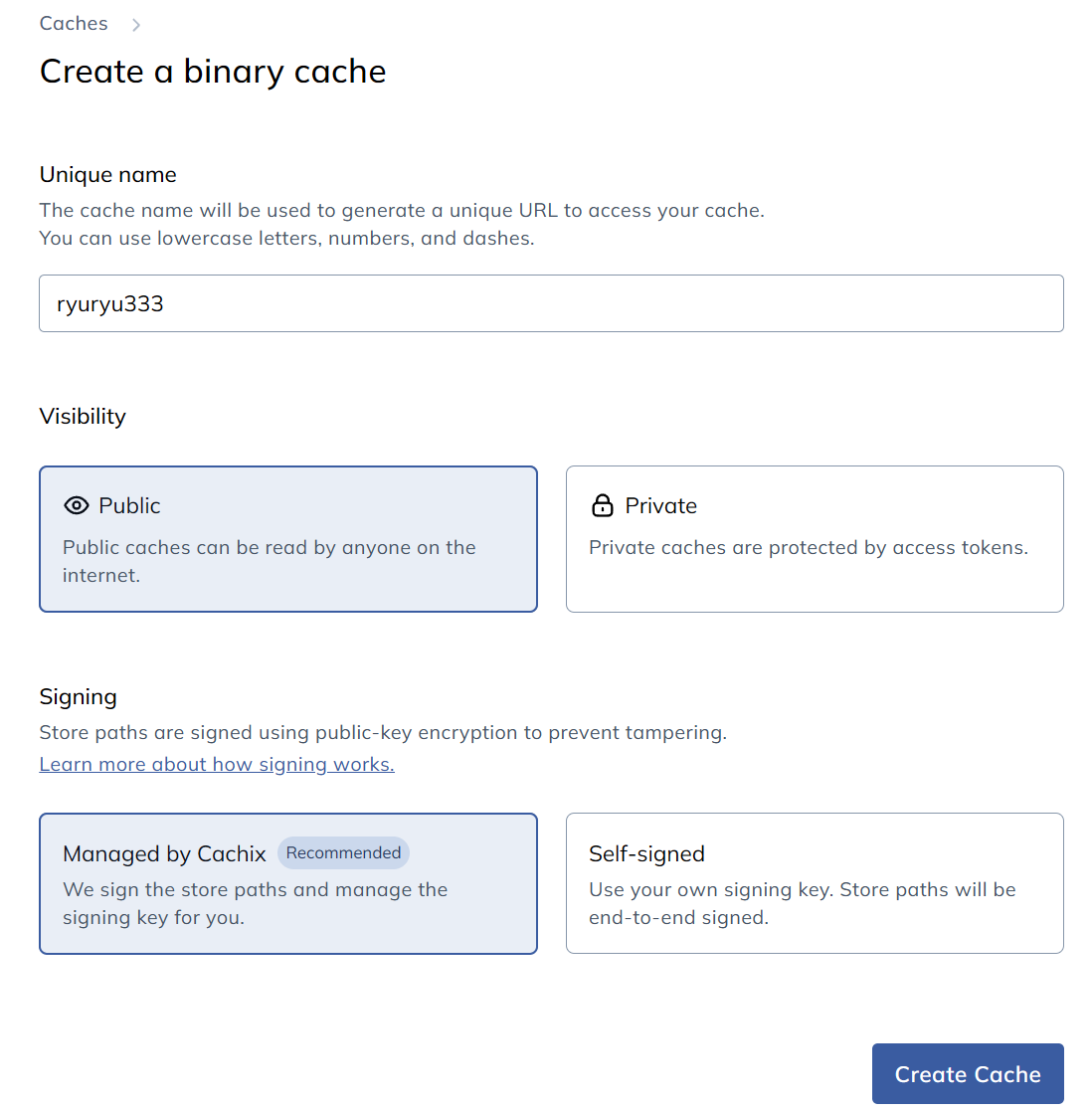
Unique name 欄に任意の名前を記入します。
ここで設定した値がキャッシュの保管場所の名前となります。
Visibility は private にすると有料となるので、public のままにします。
Signing はセキュリティー対策に拘りが無ければ Managed by Cachix のままで良いかと思います。
アクセストークンの発行
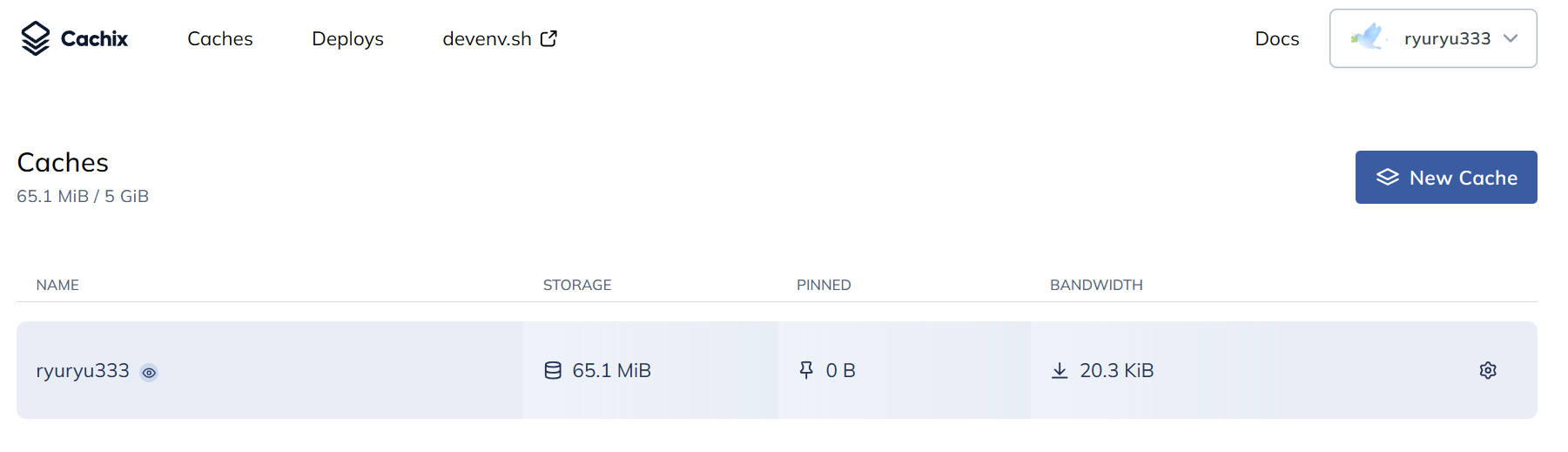
Caches から先ほど作成した Cache を選択します。
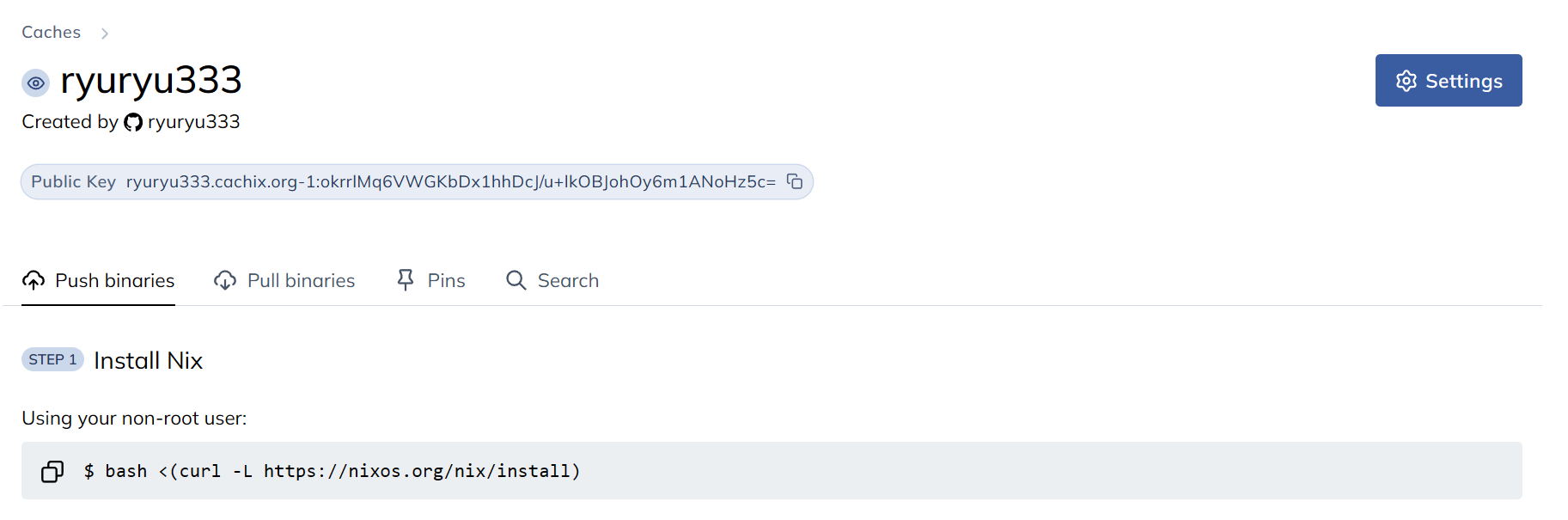
画面右上の Settings をクリックします。
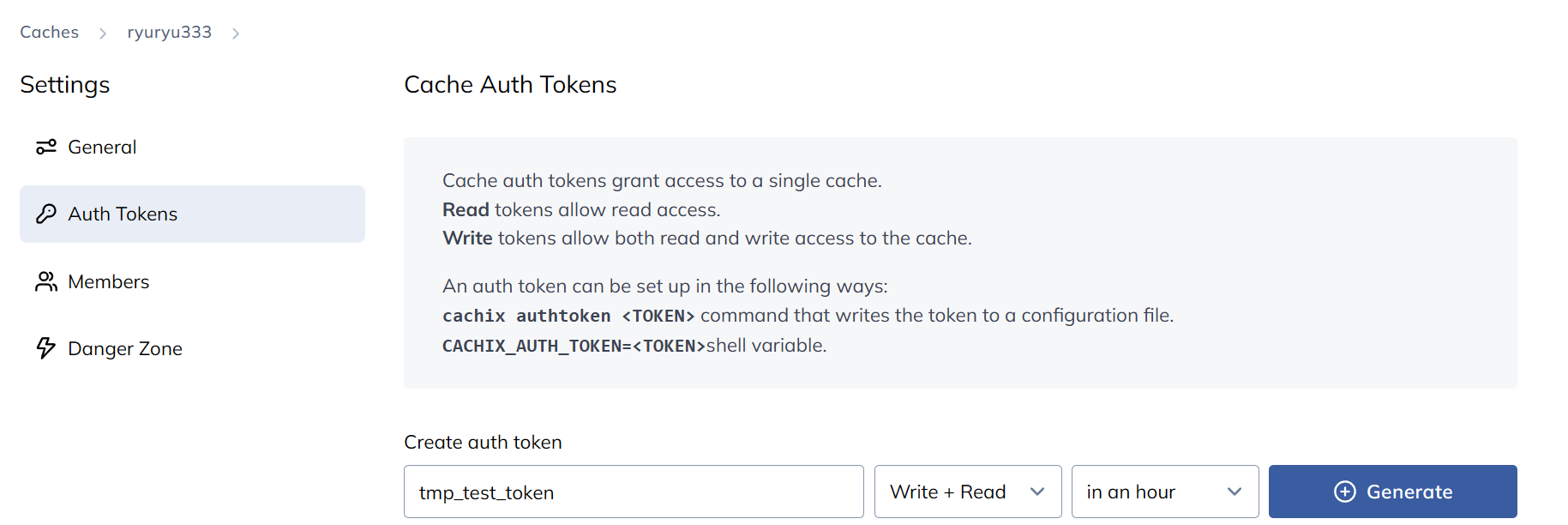
Auth Tokens タブを開きます。
Write + Read 権限のアクセストークンを Generate します。
GitHub Actions Secrets の設定
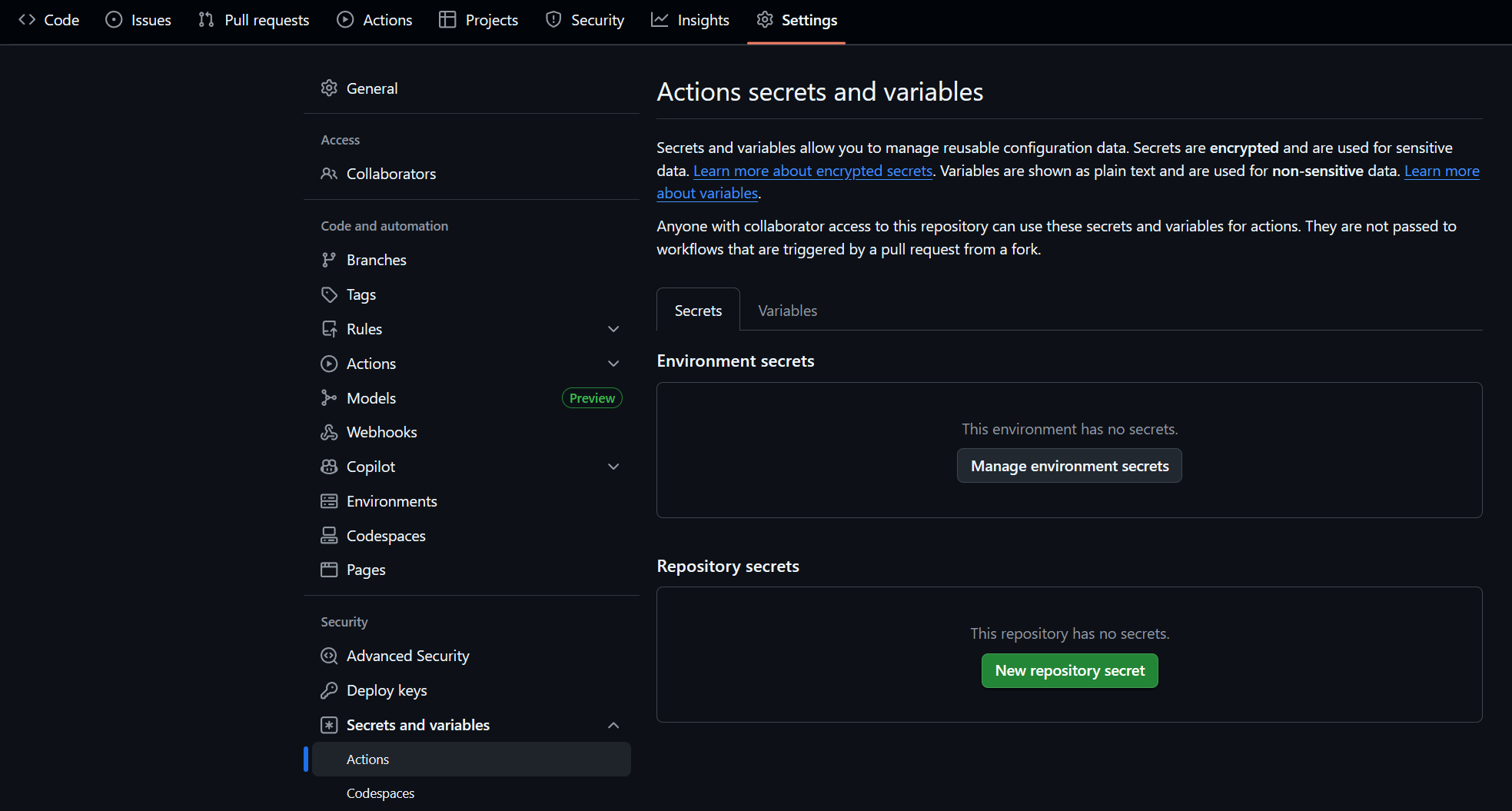
Cachix を利用したいリポジトリを開き、Settings > Security > Secrets and variables > Actions を選択します。
New repository secrets をクリックします。
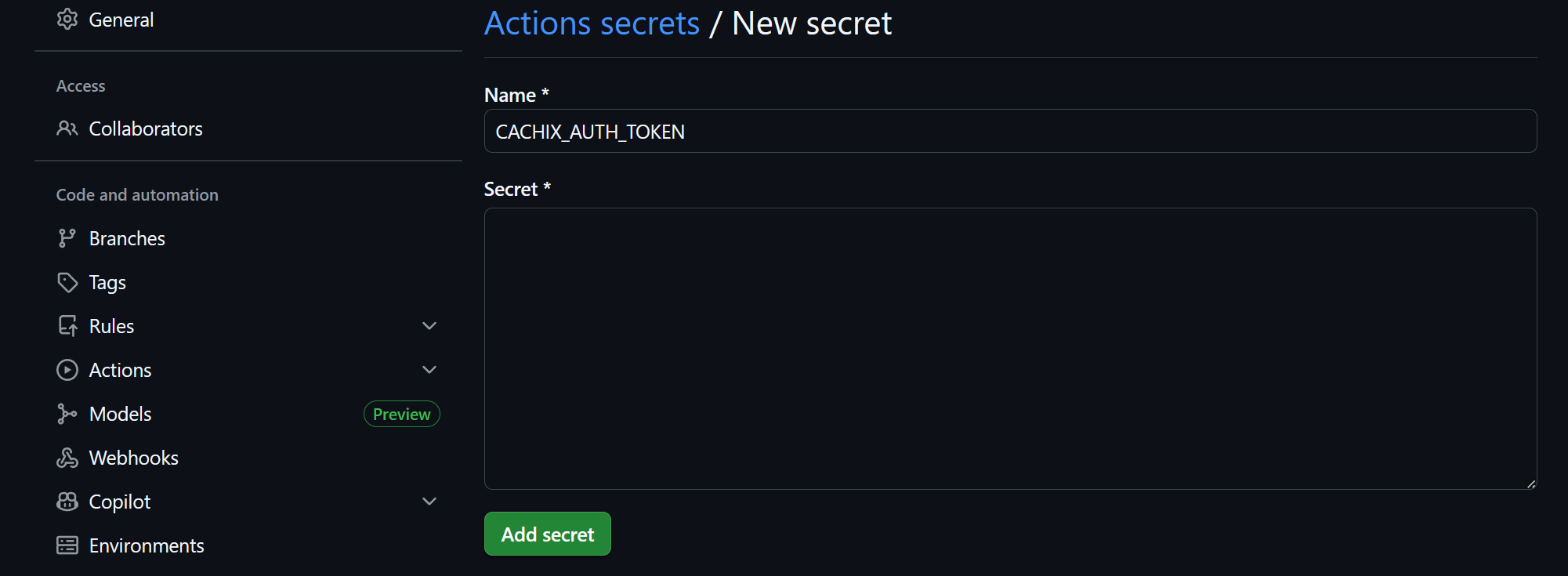
先ほど生成したアクセストークンを CACHIX_AUTH_TOKEN として登録します。
GitHub Actions ワークフロー作成例
私の使っている flake.nix とワークフローを例として示します。
Markdown からスライドを静的生成するツールである marp-cli と必要ツールをビルド。
その後、nix run で marp コマンドを用いてスライドを作成。
といったフローを想定しています。
例示では、ビルド後に marp --version を実行するだけにしています。
your_repo
 ├─ .github
 │     └ workflows
 │         └ build.yml
 └─ flake.nix
{
  description = "Marp environment";

  inputs = {
    nixpkgs.url = "github:nixos/nixpkgs/nixpkgs-unstable";
    flake-utils.url = "github:numtide/flake-utils";
  };

  outputs =
    { nixpkgs, flake-utils, ... }:
    flake-utils.lib.eachDefaultSystem (
      system:
      let
        pkgs = nixpkgs.legacyPackages.${system};
      in
      rec {
        packages = {
          marp_build = pkgs.buildEnv {
            name = "marp_build_tools";
            paths = with pkgs; [
              marp-cli
              chromium
              noto-fonts-cjk-sans
            ];
          };
          default = packages.marp_build;
        };

        devShells = {
          default = pkgs.mkShell {
            nativeBuildInputs = with pkgs; [
              packages.marp_build
              gh
            ];
          };
        };

        apps = {
          marp = {
            type = "app";
            program = "${pkgs.marp-cli}/bin/marp";
          };
          default = apps.marp;
        };
      }
  );
}
name: "build"

on:
  pull_request:
  push:
    branches:
      - main
  workflow_dispatch:

jobs:
  marp_build:
    runs-on: ubuntu-latest
    steps:
      - uses: actions/checkout@v5
      - uses: cachix/install-nix-action@v31
      - uses: cachix/cachix-action@v16
        with:
          name: ryuryu333
          authToken: '${{ secrets.CACHIX_AUTH_TOKEN }}'
      - run: nix build
      - run: nix run .#marp -- --version
補足
cachix/cachix-action の name には cachix で作成した Cache の名前を記入してください。
- uses: cachix/install-nix-action@v31
- uses: cachix/cachix-action@v16
  with:
    name: ryuryu333
    authToken: '${{ secrets.CACHIX_AUTH_TOKEN }}'
各アクションで利用可能なオプションは下記を参照ください。
(雑記)ワークフロー実行時の挙動を確認
Actions の実行結果を見てみます。
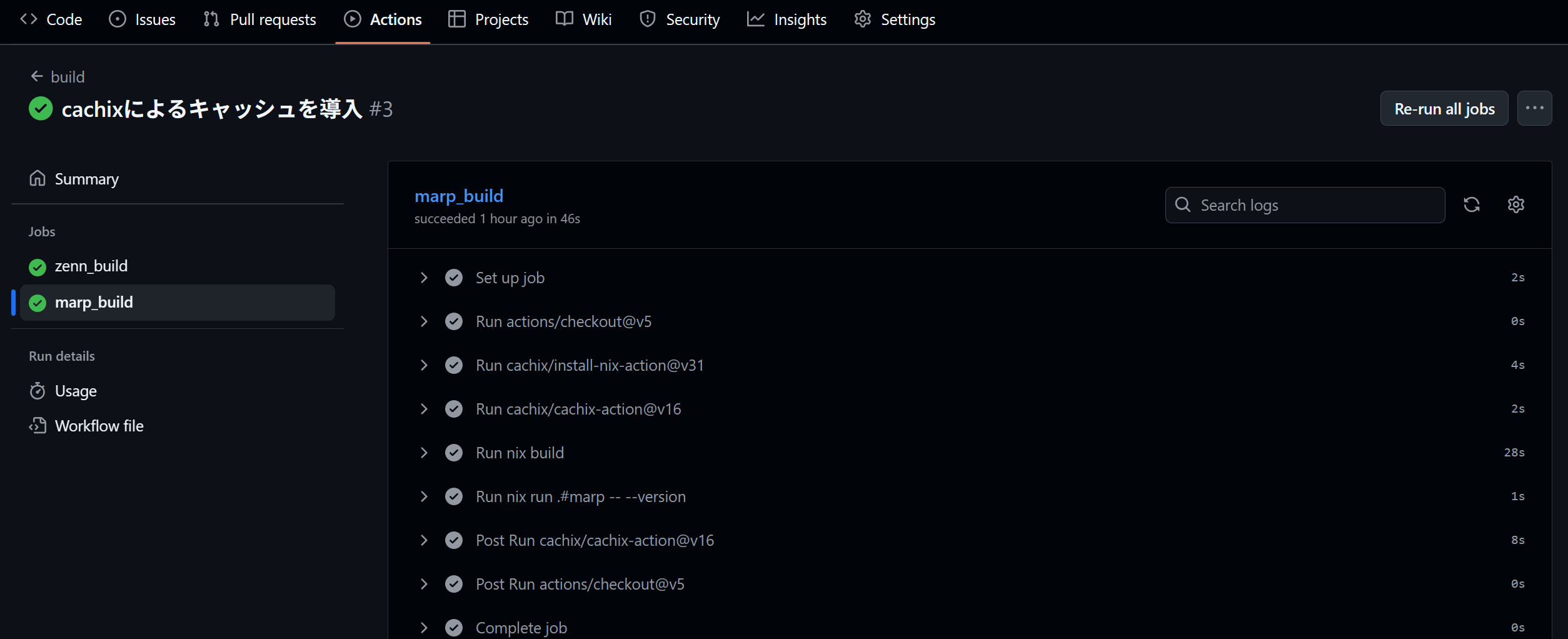
Run cachix/cachix-action@v16 にて、作成した Cachix の Cache(ryuryu333)にアクセスしていることが確認できました。
Run cachix/cachix-action@v16
Cachix: installing
Cachix: checking version
/home/runner/.nix-profile/bin/cachix authtoken ***
Written to /home/runner/.config/cachix/cachix.dhall
Cachix: using cache ryuryu333
  /home/runner/.nix-profile/bin/cachix use ryuryu333
  No config at /home/runner/.config/nix/nix.conf:

  /home/runner/.config/nix/nix.conf: openFile: does not exist (No such file or directory)

  Configured https://ryuryu333.cachix.org binary cache in /home/runner/.config/nix/nix.conf
Run nix build では、ビルド後、全てのパッケージが cache.nixos.org からコピーされていました(詳細は後述)。
Post Run cachix/cachix-action@v16 では、ほぼ全てが Skipping されています。
Post job cleanup.
Cachix: push
  [2025-10-21 13:26:31][Info] Starting Cachix Daemon
  [2025-10-21 13:26:31][Info] Configuration:
  PID: 2816
  Socket: /home/runner/work/_temp/cachix-daemon-Vt58U4/daemon.sock
  Workers: 8
  Cache name: ryuryu333
  Cache URI: https://ryuryu333.cachix.org
  Cache public keys: ["ryuryu333.cachix.org-1:okrrlMq6VWGKbDx1hhDcJ/u+lkOBJohOy6m1ANoHz5c="]
  Cache is public: True
  Compression: ZSTD
  /home/runner/.nix-profile/bin/cachix daemon stop --socket /home/runner/work/_temp/cachix-daemon-Vt58U4/daemon.sock
  [2025-10-21 13:27:00][Info] Shutting down daemon...
  [2025-10-21 13:27:02][Info] Skipping /nix/store/zzjjkknlijh0dh695b8lh63sjn7gx2hl-json-glib-1.10.8
  [2025-10-21 13:27:02][Info] Skipping /nix/store/zz7vx2a97vyi8r1ap6znzdkq5mr9bvrw-libpng-apng-1.6.50

  # 中略

  [2025-10-21 13:27:02][Info] Skipping /nix/store/00sgbhwr125slpyvnbnm6xfwd5q546iq-libvpx-1.15.2
  [2025-10-21 13:27:02][Info] Skipping /nix/store/00bc157nm93q5fjz551fwk60ihlbilvj-coreutils-9.7
  [2025-10-21 13:27:02][Info][retry:0] Pushing /nix/store/mdm9ya8550c5d40b5a81lcvyfyzrav5b-marp_build_tools
  [2025-10-21 13:27:06][Info] Pushed /nix/store/mdm9ya8550c5d40b5a81lcvyfyzrav5b-marp_build_tools
  [2025-10-21 13:27:06][Info] Daemon shut down. Exiting.
Cachix のキャッシュ戦略
スキップされた理由を確認してみましょう。
今回の例では pkgs.marp の様に Nixpkgs からそのままパッケージを利用しています。
つまり、ビルド時には公式のバイナリキャッシュ(cache.nixos.org)が使用されます。
Cachix のドキュメントを確認すると、公式のバイナリキャッシュに既にある場合はアップロード処理をスキップする、と書かれていました。
When pushing Nix store paths to Cachix, they are first checked for existence in upstream NixOS cache (to avoid wasting storage) and if not, they are compressed and uploaded.
賢いですね。
今回、唯一キャッシュされたのは /nix/store/mdm9ya8550c5d40b5a81lcvyfyzrav5b-marp_build_tools でした。
このファイルは flake.nix の packages で定義したツールへのパスの塊であり、私の環境のみに存在するため、これだけアップロードされたと思われます。
$ ls -l /nix/store/mdm9ya8550c5d40b5a81lcvyfyzrav5b-marp_build_tools
total 12
dr-xr-xr-x 2 root root 4096 Jan  1  1970 bin
lrwxrwxrwx 1 root root   62 Jan  1  1970 lib -> /nix/store/5b625p55ssjcayg8wf31f736d3l2r6s9-marp-cli-4.2.3/lib
dr-xr-xr-x 2 root root 4096 Jan  1  1970 share

$ ls -l /nix/store/mdm9ya8550c5d40b5a81lcvyfyzrav5b-marp_build_tools/bin
total 12
lrwxrwxrwx 1 root root 80 Jan  1  1970 chromium -> /nix/store/0rmxq6cn9kxpz9raqmrs1z25jw2wiz7j-chromium-141.0.7390.107/bin/chromium
lrwxrwxrwx 1 root root 88 Jan  1  1970 chromium-browser -> /nix/store/0rmxq6cn9kxpz9raqmrs1z25jw2wiz7j-chromium-141.0.7390.107/bin/chromium-browser
lrwxrwxrwx 1 root root 67 Jan  1  1970 marp -> /nix/store/5b625p55ssjcayg8wf31f736d3l2r6s9-marp-cli-4.2.3/bin/marp
Cachix が効果を発揮するケース
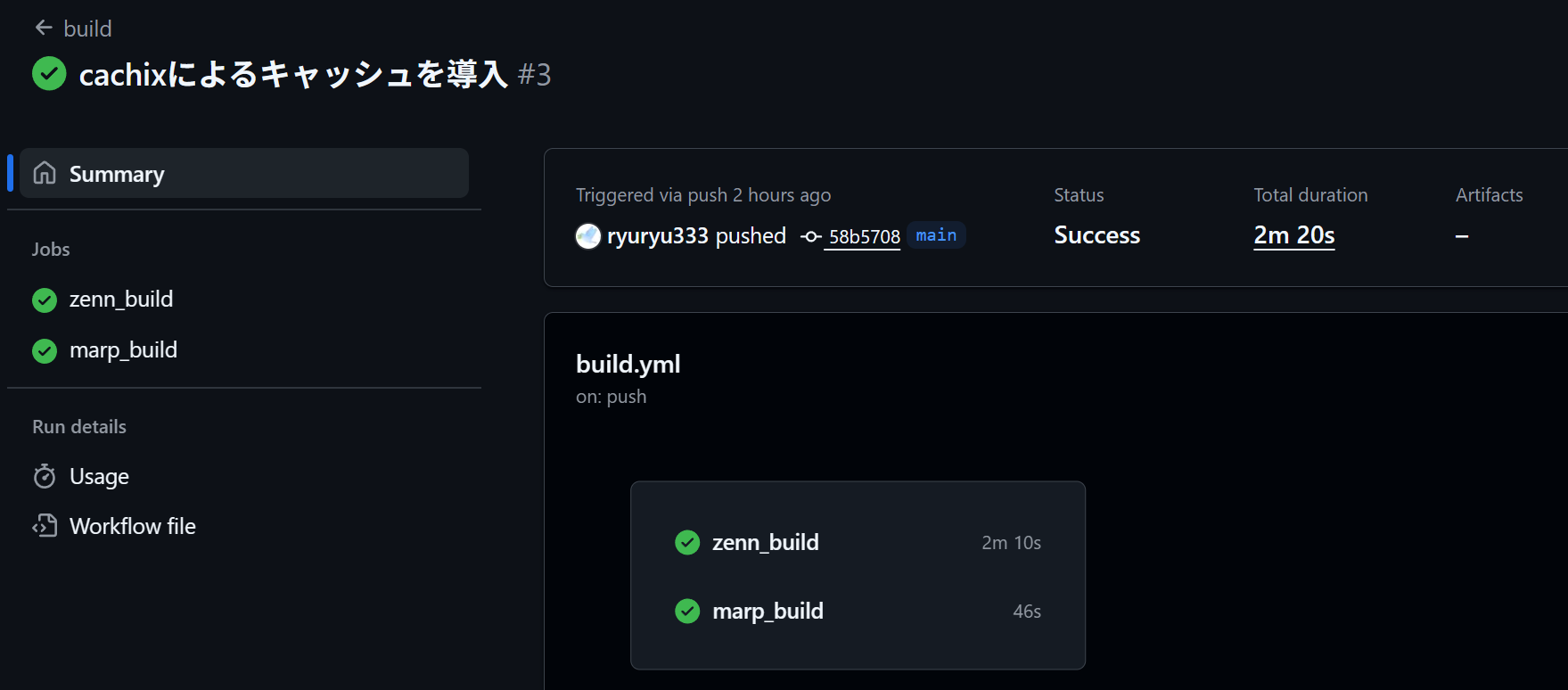
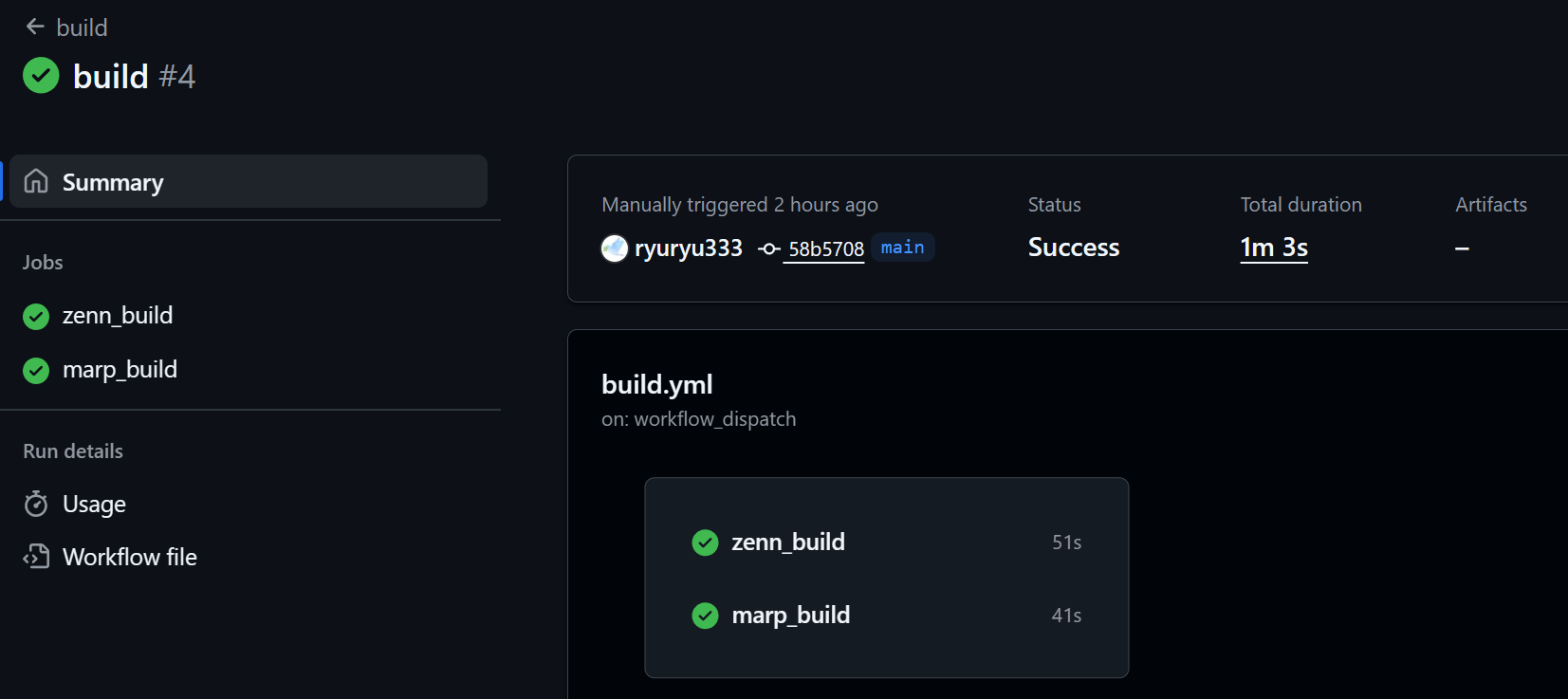
今回例示した flake.nix を用いたフローではキャッシュの効果を感じられませんでした。
(46s -> 41s : 10% 短縮)
一方、node_module を Nix でビルドする場合、キャッシュによりビルドが有意に高速化しました。
(2m 10s -> 51s : 60% 短縮)
※ zenn_build が node_module をビルドした方。
flake.nix とワークフロー
使用したファイルは以下の通りです。
{
  description = "Zenn CLI environment";

  inputs = {
    nixpkgs.url = "github:nixos/nixpkgs/nixpkgs-unstable";
    flake-utils.url = "github:numtide/flake-utils";
  };

  outputs =
    { nixpkgs, flake-utils, ... }:
    flake-utils.lib.eachDefaultSystem (
      system:
      let
        pkgs = nixpkgs.legacyPackages.${system};
        npmRoot = ./node-pkgs;
        nodejs = pkgs.nodejs_24;
        inherit (pkgs) importNpmLock;
        npmDeps = importNpmLock.buildNodeModules {
          inherit nodejs npmRoot;
        };
      in
      rec {
        packages = {
          zenn_tools = pkgs.buildEnv {
            name = "zenn_tools";
            paths = with pkgs; [
              treefmt
              lychee
              npmDeps
            ];
          };
          default = packages.zenn_tools;
        };

        devShells = {
          zenn = pkgs.mkShell {
            nativeBuildInputs = [
              packages.zenn_tools
              pkgs.go-task
              importNpmLock.hooks.linkNodeModulesHook
            ];
            inherit npmDeps;
          };
          node = pkgs.mkShell {
            packages = [
              nodejs
              pkgs.npm-check-updates
            ];
          };
          default = devShells.zenn;
        };
      }
    );
}
name: "build"

on:
  pull_request:
  push:
    branches:
      - main
  workflow_dispatch:

jobs:
  zenn_build:
    runs-on: ubuntu-latest
    defaults:
      run:
        working-directory: zenn

    steps:
      - uses: actions/checkout@v5

      - uses: cachix/install-nix-action@v31

      - uses: cachix/cachix-action@v16
        with:
          name: ryuryu333
          authToken: '${{ secrets.CACHIX_AUTH_TOKEN }}'

      - run: nix build

      - run: nix develop -c zenn --version

  marp_build:
    runs-on: ubuntu-latest
    defaults:
      run:
        working-directory: marp

    steps:
      - uses: actions/checkout@v5

      - uses: cachix/install-nix-action@v31

      - uses: cachix/cachix-action@v16
        with:
          name: ryuryu333
          authToken: '${{ secrets.CACHIX_AUTH_TOKEN }}'

      - run: nix build

      - run: nix run .#marp -- --version
・初回のビルド
・2 回目のビルド
キャッシュ有無によるビルドの挙動の差
node_module をビルドする zenn_build を対象に、キャッシュ前後のビルドを見てみます。
キャッシュが無い場合、these 269 derivations will be built: とビルド処理が行われています。
その後、these 464 paths will be fetched とダウンロードが始まりました。
一方、キャッシュがある場合、ビルド工程無しで these 677 paths will be fetched が始まっています。
初回のビルド
copying path '/nix/store/cxm2pydim6pkc7nh5qkbl7q21ipp5bmz-source' from 'https://cache.nixos.org'...
these 269 derivations will be built:
  /nix/store/01a2vbg5i8gbrchg06y104fn5d937f0i-flat-cache-6.1.13.tgz.drv
# ...
these 464 paths will be fetched (265.13 MiB download, 1391.91 MiB unpacked):
  /nix/store/7fini49zkfwf439iqxvm7nzz2v6aclrn-acl-2.3.2
# ...
copying path '/nix/store/ii4q8jj7a9rf92vxdq64camx6d7bmiyr-builder.pl' from 'https://cache.nixos.org'...
# ...
building '/nix/store/zliiyj09fah0nkqahv9mwqyqhf79h5fy-zod-to-json-schema-3.24.6.tgz.drv'...
building '/nix/store/rfif1gkymmc1r3d7a2sx8l0p6695gr1r-zenn-cli-env-1.0.0-sources.drv'...
building '/nix/store/j2mdvv44jyslv0gwsig2wqxzgml9j069-zenn-cli-env-node-modules-1.0.0.drv'...
building '/nix/store/m1l63pbzj4sidc83hazk4rww5lx2yxyr-zenn_tools.drv'...
# 合計 1480 行
2 回目のビルド
copying path '/nix/store/cxm2pydim6pkc7nh5qkbl7q21ipp5bmz-source' from 'https://cache.nixos.org'...
these 677 paths will be fetched (166.06 MiB download, 509.45 MiB unpacked):
  /nix/store/gx7nm6qfh215c5c1p00x2b6sqwz1wr09-accepts-2.0.0.tgz
# ...
copying path '/nix/store/vba83965m65n7wglxi4sik53ix3na93h-icu4c-76.1-dev' from 'https://cache.nixos.org'...
copying path '/nix/store/357id3rjy9417k4dkvxxmpgd9bxrwc7l-nodejs-24.5.0' from 'https://cache.nixos.org'...
copying path '/nix/store/irybss8kj23zljz3aravjm0rc03ssf5l-zenn-cli-env-node-modules-1.0.0' from 'https://ryuryu333.cachix.org'...
copying path '/nix/store/26b5qk8dbms05h23wc6qn2vvl0n4fdkv-zenn_tools' from 'https://ryuryu333.cachix.org'...
# 合計 1367 行
補足
比較として、pkgs.marp の様に Nixpkgs からそのままパッケージを利用している marp_build も確認してみます。
初回のビルドログのみを提示します。
built 対象は 1 つだけであり、これではキャッシュがあっても大して短縮できないと納得できます。
this derivation will be built:
  /nix/store/xa5vqc5v7ingk0x556qiy38dd18fvbz0-marp_build_tools.drv
these 381 paths will be fetched (437.39 MiB download, 1937.79 MiB unpacked):
  /nix/store/4wzkp02pxxk8kkg3q3197il63pi65m3m-abseil-cpp-20250814.0
  /nix/store/jj3knbpiiwbwmplin208h775gzm86rc3-acl-2.3.2
# ...
copying path '/nix/store/plx9hmh9gbd8s7nbiaijz49501br2vvf-pipewire-1.4.8' from 'https://cache.nixos.org'...
copying path '/nix/store/9lvz6s89kalqzqdwp0d9vg86rf0435jc-openal-soft-1.24.3' from 'https://cache.nixos.org'...
copying path '/nix/store/7sdvkc58p9gfaf8dl4zqlhq1hrd5kqr6-gst-plugins-bad-1.26.5' from 'https://cache.nixos.org'...
copying path '/nix/store/2329310vfm5ivldbrnwp317ijcmzbfzi-gtk4-4.18.6' from 'https://cache.nixos.org'...
copying path '/nix/store/0rmxq6cn9kxpz9raqmrs1z25jw2wiz7j-chromium-141.0.7390.107' from 'https://cache.nixos.org'...
copying path '/nix/store/mdm9ya8550c5d40b5a81lcvyfyzrav5b-marp_build_tools' from 'https://ryuryu333.cachix.org'...
# 合計 750 行
参考資料
Discussion