Stable Diffusion Web UI (Mac)で ControlNetを使う
 ShuzoN
の続き
Macのスペックはこれ

ControlNetを使いたいので設定していく。
ShuzoN
フッターを見る感じはWeb ui v1.9.4を利用してそう。記事の指示に従ってインストールしていく

ShuzoNok。適用されたっぽい。

apply and restart uiしたら
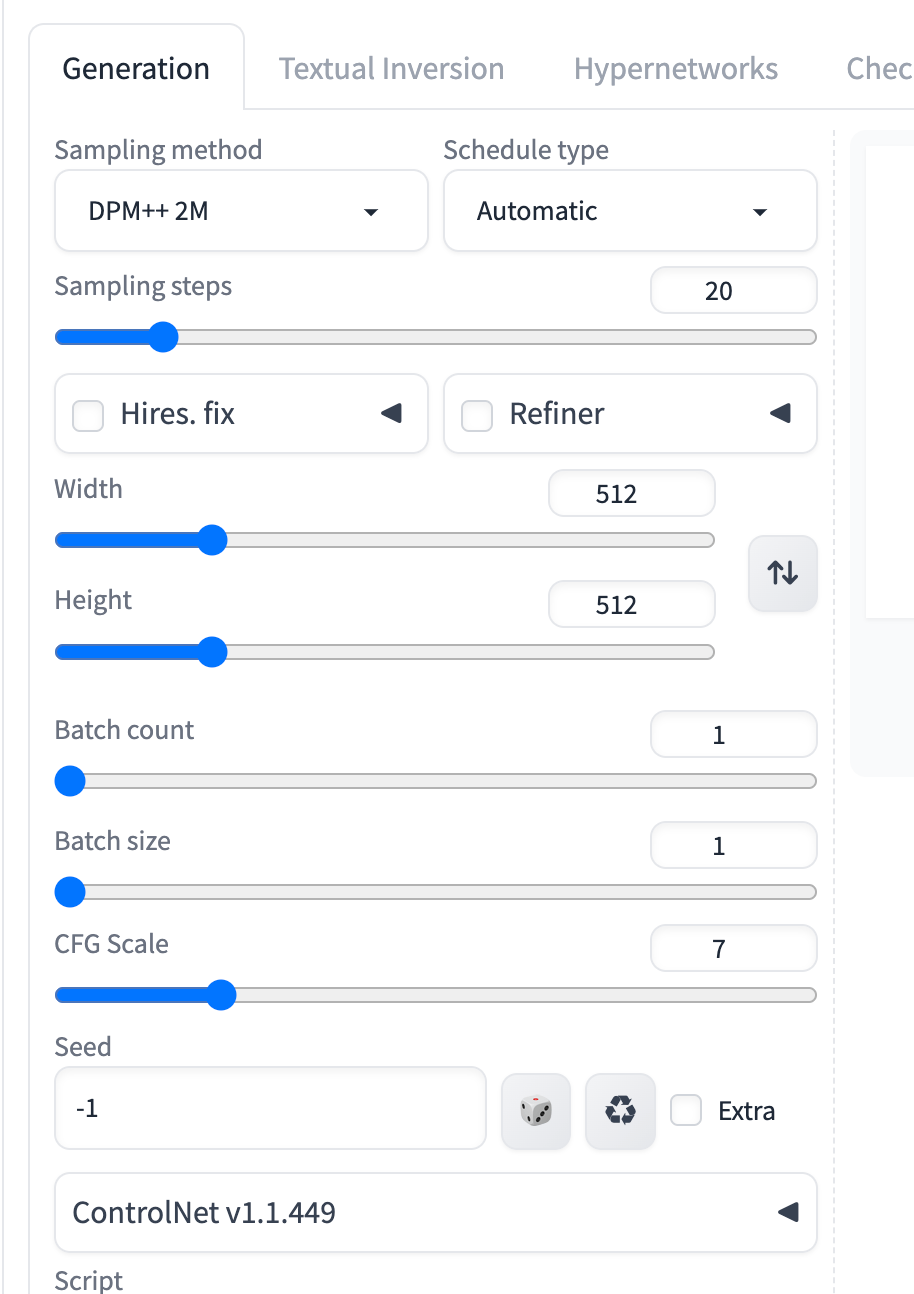
出てきた。
ShuzoN次に
ControlNetを利用するためには、前述のControlNetのインストールに加えて、ControlNet専用のモデルをダウンロードする必要があります。
だそうで。pipはないのでpip3で実行。
pip3 install huggingface_hub
% pip3 install huggingface_hub

error: externally-managed-environment

× This environment is externally managed
╰─> To install Python packages system-wide, try brew install
    xyz, where xyz is the package you are trying to
    install.

    If you wish to install a Python library that isn't in Homebrew,
    use a virtual environment:

    python3 -m venv path/to/venv
    source path/to/venv/bin/activate
    python3 -m pip install xyz

    If you wish to install a Python application that isn't in Homebrew,
    it may be easiest to use 'pipx install xyz', which will manage a
    virtual environment for you. You can install pipx with

    brew install pipx

    You may restore the old behavior of pip by passing
    the '--break-system-packages' flag to pip, or by adding
    'break-system-packages = true' to your pip.conf file. The latter
    will permanently disable this error.

    If you disable this error, we STRONGLY recommend that you additionally
    pass the '--user' flag to pip, or set 'user = true' in your pip.conf
    file. Failure to do this can result in a broken Homebrew installation.

    Read more about this behavior here: <https://peps.python.org/pep-0668/>
python3 -m venv path/to/venv
source path/to/venv/bin/activate
は成功。
python3 -m pip install xyz
ERROR: Could not find a version that satisfies the requirement xyz (from versions: none)
ERROR: No matching distribution found for xyz
だそうで。
原点に立ち戻って公式ドキュメントに。
python -m venv .env
source .env/bin/activate
pip install --upgrade huggingface_hub
普通に動いた。
ShuzoN記事に戻る。どうやらpythonのREPLを開いて依存するパッケージを持ってくるっぽい
python
from huggingface_hub import snapshot_download
snapshot_download(repo_id="comfyanonymous/ControlNet-v1-1_fp16_safetensors", revision="main",allow_patterns="*.safetensors", local_dir="/home/user/stable-diffusion-webui/models/ControlNet")
OSError: [Errno 45] Operation not supported: '/home/user'
環境依存のパスで当然コケる。なのでここは、stable-diffusion-webuiディレクトリ配下でpwdを実行し表示されたものに従いパスを入れる。
$ cd stable-diffusion-webui
$ pwd
/Users/<username>/stable-diffusion-webui
snapshot_download(repo_id="comfyanonymous/ControlNet-v1-1_fp16_safetensors", revision="main",allow_patterns="*.safetensors", local_dir="/Users/<username>/stable-diffusion-webui/models/ControlNet")
私の環境ではユーザディレクトリの直下にSDのディレクトリを置いているためこれで上手く行った。
依存が多いのか結構長いので気長に待つことに。

実行されるとこんな感じのインストール進捗が出る。最後まで終わりきらなかったので途中で止めて再実行したら通りきった。
ls ~/stable-diffusion-webui/models/ControlNet
依存するものが大体インストールされたことを確認。
ShuzoNcannyを試してみるもかなり元画像と違うなぁ...

ShuzoN
depthを使ってみることに。いわゆる深度を計測してモデル整形に使うのだろう。


元画像から深度を抜き取り、それを元に絵を書いてくれる。
a retro man in a space suit, close up, background, space, awe, dim light <lora:retro fashion cyberpunk style:1>
Negative prompt: (worst quality:2),normal qulity,low quality,3d,2d,illustration,painting,sketch,cartoons

Steps: 25, Sampler: DPM++ 2M, Schedule type: Karras, CFG scale: 7, Seed: 3831377739, Size: 400x400, Model hash: 19201e5a00, Model: animics_v20, Denoising strength: 0.75, Clip skip: 2, ControlNet 0: "Module: depth_midas, Model: control_v11f1p_sd15_depth_fp16 [4b72d323], Weight: 1.65, Resize Mode: Crop and Resize, Processor Res: 512, Threshold A: 0.5, Threshold B: 0.5, Guidance Start: 0.0, Guidance End: 1.0, Pixel Perfect: False, Control Mode: ControlNet is more important", Lora hashes: "retro fashion cyberpunk style: 06fef9ca43c6", Version: v1.9.4

Networks with errors: retro fashion cyberpunk style (46)

オーかなりいい感じだ。
a retro man in a space suit, close up, background, space, awe, dim light <lora:retro fashion cyberpunk style:1>
Negative prompt: (worst quality:2),normal qulity,low quality,3d,2d,illustration,painting,sketch,cartoons

Steps: 25, Sampler: DPM++ 2M, Schedule type: Karras, CFG scale: 7, Seed: 535851762, Size: 400x400, Model hash: 19201e5a00, Model: animics_v20, Denoising strength: 0.75, Clip skip: 2, ControlNet 0: "Module: depth_midas, Model: control_v11f1p_sd15_depth_fp16 [4b72d323], Weight: 1.65, Resize Mode: Crop and Resize, Processor Res: 512, Threshold A: 0.5, Threshold B: 0.5, Guidance Start: 0.0, Guidance End: 1.0, Pixel Perfect: False, Control Mode: ControlNet is more important", Lora hashes: "retro fashion cyberpunk style: 06fef9ca43c6", Version: v1.9.4
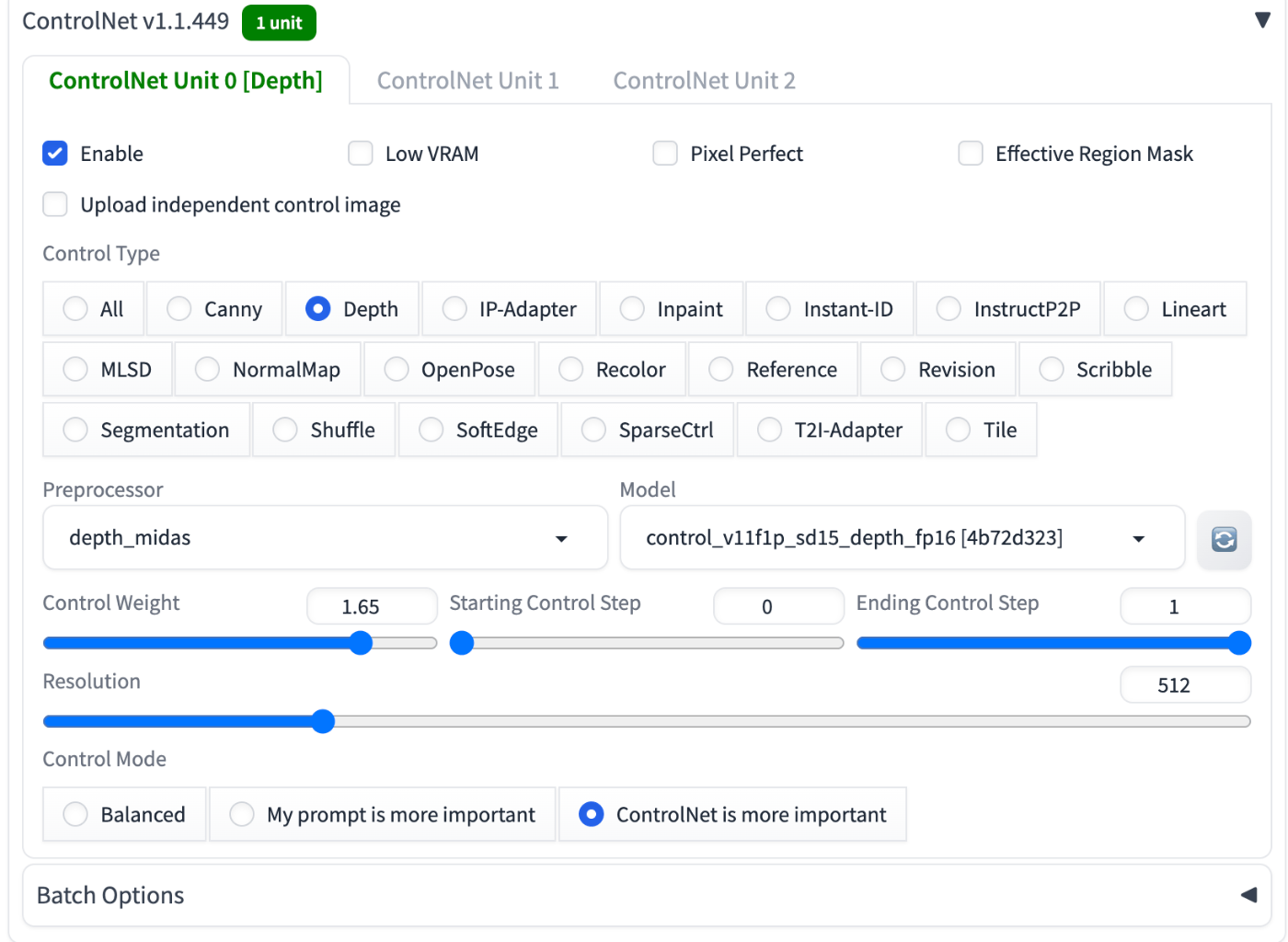
control netのウェイトを1.65とかなり重めにして、構図をほぼ原画像に基づくようにしている。
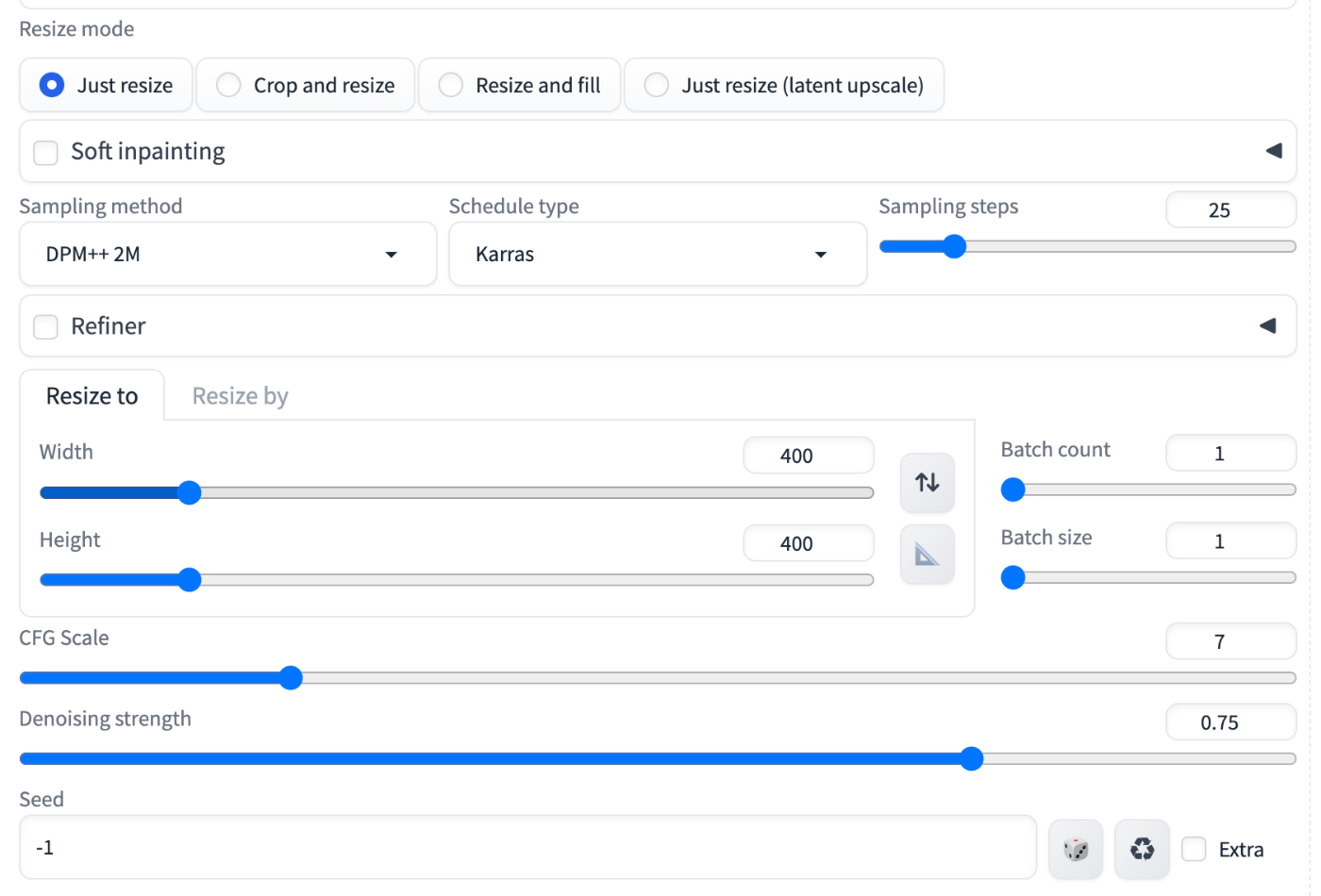
Denoising strength
がモデルによる処理をどれくらい入れるか
CFG Scale
がどれくらいプロンプトの言うことを聞くかを示しているっぽい。 Denoising strengthは0.5を切るとだいぶおかしくなるので、やるならちゃんと効かせた方が良いっぽい
ShuzoNNormal Mapを使うとこんな感じになる。


Negative prompt: (worst quality:2),normal qulity,low quality,3d,2d,illustration,painting,sketch,cartoons

Steps: 25, Sampler: DPM++ 2M, Schedule type: Karras, CFG scale: 7, Seed: 1867518252, Size: 400x400, Model hash: 19201e5a00, Model: animics_v20, Denoising strength: 0.75, Clip skip: 2, ControlNet 0: "Module: normal_bae, Model: control_lora_rank128_v11p_sd15_normalbae_fp16 [586bcefe], Weight: 1.65, Resize Mode: Crop and Resize, Processor Res: 512, Threshold A: 0.5, Threshold B: 0.5, Guidance Start: 0.0, Guidance End: 1.0, Pixel Perfect: False, Control Mode: ControlNet is more important", Lora hashes: "retro fashion cyberpunk style: 06fef9ca43c6", Version: v1.9.4```scribble


ShuzoNsoft edge

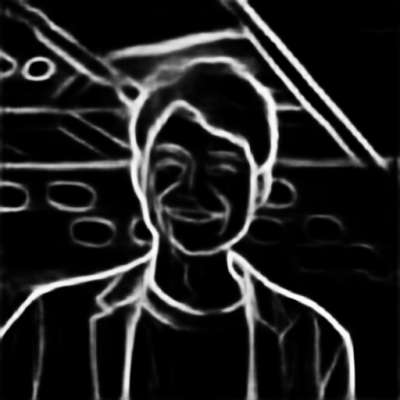
なるほどなぁ。線画になるとほうれい線や歯をヒゲだと思って老けてしまうっぽい。
ShuzoNざっくり全部試してみた感じ
- depth
- normal map
- scribble
あたりが有力かなぁ

フィルタのかけ方にも濃淡があるが、一旦はあんまり気にしなくていいか
ShuzoNざっくり使い方を理解したのでclose
ShuzoNdepth leres++を使いたいな、と思ったのだけどランタイムで落ちる。
RuntimeError: Input type (MPSFloatType) and weight type (torch.FloatTensor) should be the same
自分だけではなく他の人達も動かない、といっている。
対応としてもなさそうなので、一旦zoe, midasでやっていく方向で考えよう