Transkuribusを試す



概要
Transkuribusを用いたテキストアノテーションを試す機会がありましたので、備忘録です。
Transkuribusは以下です。
以下のように説明されています。
Transkribus enables you to automatically recognise text easily, edit seamlessly, collaborate effortlessly, and even train your custom AI for digitizing and interpreting historical documents of any form.
(機械翻訳)あらゆる形式の歴史的文書をデジタル化・解釈するために、テキストの自動認識、シームレスな編集、効率的なコラボレーション、さらにカスタムAIのトレーニングまでを可能にするツール
参考
Transkuribusの日本語による説明として、以下が大変参考になりました。
一方、上記のページでご紹介いただいているデスクトップ版である「Transkribus eXpert」は、deprecatedになっていました。
Please note that Transkribus eXpert (desktop software) is no longer being updated, and all new features will be exclusively available on the Transkribus web app.
サンプルデータ
Recogitoについても、以下の使い方の記事を作成しました。
この記事と同様に、国立国会図書館が公開する以下を例とします。
使い方
トップページにアクセスします。
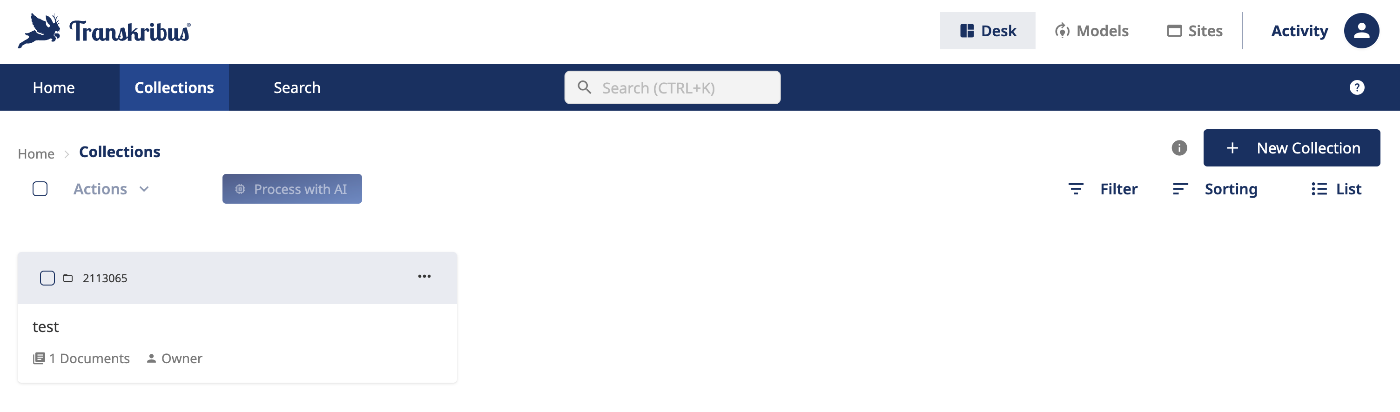
ログイン後、以下のようなホーム画面に遷移します。

コレクション(Collections)に遷移します。
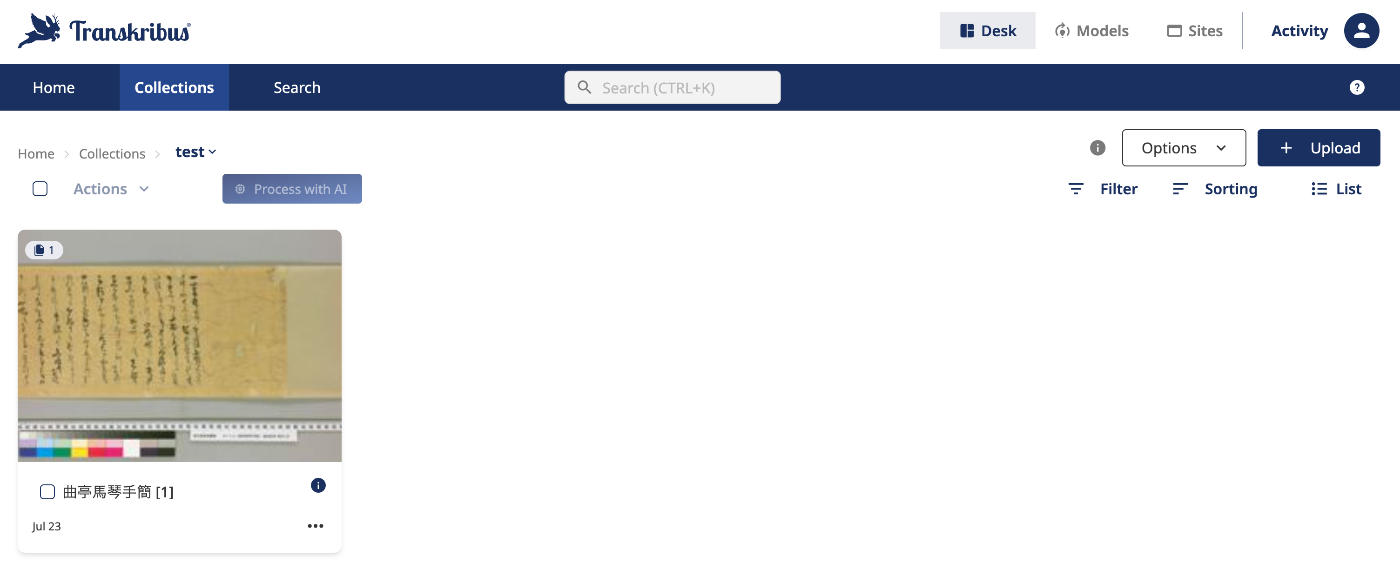
特定のコレクションをクリックすると、以下のドキュメント一覧に遷移します。
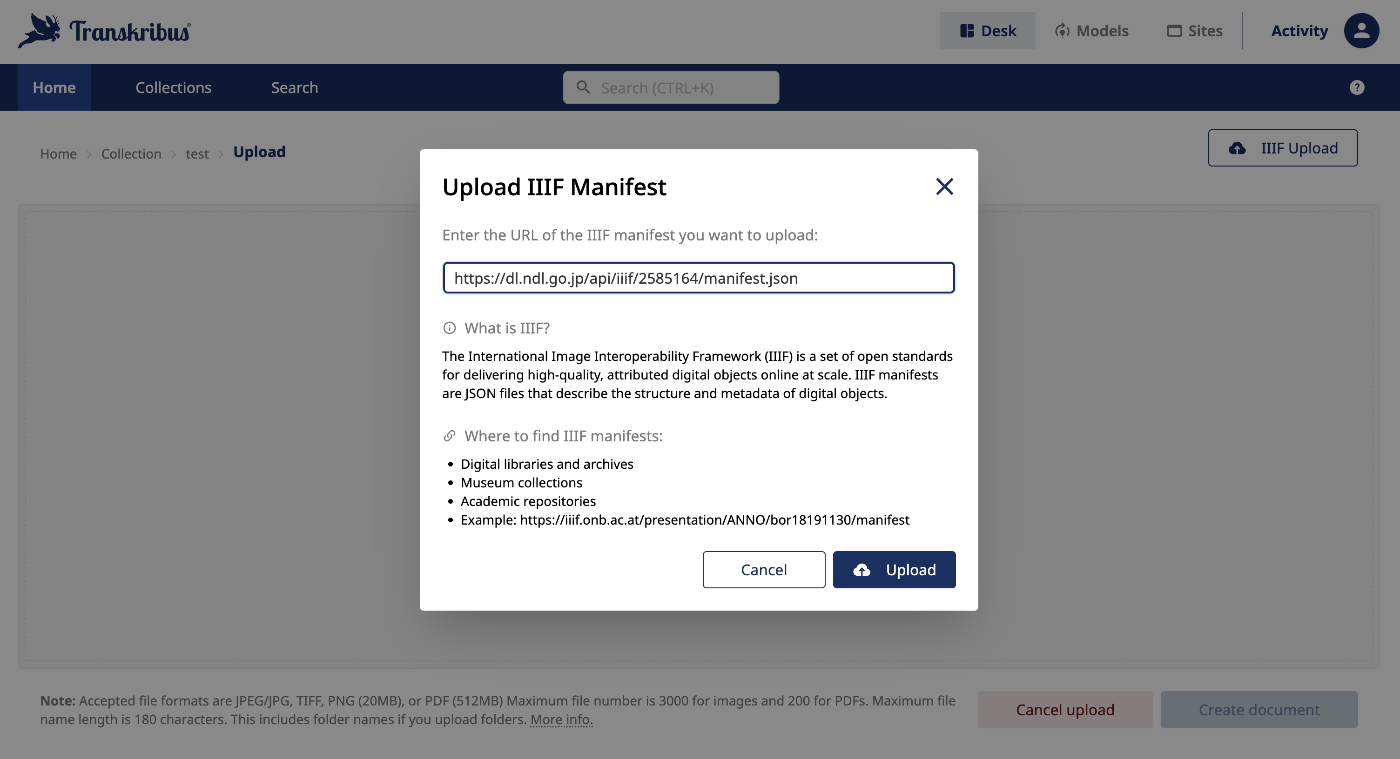
右上のアップロードボタンから、ドキュメントの追加が可能です。以下のように、IIIFマニフェストファイルを用いた登録も可能でした。
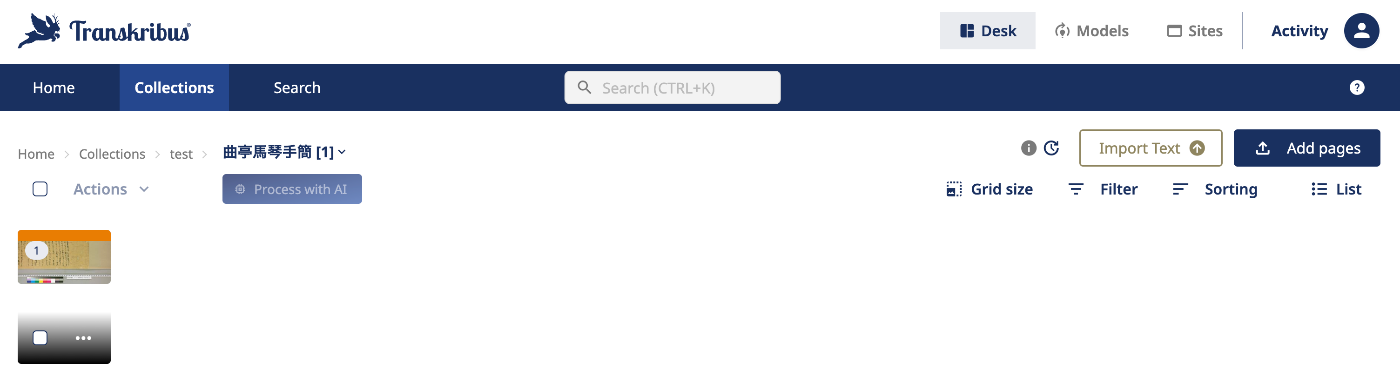
インポートしたドキュメントを開くと、以下のように画像ごとのページに遷移します。
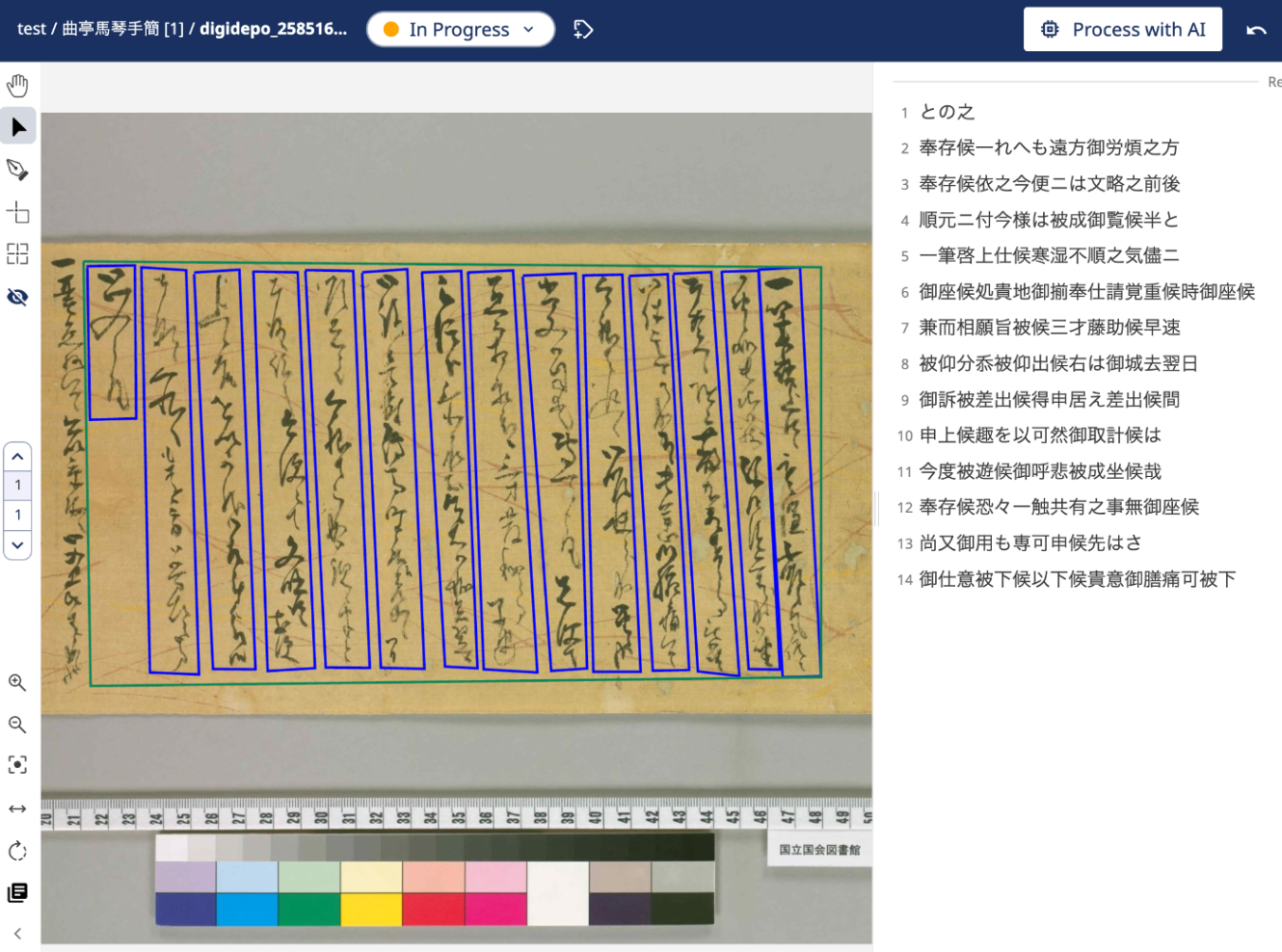
画像をクリックすると、以下のような編集画面に遷移します。
Regionを作成し、その中に行ごとの矩形を作成し、テキストを入力しました。
エクスポート
ページごとのデータはTXTでのエクスポートの他、Prima Page Content XMLという形式でダウンロードできました。

Prima Page Content XMでダウンロードした結果は以下です。
<?xml version="1.0" encoding="UTF-8" standalone="yes"?>
<PcGts xmlns="http://schema.primaresearch.org/PAGE/gts/pagecontent/2013-07-15" xmlns:xsi="http://www.w3.org/2001/XMLSchema-instance" xsi:schemaLocation="http://schema.primaresearch.org/PAGE/gts/pagecontent/2013-07-15 http://schema.primaresearch.org/PAGE/gts/pagecontent/2013-07-15/pagecontent.xsd">
<Metadata>
<Creator>Transkribus</Creator>
<Created>2025-07-23T09:49:53.631+02:00</Created>
<LastChange>2025-07-23T10:18:26.873+02:00</LastChange>
<TranskribusMetadata docId="9697567" pageId="100672696" pageNr="1" tsid="251458348" status="IN_PROGRESS" userId="43441" imgUrl="https://files.transkribus.eu/Get?id=LZOBFYAOAKIRAOXQMAPMUPKX&fileType=view" xmlUrl="https://files.transkribus.eu/Get?id=OUNYSFBLLNLDZUNCDNFEJDRX" imageId="84474111"/>
</Metadata>
<Page imageFilename="0001_digidepo_2585164_pn_null_27212334-96a2-4803-bc06-107cdba87ccc.jpg" imageWidth="8292" imageHeight="4794">
<ReadingOrder>
<OrderedGroup id="ro_1753260206929" caption="Regions reading order">
<RegionRefIndexed index="0" regionRef="r_79"/>
</OrderedGroup>
</ReadingOrder>
<TextRegion id="r_79" custom="readingOrder {index:0;}">
<Coords points="421,856 4675,890 4675,3256 462,3307"/>
<TextLine id="l_391" custom="readingOrder {index:0;}">
<Coords points="443,893 458,1770 725,1763 717,879 438,884 439,914 689,908 697,1735 485,1741 473,892"/>
<Baseline points="443,893 458,1770 725,1763 717,879 438,884"/>
<TextEquiv>
<Unicode>との之</Unicode>
</TextEquiv>
</TextLine>
<TextLine id="l_369" custom="readingOrder {index:1;}">
<Coords points="755,898 804,3229 1087,3241 1013,907 747,890 745,920 985,934 1058,3212 832,3202 785,898"/>
<Baseline points="755,898 804,3229 1087,3241 1013,907 747,890"/>
<TextEquiv>
<Unicode>奉存候一れへも遠方御労煩之方</Unicode>
</TextEquiv>
</TextLine>
<TextLine id="l_325" custom="readingOrder {index:2;}">
<Coords points="1401,910 1483,3221 1756,3204 1656,919 1398,915 1398,945 1628,947 1726,3177 1510,3191 1431,909"/>
<Baseline points="1401,910 1483,3221 1756,3204 1656,919 1398,915"/>
<TextEquiv>
<Unicode>奉存候依之今便ニは文略之前後</Unicode>
</TextEquiv>
</TextLine>
<TextLine id="l_303" custom="readingOrder {index:3;}">
<Coords points="1701,911 1818,3200 2072,3203 1976,911 1698,906 1697,936 1949,939 2043,3175 1845,3172 1731,909"/>
<Baseline points="1701,911 1818,3200 2072,3203 1976,911 1698,906"/>
<TextEquiv>
<Unicode>順元ニ付今様は被成御覧候半と</Unicode>
</TextEquiv>
</TextLine>
<TextLine id="l_78" custom="readingOrder {index:4;}">
<Coords points="4315,913 4453,3256 4675,3251 4553,890 4312,904 4313,934 4526,920 4646,3224 4480,3227 4345,911"/>
<Baseline points="4315,913 4453,3256 4675,3251 4553,890 4312,904"/>
<TextEquiv>
<Unicode>一筆啓上仕候寒湿不順之気儘ニ</Unicode>
</TextEquiv>
</TextLine>
<TextLine id="l_127" custom="readingOrder {index:5;}">
<Coords points="4101,913 4257,3210 4437,3212 4314,910 4099,916 4100,946 4287,939 4407,3184 4284,3182 4131,911"/>
<Baseline points="4101,913 4257,3210 4437,3212 4314,910 4099,916"/>
<TextEquiv>
<Unicode>御座候処貴地御揃奉仕請覚重候時御座候</Unicode>
</TextEquiv>
</TextLine>
<TextLine id="l_237" custom="readingOrder {index:6;}">
<Coords points="2639,916 2729,3211 3038,3229 2898,908 2635,920 2636,949 2871,937 3009,3200 2757,3184 2669,914"/>
<Baseline points="2639,916 2729,3211 3038,3229 2898,908 2635,920"/>
<TextEquiv>
<Unicode>兼而相願旨被候三才藤助候早速</Unicode>
</TextEquiv>
</TextLine>
<TextLine id="l_259" custom="readingOrder {index:7;}">
<Coords points="2373,921 2506,3195 2693,3205 2599,911 2368,920 2370,950 2572,940 2664,3176 2533,3167 2403,920"/>
<Baseline points="2373,921 2506,3195 2693,3205 2599,911 2368,920"/>
<TextEquiv>
<Unicode>被仰分忝被仰出候右は御城去翌日</Unicode>
</TextEquiv>
</TextLine>
<TextLine id="l_281" custom="readingOrder {index:8;}">
<Coords points="2028,923 2136,3202 2387,3208 2288,901 2029,919 2031,949 2261,931 2358,3179 2163,3174 2058,922"/>
<Baseline points="2028,923 2136,3202 2387,3208 2288,901 2029,919"/>
<TextEquiv>
<Unicode>御訴被差出候得申居え差出候間</Unicode>
</TextEquiv>
</TextLine>
<TextLine id="l_347" custom="readingOrder {index:9;}">
<Coords points="1059,929 1168,3209 1413,3211 1320,904 1059,920 1060,950 1293,934 1384,3183 1195,3181 1089,928"/>
<Baseline points="1059,929 1168,3209 1413,3211 1320,904 1059,920"/>
<TextEquiv>
<Unicode>申上候趣を以可然御取計候は</Unicode>
</TextEquiv>
</TextLine>
<TextLine id="l_193" custom="readingOrder {index:10;}">
<Coords points="3304,933 3361,3225 3634,3225 3528,932 3298,937 3299,967 3501,961 3604,3197 3388,3196 3334,932"/>
<Baseline points="3304,933 3361,3225 3634,3225 3528,932 3298,937"/>
<TextEquiv>
<Unicode>今度被遊候御呼悲被成坐候哉</Unicode>
</TextEquiv>
</TextLine>
<TextLine id="l_149" custom="readingOrder {index:11;}">
<Coords points="3822,933 3964,3223 4203,3250 4041,918 3821,928 3823,958 4014,948 4174,3219 3992,3197 3852,931"/>
<Baseline points="3822,933 3964,3223 4203,3250 4041,918 3821,928"/>
<TextEquiv>
<Unicode>奉存候恐々一触共有之事無御座候</Unicode>
</TextEquiv>
</TextLine>
<TextLine id="l_215" custom="readingOrder {index:12;}">
<Coords points="2954,944 3118,3220 3325,3206 3259,925 2955,938 2956,968 3232,954 3296,3180 3145,3190 2984,942"/>
<Baseline points="2954,944 3118,3220 3325,3206 3259,925 2955,938"/>
<TextEquiv>
<Unicode>尚又御用も専可申候先はさ</Unicode>
</TextEquiv>
</TextLine>
<TextLine id="l_171" custom="readingOrder {index:13;}">
<Coords points="3568,945 3704,3219 3914,3215 3790,930 3567,940 3568,970 3763,959 3884,3187 3731,3190 3598,943"/>
<Baseline points="3568,945 3704,3219 3914,3215 3790,930 3567,940"/>
<TextEquiv>
<Unicode>御仕意被下候以下候貴意御膳痛可被下</Unicode>
</TextEquiv>
</TextLine>
<TextEquiv>
<Unicode></Unicode>
</TextEquiv>
</TextRegion>
</Page>
</PcGts>
まとめ
矩形の作成と、テキストの入力までを確認しました。
HTRモデルの学習や推論など、Transkuribusの特徴的な機能までは試すことができなかったため、また別の記事で確認したいと思います。
Discussion