S3+CloudFrontでエラーページを表示させる typescript #3.5





はじめに
最近、AWSCDKの学習としてS3とCloudFrontを使った静的ウェブサイトの構築をしています。
AWS CDK S3静的ウェブサイトホスティング構築 TypeScript #1
AWS CDK S3+CloudFrontウェブサイト構築 Typescript #2
AWS CDK S3+CloudFront+Route53+ACM ウェブサイト構築 TypeScript #3
これまでで独自ドメインを取得しHTTPSを使ったCloudFront経由のコンテンツ配信を構築し
次はセキュリティやらモニタイングやらに着手しようとも考えたのですが
表示されるページが真っ白背景にHello from Amazon S3ではあまりにも寂しいと思ったので
もう少しページのデザインを更新しつつエラーページ表示も実装することにしました。

あまりにも味気ない
そのため今回はCloudFrontでエラーページ表示設定する以外は超簡単なhtmlの話になります。
(だから番外編の#3.5)
やりたい事
・ページの数を増やしてそのページ間を行き来できるリンクを置きたい
・後々自己紹介風ページにしたいと考えてるのでアイコン画像を配置したい
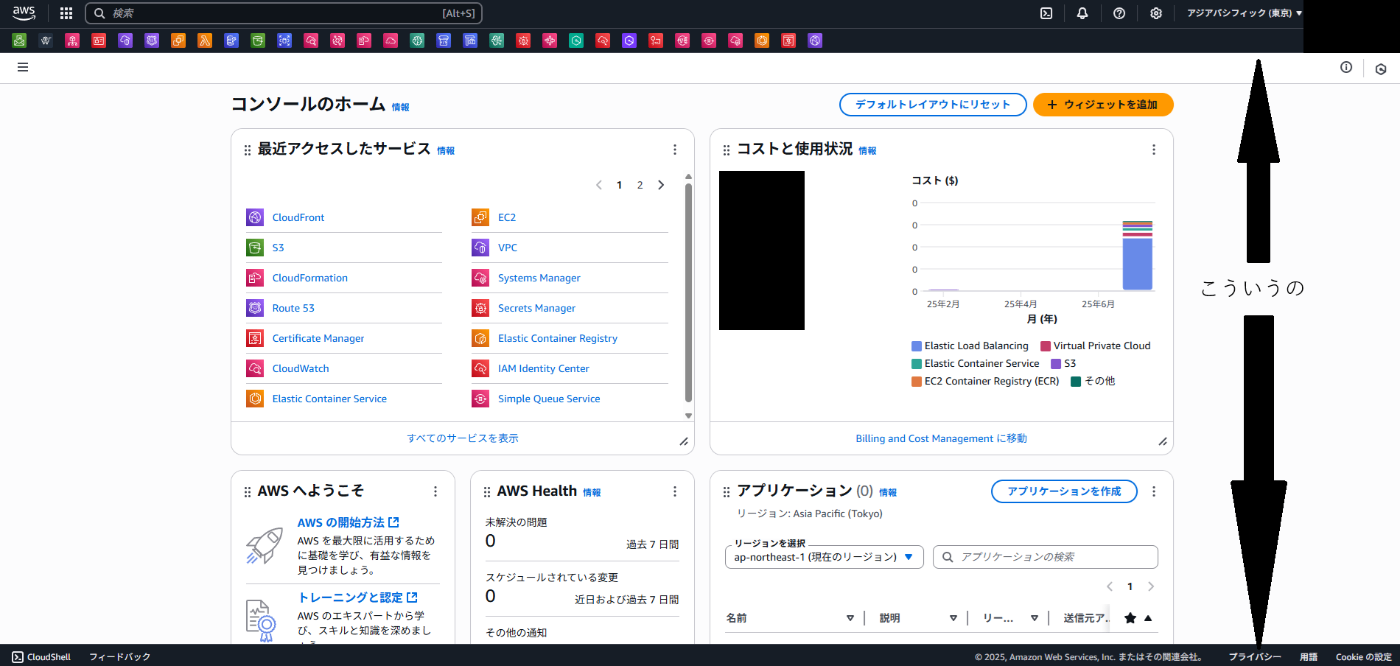
・ウィンドウスクショしたときに端っこが白だとZennのライトテーマと相性が悪いのでAWSのマネコンみたいなヘッダーとフッダーで挟みたい。
構築
ページデザイン
まずは、ページ用のファイルとデザイン用のファイルをいくつか作っていきます。
website
│  about.html
│  error.html
│  index.html
│
├─css
│      style.css
│
└─images
        logo.png
style.cssでヘッダーや背景の設定をしていきます。
/*各タグに対応した設定を定義 */
body {
    /* フォント設定(複数ある場合は左から優先して使われる) */
    font-family: Arial, Helvetica, sans-serif;
    /* 背景色 */
    background-color: #f4f4f4;
    /* 文字色 */
    color: #333;
    /* 余白→他領域と領域の余白 */
    margin: 0;
    /* 内側余白→領域とコンテンツ(文字や画像)の余白 */
    padding: 0;
}

header {
    background-color: #4caf50;
    color: white;
    padding: 10px 20px;
}

nav a {
    color: white;
    /* 下線の設定(無効化) */
    text-decoration: none;
    margin: 0 10px;
}

main {
    padding: 20px;
}

img {
    /* 上方向の余白→文章と画像をくっつかせない設定 */
    margin-top: 20px;
}

footer {
    /* 上線 */
    border-top: 1px solid #000;
    background-color: #000;
    color: #fff;
    /* 文字位置(中央寄せ) */
    text-align: center;
    padding: 10px 0;
    /* 領域の位置(画面下固定) */
    position: fixed;
    /* 幅(横幅一杯) */
    width: 100%;
    /* 画面下端 */
    bottom: 0;
}
style.cssファイルを準備することで他のhtmlファイルでフォントや背景の設定を使用することができるようになります。
imagesフォルダに画像を格納したらhtmlファイルを更新していきます。
2ページ間の遷移をしたいのでabout.htmlファイルを追加しindex.htmlファイルも更新します。
<!DOCTYPE html>
<html lang="ja">
<!--ページ情報や設定などのメタデータ-->
<head>
<meta charset="UTF-8">
<title>About</title>
<link rel="stylesheet" href="css/style.css">
</head>
<!--以下実際画面に表示されるコンテンツ-->
<body>
<!--ヘッダー-->
<header>
<!--見出し(一番大きいのでh1)-->
<h1>About Page</h1>
<!--サイトのナビゲーションをまとめることを検索エンジン等に伝えられる-->
<nav>
<!--リンクの挿入(アンカータグ)-->
<a href="index.html">Home</a> |
<a href="about.html">About</a>
</nav>
</header>
<!--本文-->
<main>
<!--段落-->
<p>これはAboutページです。S3とCloudFrontを私用した配信テスト中です。</p>
</main>
<!--フッダー-->
<footer>
<p>© 2025 My Website</p>
</footer>
</body>
</html>
<!DOCTYPE html>
<html lang="ja">
<head>
<meta charset="UTF-8">
<title>My Static WebSite</title>
<link rel="stylesheet" href="css/style.css">
</head>
<body>
<header>
<h1>Welcome!!</h1>
<nav>
<a href="index.html">Home</a> |
<a href="about.html">About</a>
</nav>
</header>
<main>
<p>これはCloudFront経由で配信されるトップページです。</p>
<img src="images/logo.png" alt="Logo" width="200">
</main>
<footer>
<p>© 2025 My Website</p>
</footer>
</body>
</html>
更新したら一度ローカルで開いて確認してみます。
画像が表示されたり指定した通りの色でページが作成されていればOKです。

about.html

index.html
このままでcdk deployすればwebsiteフォルダ内のファイルは全てアップロードされるのでウェブサイトの更新は完了します。
今回はエラーページを表示させるという主題がありますのでエラーページも作ります。
存在しないリンクを指定された時に返すページにしたいので以下のように作成します。
<!DOCTYPE html>
<html lang="ja">
<head>
    <meta charset="UTF-8">
    <title>エラーが発生しました</title>
    <link rel="stylesheet" href="css/style.css">
</head>
<body>
    <header>
        <h1>404 Not Found</h1>
        <nav>
            <a href="index.html">Home</a> |
            <a href="about.html">About</a>
        </nav>
    </header>
    <main>
        <p>お探しのページは見つかりませんでした。</p>
    </main>
</body>
</html>
ページの準備ができたのでCloudFrontにエラーページを表示させる設定を入れていきます。
404:存在しないページにアクセスしたエラー
403:アクセス許可されていないコンテンツにアクセスしようとした
上記の場合にエラーページを表示する(クライアントにはエラーとは表示されない)ようにします。
import * as cdk from 'aws-cdk-lib';
import { Construct } from 'constructs';
import {
  aws_s3 as s3,
  aws_s3_deployment as s3_deployment,
  aws_cloudfront as cloudfront,
  aws_cloudfront_origins as cloudfront_origins,
  aws_route53 as route53,
  aws_route53_targets as route53_targets,
  aws_certificatemanager as acm,
} from 'aws-cdk-lib';

interface S3CloudfrontStackProps extends cdk.StackProps {
  domainName: string;
  certificateArn: string;
  hostedZone: route53.IHostedZone;
}

export class S3CloudfrontStack extends cdk.Stack {
  public readonly distributhinId: string;

  constructor(scope: Construct, id: string, props: S3CloudfrontStackProps) {
    super(scope, id, props);

    const s3Bucket = new s3.Bucket(this, 'WebSiteBucket', {
      bucketName: `s3-bucket-${cdk.Aws.ACCOUNT_ID}-${cdk.Aws.REGION}`,
      autoDeleteObjects: true,
      removalPolicy: cdk.RemovalPolicy.DESTROY,
      publicReadAccess: false,
      blockPublicAccess: s3.BlockPublicAccess.BLOCK_ALL,
    });

    const certificate = acm.Certificate.fromCertificateArn(this, 'WebSiteCert', props.certificateArn);

    const oac = new cloudfront.S3OriginAccessControl(this, 'OAC', {
      originAccessControlName: `${id}-oac`,
      signing: cloudfront.Signing.SIGV4_ALWAYS,
    })

    const distribution = new cloudfront.Distribution(this, 'Distribution', {
      defaultBehavior: {
        origin: cloudfront_origins.S3BucketOrigin.withOriginAccessControl(
          s3Bucket,{
            originAccessLevels: [cloudfront.AccessLevel.READ],
          },
        ),
      },
      defaultRootObject: 'index.html',
        // エラー時にエラー用ページを表示
      errorResponses: [
        {
            // エラー表示を行うステータスを指定
          httpStatus: 404,
            // 表示するエラー用ページを指定
          responsePagePath: '/error.html',
            // TTLの指定(0にするとデバック時に便利)
          ttl: cdk.Duration.seconds(0),
        },
        {
          httpStatus: 403,
          responsePagePath: '/error.html',
          ttl: cdk.Duration.seconds(0),
        },
      ],
      domainNames: [props.domainName],
      certificate: certificate,
    });
    this.distributhinId = distribution.distributionId;

    new route53.ARecord(this, 'AliasRecord', {
      zone: props.hostedZone,
      recordName: '',
      target: route53.RecordTarget.fromAlias(new route53_targets.CloudFrontTarget(distribution)),
    });

    new s3_deployment.BucketDeployment(this, 'DeploymentIndex', {
      destinationBucket: s3Bucket,
      sources: [s3_deployment.Source.asset('./website')],
      destinationKeyPrefix: '',
    });

    const url = new cdk.CfnOutput(this, 'URL', {
      value: `https://${props.domainName}`,
      description: 'Website URL'
    });
  }
}
cdk.jsonのパラメータ等に誤りが無いか確認したらデプロイを行います。
前回からの続きの場合はcdk deploy --allで一気にデプロイ可能ですが、
今回からの作業の場合は#3の順番でスタック単位のデプロイを実施してください。
デプロイが完了したら取得したドメインを使ってアクセスしてみましょう。
そしてホームのAbout部分をクリックしたらAbout Pageに遷移するかも確認してください。
そして、.com/以降に適当な文字を入れた場合に正常にエラーページが出るのを確認しましょう。

表示されれば構築成功です。
おわり
今回はCloudFrontの構築からすこし寄り道をして少しウェブページをデコってみました。
次回は本題にもどってCloudFrontのモニタング設定をできればと思います。
最後までお読みいただきありがとうございました。
ソースコード
Discussion