delegate access token (Shopify-Storefront-Private-Token)メモ
 さとうあまみ
delegate access token (Shopify-Storefront-Private-Token)を使うと、IPベースのAPI上限とは別の条件でAPIを利用できる?
Usage limitations
If you use a server-side library, the IP address of the request will be your server’s address. To ensure your app is throttled correctly, use a delegate access token and pass it in the Shopify-Storefront-Private-Token header from server contexts.
https://shopify.dev/api/storefront
Authenticated access to the Storefront API enables your app to make requests from private or authenticated contexts like an Oxygen deployment, Hydrogen backend, or other server. With authenticated access, your requests are throttled at the shop level and optionally by a forwarded IP.
Use a server to build custom storefronts with authenticated access for the Storefront API API
EFFECTIVE SEPTEMBER 16, 2022
You can now use authenticated access to make Storefront API requests from a server (for example, from a Hydrogen server).
Using authenticated access enables more throughput for your server than using a public token, and enables Shopify's bot protection features to work more effectively.
https://shopify.dev/changelog/use-a-server-to-build-custom-storefronts-with-authenticated-access-for-the-storefront-api
さとうあまみ通常は Storefront APIは minimum 0.5s per request, 60s per user IP で、1 IPアドレスあたり60秒につき最大120リクエストが上限。
SSRではアクセスのたびにサーバーからAPIにリクエストが飛ぶので、この上限を超過する可能性がある。SSGでもデプロイ時には超過するかも。
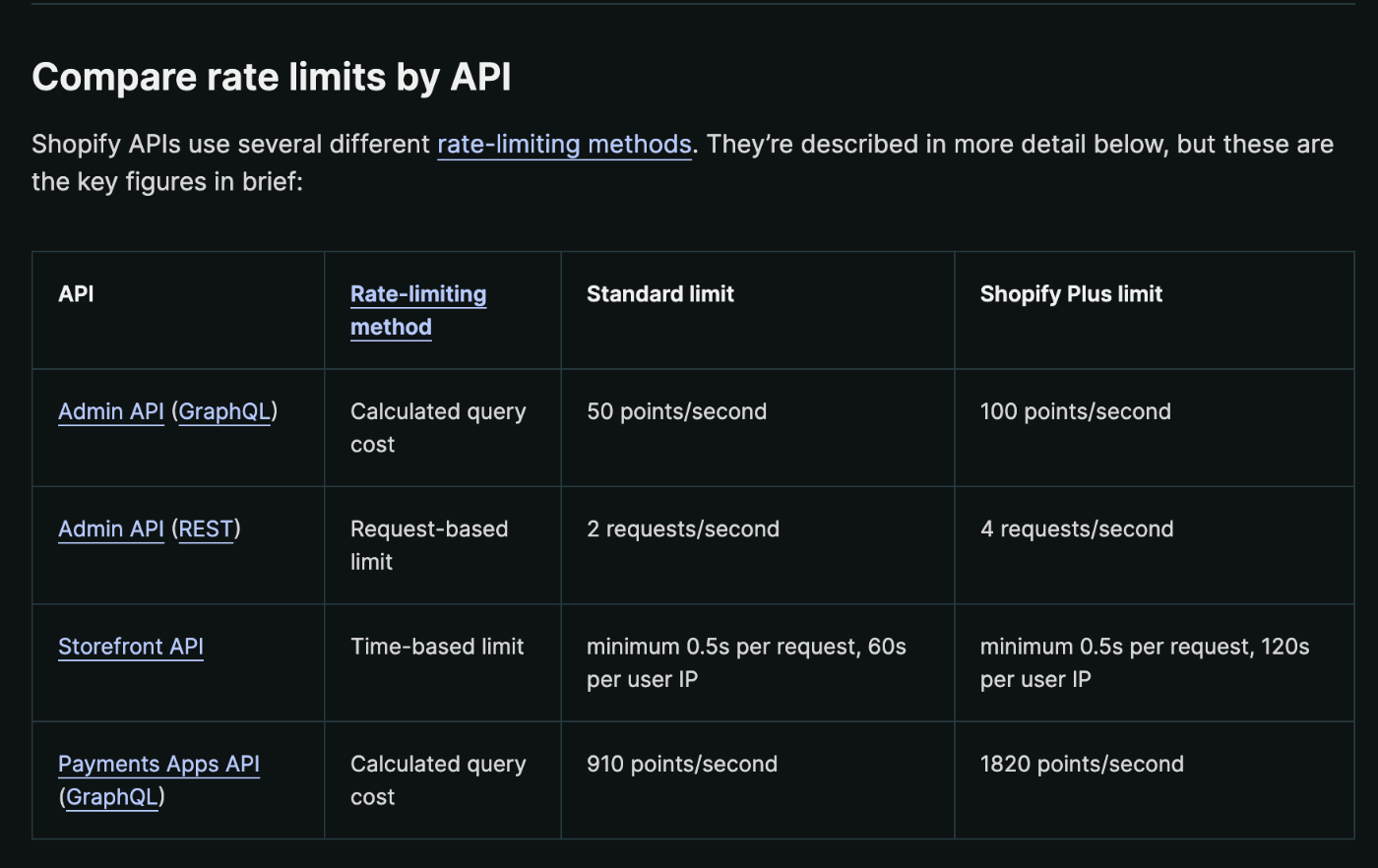
さとうあまみCSRにすれば、アクセスした閲覧者のIPアドレスからリクエストを飛ばせるが、商品ページなどをCSRにするとOGPなどのMETAタグ出力に対応できなくなる(たぶん)
さとうあまみdelegate access token を使う場合、顧客によるリクエストはShopify-Storefront-Buyer-IPをリクエスト時に同時に投げるのがベストプラクティス。
でもNext.jsでどうやる?たとえばISRだとして、最初のデプロイ時にはShopify-Storefront-Buyer-IPをつけずにリクエストして、デプロイ語のISR時にはShopify-Storefront-Buyer-IPをつけてリクエストする…といった対応は可能なのかが分からない。
きっとHydrogenならうまく自動でやってくれるのかな(適当なことをいう)
Optional IP headerAnchor link to section titled "Optional IP header"
It's best practice to include the Shopify-Storefront-Buyer-IP header if you're using authenticated access for handling buyer requests. There are some cases when the API request isn't on behalf of a buyer, such as during a static site build, where the header isn't needed.
Passing the Shopify-Storefront-Buyer-IP header enables the platform to impose IP-level rate limiting as an added protection against a single user, such as a bot, consuming a high level of capacity.
さとうあまみdelegateAccessTokenCreate mutationをGraphQL Admin APIに投げることで、delegate access tokenを入手できる。
To use authenticated access, you need to create a delegate access token for your app by making a request to the GraphQL Admin API's delegateAccessTokenCreate mutation.
https://shopify.dev/api/usage/authentication#getting-started-with-authenticated-access
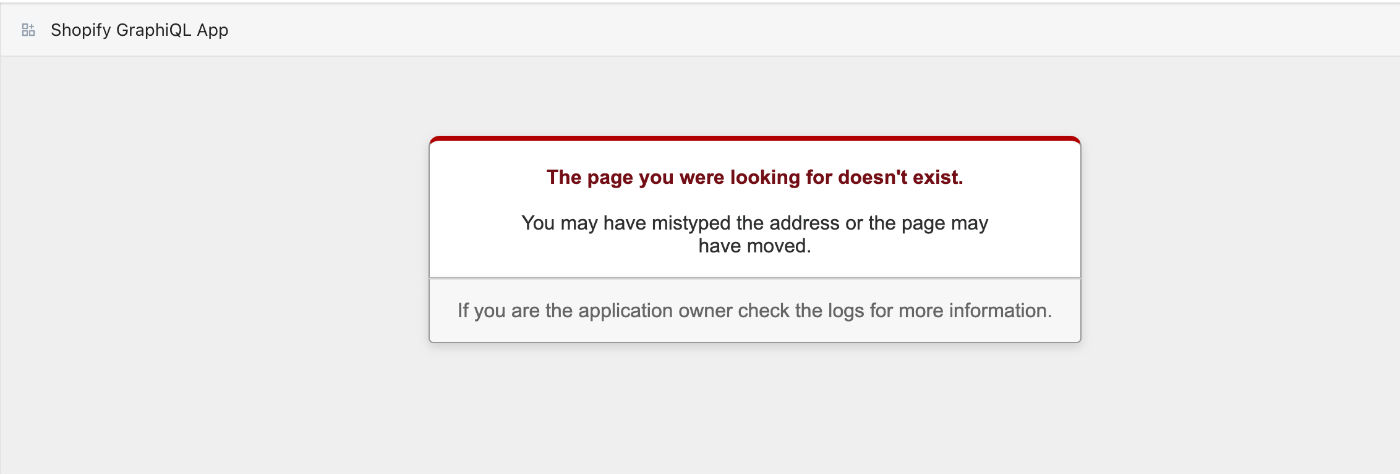
さとうあまみさっそくShopifyストアにログインして、Shopify GraphiQL AppからdelegateAccessTokenCreate mutationを投げてみよう…としたら〜
なんかエラー…
再インストールするか😭
さとうあまみ商品情報のデプロイに使いたい場合はdelegateAccessScopeは何にしたらいいんだろう?
read_productsだけでいいのかな…read_product_listings、read_product_feeds、read_inventory、read_online_store_navigationあたりもあったほうがいいか。
さとうあまみexpires_inを指定しない場合、親のアクセストークンと同じ期間になる。オフラインアクセスを持っている場合は無効にならない。
If you don't specify an expires_in value, then the token expiry defaults to the same time as its parent access token. If the parent token has offline access, then it won't expire.
https://shopify.dev/apps/auth/oauth/delegate-access-tokens
GraphiQLからmutation打って作成した場合、親のアクセストークンの期限はいつになるのだろう??
基本的に新規にアクセストークンを作成した場合にはオフラインモードがデフォルトなのか。
Offline is the default access mode when none is specified.
The access tokens created with the offline access mode are permanent. They are revoked only when the app is uninstalled from a store.
https://shopify.dev/apps/auth/oauth/access-modes#offline-access
さとうあまみとりあえずこんな感じでAPIを叩いたら、有効なトークンがもらえた。
delegateAccessScopeで何が指定できるかの一覧が見当たらなかったのでGraphiQLのエラーメッセージを参考にした。
GraphiQLで「エラーですよ」の波線がでているのは気になる…
mutation delegateAccessTokenCreate($input: DelegateAccessTokenInput!) {
  delegateAccessTokenCreate(input: $input) {
    delegateAccessToken {
      accessToken
    }
    userErrors {
      field
      message
    }
  }
}

{"input": {
  "delegateAccessScope": [
    "read_products",
    "read_content",
    "unauthenticated_read_product_listings",
    "unauthenticated_read_product_tags",
    "unauthenticated_read_content"
  ]
 }
}

さとうあまみ考えていることメモ:
商品ページ内の情報(特に在庫と価格)はCSRで最新情報を表示
それ以外のページはSSR用トークンを使って長めのISRにして、負荷をおさえつつ、デプロイ手間を省き情報を表示。ISRならOGPも表示できる。