🦋
SwiftUI: 絵文字を任意のViewに絶対収まるようにしたい



Viewにピッタリ収まるTextを実装する方法で調べると、よく下のような実装に行き着きます。
Text("A")
    .font(.system(size: 100)) //十分大きいサイズ
    .minimumScaleFactor(0.01)
これは一見うまくいく様に見えるのですが、絵文字だと条件によってはViewからはみ出すことがあります。例えばframeが小さすぎると右側がはみ出したり。
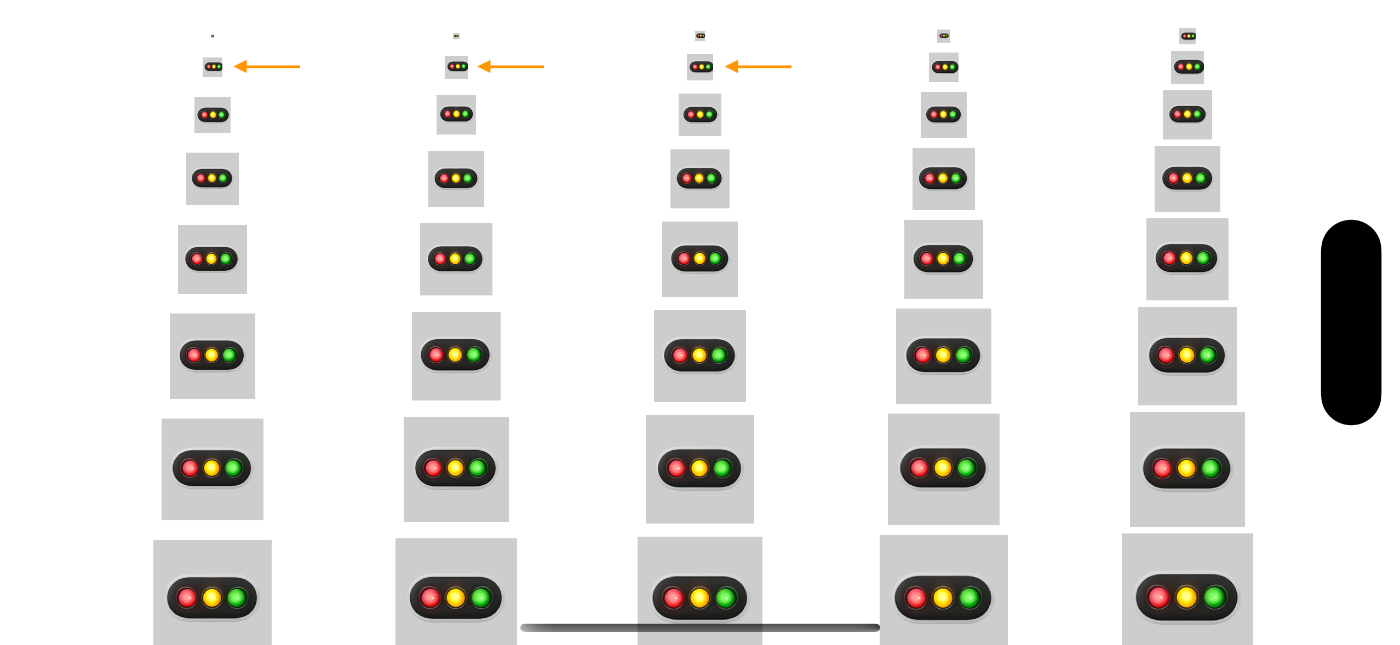
オレンジの矢印で指したものなどはみ出している
このコード
struct ContentView: View {
    let columns: [GridItem] = Array(repeating: .init(.flexible()), count: 5)

    var body: some View {
        LazyVGrid(columns: columns, spacing: 4) {
            ForEach(1 ... 40, id: \.self) { value in
                Text("🚥")
                    .font(.system(size: 100))
                    .minimumScaleFactor(0.01)
                    .frame(width: Double(2 * value),
		           height: Double(2 * value))
                    .background(Color(white: 0.8))
            }
        }
    }
}
なので、絶対にはみ出ない様にViewに収まるようにしたいのです。
まずは状況調査
minimumScaleFactor()の効果はおそらくそのスケールに一番近いサイズのフォントを表示することです。なので、フォントサイズごとの実際に使われるサイズを調査します。
横幅が狭そうな絵文字と長そうな絵文字の代表として🚦と🚥を用いて出力してみます。
struct ContentView: View {
    let columns: [GridItem] = Array(repeating: .init(.flexible()), count: 5)

    var body: some View {
        LazyVGrid(columns: columns, spacing: 4) {
            ForEach(1 ... 40, id: \.self) { value in
                Text(verbatim: "🚦")
                    .font(.system(size: Double(value)))
                    .background {
                        GeometryReader { proxy in
                            let _ = { Swift.print(value, proxy.size) }()
                            Color.clear
                        }
                    }
            }
        }
    }
}
🚦
| fontSize | width | height |
|---|---|---|
| 1 | 1.0 | 1.3333333333333333 |
| 2 | 3.0 | 2.6666666666666665 |
| 3 | 4.0 | 3.6666666666666665 |
| 4 | 6.0 | 5.0 |
| 5 | 7.0 | 6.0 |
| 6 | 9.0 | 7.333333333333333 |
| 7 | 10.0 | 8.666666666666666 |
| 8 | 12.0 | 9.666666666666666 |
| 9 | 13.0 | 11.0 |
| 10 | 14.0 | 12.0 |
| 11 | 16.0 | 13.333333333333332 |
| 12 | 17.0 | 14.333333333333332 |
| 13 | 19.0 | 15.666666666666666 |
| 14 | 20.0 | 17.0 |
| 15 | 21.0 | 18.0 |
| 16 | 23.0 | 19.333333333333332 |
| 17 | 23.0 | 20.333333333333332 |
| 18 | 24.0 | 21.666666666666664 |
| 19 | 24.0 | 23.0 |
| 20 | 25.0 | 24.0 |
| 21 | 26.0 | 25.333333333333332 |
| 22 | 26.0 | 26.333333333333332 |
| 23 | 27.0 | 27.666666666666664 |
| 24 | 27.0 | 28.666666666666664 |
| 25 | 28.0 | 30.0 |
| 26 | 30.0 | 31.333333333333332 |
| 27 | 31.0 | 32.33333333333333 |
| 28 | 32.0 | 33.666666666666664 |
| 29 | 33.0 | 34.666666666666664 |
| 30 | 34.0 | 36.0 |
| 31 | 35.0 | 37.0 |
| 32 | 36.0 | 38.33333333333333 |
| 33 | 37.0 | 39.666666666666664 |
| 34 | 38.0 | 40.666666666666664 |
| 35 | 40.0 | 42.0 |
| 36 | 41.0 | 43.0 |
| 37 | 42.0 | 44.33333333333333 |
| 38 | 43.0 | 45.666666666666664 |
| 39 | 44.0 | 46.666666666666664 |
| 40 | 45.0 | 48.0 |
🚥
| fontSize | width | height |
|---|---|---|
| 1 | 1.0 | 1.3333333333333333 |
| 2 | 3.0 | 2.6666666666666665 |
| 3 | 4.0 | 3.6666666666666665 |
| 4 | 6.0 | 5.0 |
| 5 | 7.0 | 6.0 |
| 6 | 9.0 | 7.333333333333333 |
| 7 | 10.0 | 8.666666666666666 |
| 8 | 12.0 | 9.666666666666666 |
| 9 | 13.0 | 11.0 |
| 10 | 14.0 | 12.0 |
| 11 | 16.0 | 13.333333333333332 |
| 12 | 17.0 | 14.333333333333332 |
| 13 | 19.0 | 15.666666666666666 |
| 14 | 20.0 | 17.0 |
| 15 | 21.0 | 18.0 |
| 16 | 23.0 | 19.333333333333332 |
| 17 | 23.0 | 20.333333333333332 |
| 18 | 24.0 | 21.666666666666664 |
| 19 | 24.0 | 23.0 |
| 20 | 25.0 | 24.0 |
| 21 | 26.0 | 25.333333333333332 |
| 22 | 26.0 | 26.333333333333332 |
| 23 | 27.0 | 27.666666666666664 |
| 24 | 27.0 | 28.666666666666664 |
| 25 | 28.0 | 30.0 |
| 26 | 30.0 | 31.333333333333332 |
| 27 | 31.0 | 32.33333333333333 |
| 28 | 32.0 | 33.666666666666664 |
| 29 | 33.0 | 34.666666666666664 |
| 30 | 34.0 | 36.0 |
| 31 | 35.0 | 37.0 |
| 32 | 36.0 | 38.33333333333333 |
| 33 | 37.0 | 39.666666666666664 |
| 34 | 38.0 | 40.666666666666664 |
| 35 | 40.0 | 42.0 |
| 36 | 41.0 | 43.0 |
| 37 | 42.0 | 44.33333333333333 |
| 38 | 43.0 | 45.666666666666664 |
| 39 | 44.0 | 46.666666666666664 |
| 40 | 45.0 | 48.0 |
この出力結果からわかること
-
🚦と🚥で差はない -
fontSizeとwidthは比例関係的ではあるが完璧ではない -
fontSizeとheightはwidthに比べると比例関係的である
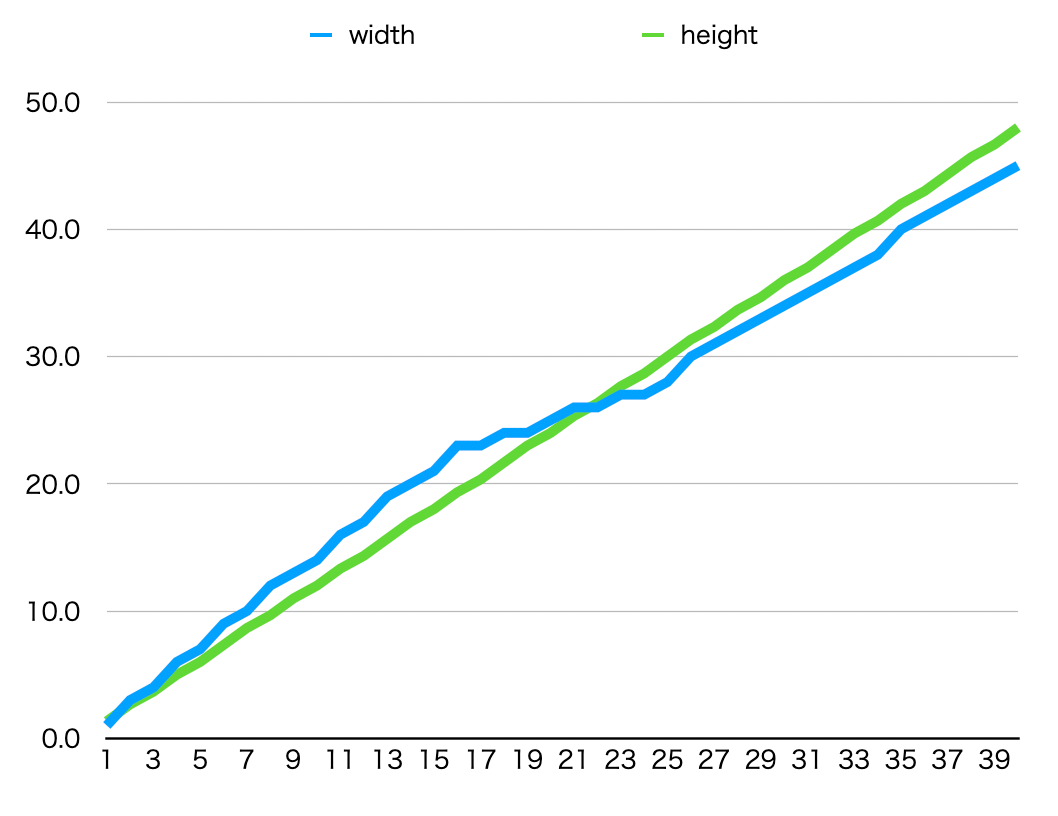
出力結果をグラフにしてみた -
GeometryReaderなどで囲んでfontSizeを算出する方法は筋が悪そう(一次式で表せない) - 時々
widthとheightが共に割り切れる綺麗なサイズがある
対策案
色々試行錯誤して、完璧ではないけれどちょっとマシになる方法を見つけました。
Text(verbatim: "🚥")
    .font(.system(size: 100))
+   .multilineTextAlignment(.center)
    .minimumScaleFactor(0.01)
+   .aspectRatio(1.0, contentMode: .fit)
-
.multilineTextAlignment(.center)をつけてテキストを中央寄せにする -
.aspectRatio(1.0, contentMode: .fit)をつけてテキスト自体の描画領域は正方形にする
実例
struct ContentView: View {
    let columns: [GridItem] = Array(repeating: .init(.flexible()), count: 5)

    var body: some View {
        LazyVGrid(columns: columns, spacing: 4) {
            ForEach(1 ... 40, id: \.self) { value in
                VStack {
                    Text(verbatim: "🚥")
                        .font(.system(size: 100))
                        .multilineTextAlignment(.center)
                        .minimumScaleFactor(0.01)
                        .aspectRatio(1.0, contentMode: .fit)
                }
                .frame(width: 1.6 * Double(value),
                       height: 2.0 * Double(value))
                .background(Color(white: 0.8))
            }
        }
        .persistentSystemOverlays(.hidden)
    }
}
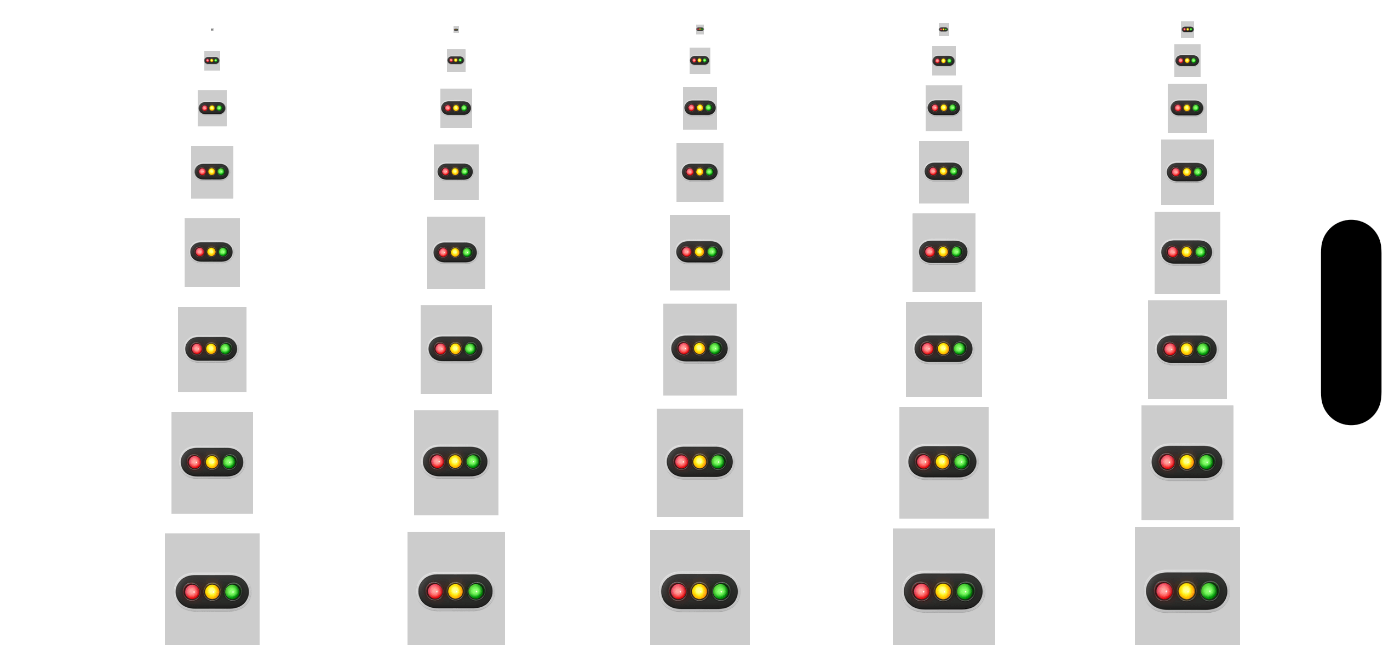
余白は徐々になくなっていくけれど小さくてもはみ出さなくなった
Discussion