Cloudflare Workers で Momento が Integration されたので試してみた。


先日のServerless Daysで予告されていたCloudflare Workers の Momento Integrationですが、リリースされているようですので試してみました。
今日は こちらでCloudflare エバンジェリスト亀田さんによるWorkers + Momento ハンズオンに参加中ですが、このハンズオンシナリオは手順がWorkers の Momento Integration前に作成されたものなので、別の手順を使って作業が進んでいます。 とはいえライブラリなどは同じはずですから、細かい手順が違うだけのようです。
この記事では、ハンズオンイベント中に、そっちのシナリオではなく、Cloudflare Workers の Momento Integrationを試してみます。
早速やってみる
まずはWorkersでCreate Applicationを押します。
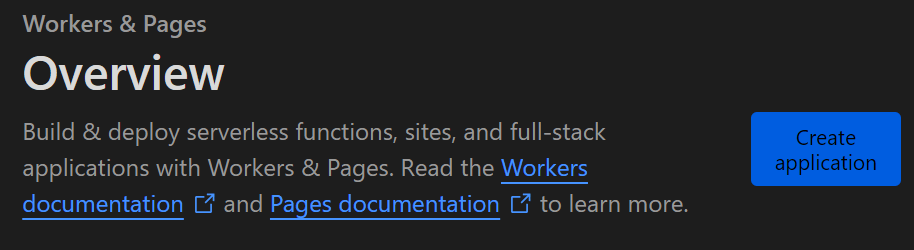
Create Workerを押します。

一度そのままDeployしてみます。

無事Hello Worldが出ています。

Configure Worker をクリックし Integrationsタブを選びます。

Momentoが生えていますね!!!

Add Integrationをクリックします。
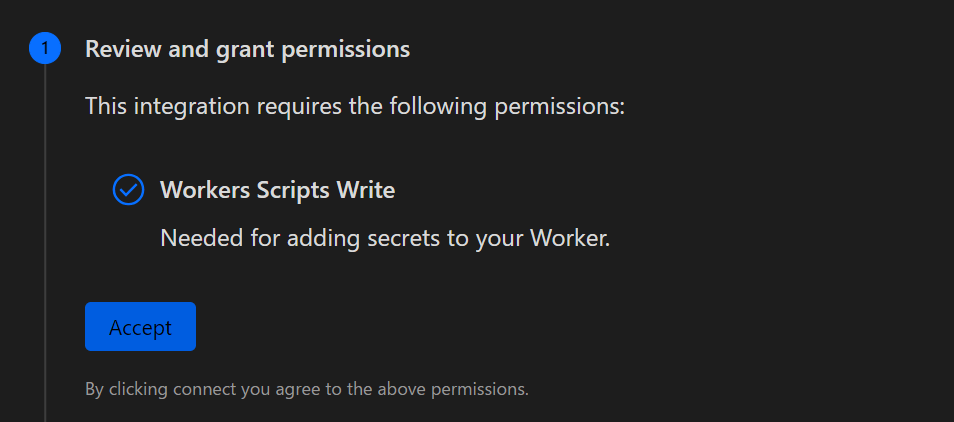
Acceptを押します。別ブラウザでMomentoへのログイン画面が出てきますのでログインします。
ログインが完了すると別ブラウザが閉じられ、ステータスがConnected successfullyになります。

Momento Cacheを作るAWSリージョンを選びContinueを押します。

お!!!!うれしい驚き。あらかじめHTTPエンドポイントとAPI_KEYがセットされています。ここは間違わずにすむのがうれしいです。確認したらAdd Integrationを押します。

どうもMOMENTO_HTTP_ENDPOINTの値が変わっているそうです。もともとはMOMENTO_REST_ENDPOINTだったそうな。亀田さんも半分発狂しつつ言っていた通り、こういう変化を楽しめてこそスタートアップ同士の掛け合いイベントです。気にせず進めます。
wrangler から以下のworkers.tsをpublishします。今日のハンズオンシナリオを少しだけ改造したものです。
class MomentoFetcher {
	private readonly apiToken: string;
	private readonly baseurl: string;
	constructor(token: string, endpoint: string) {
		this.apiToken = token;
		//this.baseurl = `${endpoint}/cache`;
		this.baseurl="https://api.cache.cell-ap-northeast-1-1.prod.a.momentohq.com/cache"
	}

	async get(cacheName: string, key: string) {
		const resp = await fetch(`${this.baseurl}/${cacheName}?key=${key}&token=${this.apiToken}`);
		if (resp.status < 300) {
			console.log(`successfully retrieved ${key} from cache`)
		} else {
			throw new Error(`failed to retrieve item from cache: ${cacheName}`)
		}

		return await resp.text();
	}

	async set(cacheName: string, key: string, value: string, ttl_seconds: number = 30) {
		const resp = await fetch(`${this.baseurl}/${cacheName}?key=${key}&token=${this.apiToken}&&ttl_seconds=${ttl_seconds}`, {
			method: 'PUT',
			body: value
		});

		if (resp.status < 300) {
			console.log(`successfully set ${key} into cache`);
		} else {
			throw new Error(`failed to set item into cache message: ${resp.statusText} status: ${resp.status} cache: ${cacheName}`);
		}

		return;
	}

	async delete(cacheName: string, key: string) {
		const resp = await fetch(`${this.baseurl}/${cacheName}?key=${key}&token=${this.apiToken}`, {
			method: 'DELETE',
		});
		if (resp.status < 300) {
			console.log(`successfully deleted ${key} from cache`);
		} else {
			throw new Error(`failed to delete ${key} from cache. Message: ${resp.statusText}; Status: ${resp.status} cache: ${cacheName}`);
		}

		return resp;
	}
}

export interface Env {
	MOMENTO_API_KEY: string;
	MOMENTO_HTTP_ENDPOINT: string;
	MOMENTO_CACHE_NAME: string;
}

export default {
	async fetch(request: Request, env: Env, ctx: ExecutionContext): Promise<Response> {
		const client = new MomentoFetcher(env.MOMENTO_API_KEY, env.MOMENTO_HTTP_ENDPOINT);
		const cache = "demo-cache";
		const key = "key";
		const value = "value";

		// setting a value into cache
		const setResp = await client.set(cache, key, value);
		console.log("setResp", setResp);

		// getting a value from cache
		const getResp = await client.get(cache, key)
		console.log("getResp", getResp);

		const deleteResp = await client.delete(cache, key);
		console.log("deleteResp", deleteResp);

		// deleting a value from cache
		return new Response(JSON.stringify({ response: getResp }));
	},
};
ちゃんと動作しました!
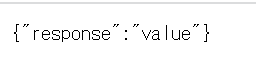
ただ
this.baseurl = `${endpoint}/cache`
だけは動作しなかったので、固定値で置き換えました。もしかしたら直前で変数名が変わったことが影響しているのかもしれません。時間があったら調べたいと思いますが、メインのハンズオンに戻ります。
皆さんハンズオン頑張ってください!
Discussion