




Zedとは
Rustで書かれている、完全オープンソースで爆速なIDEです。ネイティブでVimモードに対応しているため、著者は愛用しています。
関連記事:
Gemma3
Gemma3は、Google DeepMindが開発した最新のオープンソース大規模言語モデル(LLM)です。
少し前に発表されて話題になっており、軽量で非常に高速、そしてスマートフォンでも動作するモデルです。
きっかけ
特に困っていたことはなかったのですが、Gemma3が2GBのメモリでも動作するとのことだったので、試してみたところ非常に高速で衝撃を受けました。そして「もしかしたらこのままZedに繋げれば快適なのでは?」と思い、面白半分でやってみることにしました。
ollamaのインストール
ダウンロードページからダウンロードします。
その後、ターミナルで ollama run gemma3n:e2b を実行すると、モデルのダウンロードが始まります。
※僕は gemma3n:e2b を使いましたが、他にもモデルがあるので、試したいモデルを指定すると良いと思います。
ollama-copilotを使う
Auto Completion のモデルを選べるようにする動きはあり、Zed側ではすでにissueに上がっています。
結論から言うと、まだ完全対応されていないため、ワークアラウンドが必要です。
このissueを読んでいたら、ollama-copilot というライブラリを使ってCopilotをプロキシすれば動く、というコメントがありました。
中身は非常に単純で、ただダミーのレスポンスを返して copilot-language-server を騙しているだけでした。
Zed側の設定
{
    "features": {
        "edit_prediction_provider": "copilot"
    },
    "show_completions_on_input": true,
    "edit_predictions": {
        "copilot": {
            "proxy": "http://localhost:11435",
            "proxy_no_verify": true
        }
    }
}
問題発生
ここまで順調でしたが、なぜかエラーが出てしまい、動作しませんでした。
Zedのログを見ると、次のようなエラーが出ています:
{
  "type": 1,
  "message": "[lsp] Request checkStatus: ProxiedResponseError [FetchResponseError]: HTTP 200 response does not appear to originate from GitHub. Is a proxy or firewall intercepting this request? https://gh.io/copilot-firewall\n    at apiFetch (/Users/josser/Library/Application Support/Zed/copilot/node_modules/@github/copilot-language-server/lib/src/network/github.ts:35:15)\n    at processTicksAndRejections (node:internal/process/task_queues:95:5)\n    at fetchCopilotToken (/Users/josser/Library/Application Support/Zed/copilot/node_modules/@github/copilot-language-server/lib/src/auth/copilotToken.ts:226:16)\n    at authFromGitHubSession (/Users/josser/Library/Application Support/Zed/copilot/node_modules/@github/copilot-language-server/lib/src/auth/copilotToken.ts:149:22)\n    at BS.fetchCopilotToken (/Users/josser/Library/Application Support/Zed/copilot/node_modules/@github/copilot-language-server/lib/src/auth/copilotTokenManager.ts:81:29)\n    at BS.getToken (/Users/josser/Library/Application Support/Zed/copilot/node_modules/@github/copilot-language-server/lib/src/auth/copilotTokenManager.ts:149:16)\n    at kn.getTokenWithSignUpLimited (/Users/josser/Library/Application Support/Zed/copilot/node_modules/@github/copilot-language-server/lib/src/auth/manager.ts:156:13)\n    at kn.checkAndUpdateStatus (/Users/josser/Library/Application Support/Zed/copilot/node_modules/@github/copilot-language-server/lib/src/auth/manager.ts:145:24)\n    at handleCheckStatusChecked (/Users/josser/Library/Application Support/Zed/copilot/node_modules/@github/copilot-language-server/agent/src/methods/checkStatus.ts:43:20)\n    at yr.messageHandler (/Users/josser/Library/Application Support/Zed/copilot/node_modules/@github/copilot-language-server/agent/src/service.ts:319:45) {\n  code: 'HTTP200'\n}"
}
どうやら、セキュリティ上の理由で、不正なプロキシが挟まれるのを防ごうとしているようです。
エラーの特定
ここで問題なのが、copilot-language-serverはOSSではなく、無料パッケージとしてのみ提供されており、ソースコードを見ることができない点でした。
エラートレースに従って copilot-language-server/lib/src/network/github.ts:35:15 を見に行ったところ、該当ファイルは存在しませんでしたが、代わりにバンドル済みの dist フォルダがありました。

中身を開いてエラー内容で検索をかけたところ、それらしき箇所が見つかりました。
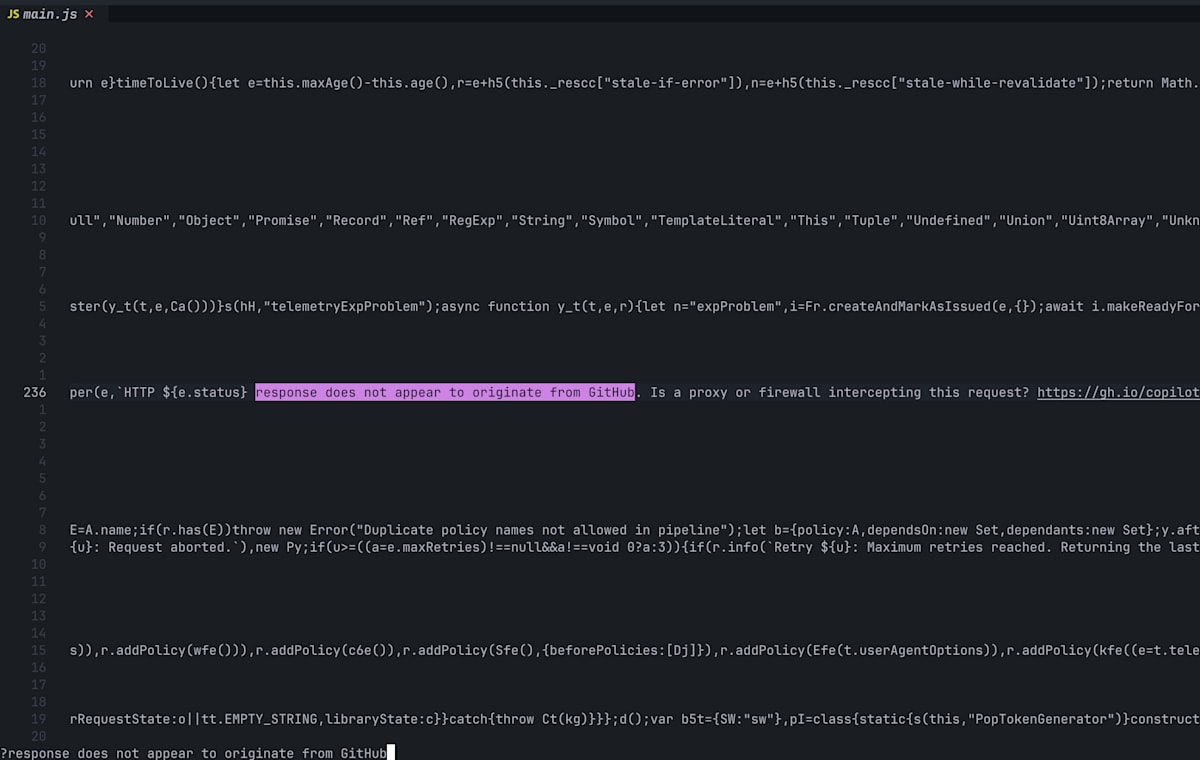
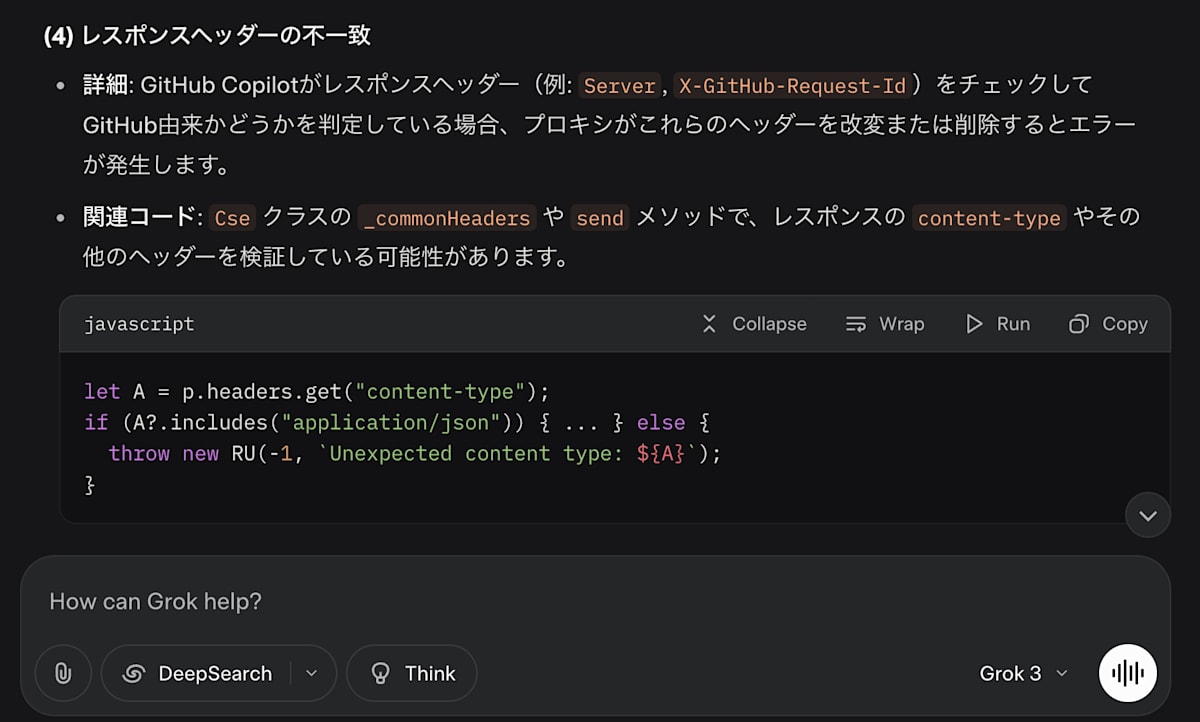
しかし、コードが難読化されていて読めないため、そのまま外部にコピペして、コンテキストサイズの大きい Grok に投げて、エラーの原因と対処方法を聞いてみました。
何度かやり取りした結果、それらしい回答が返ってきました。
ollama-copilotに修正を加える
仕方ないので、ollama-copilot をローカルに clone して、修正を加えることにしました。
gh repo clone bernardo-bruning/ollama-copilot
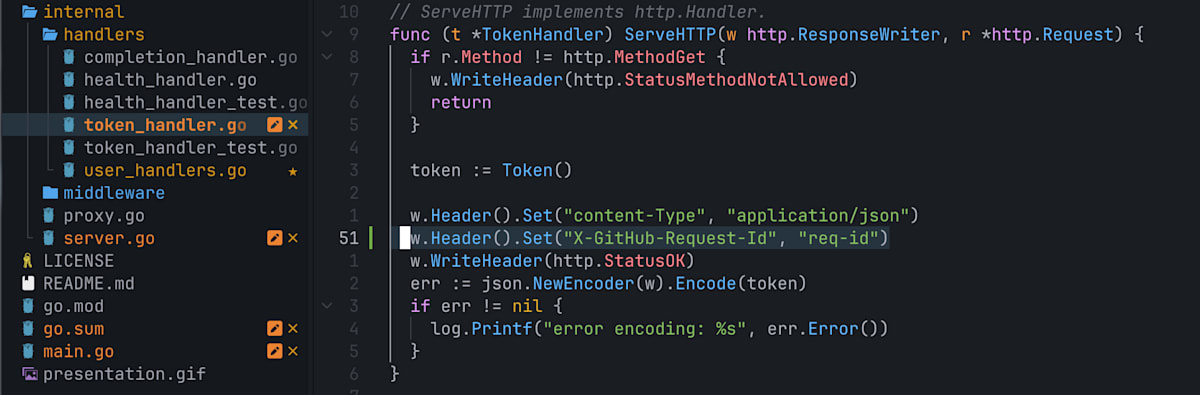
x-github-request-id をヘッダーに追加する
server.go に一行追加:
更なるエラー
これでうまくいくと思ったら、同じエラーがでてしまいした。
しかし、ollama-copilotの方では以下のようなリクエストが来ています:
Starting server on :11437 and :11438 with SSL on :11436 and :11435
 model: gemma3n:e2b, num-predict: 50, template: <PRE> {{.Prefix}} <SUF> {{.Suffix}} <MID>
2025/07/30 17:28:56 request: GET /copilot_internal/v2/token
2025/07/30 17:28:56 response: GET /copilot_internal/v2/token 200 135.166µs
2025/07/30 17:28:56 request: GET /telemetry
2025/07/30 17:28:56 response: GET /telemetry 404 14.459µs
2025/07/30 17:28:56 http: TLS handshake error from [::1]:60179: EOF
2025/07/30 17:28:56 request: GET /copilot_internal/user
2025/07/30 17:28:56 response: GET /copilot_internal/user 404 8µs
どうやらユーザー認証のため、/copilot_internal/user というエンドポイントにもリクエストが飛んでいて、そこが 404 になってしまっているようです。
エンドポイントを追加する
handlers 配下に user_handlers.go を作成します:
package handlers

import (
	"encoding/json"
	"log"
	"net/http"
)

type AuthenticationToken struct {
	UserID     string `json:"user_id"`
	Login      string `json:"login"`
	AccessToken string `json:"access_token"`
	RefreshToken string `json:"refresh_token"`
	Scope       string `json:"scope"`
	ExpiresIn   int    `json:"expires_in"`
	TokenType   string `json:"token_type"`
}

type UserHandler struct {
}

func NewUserHandler() *UserHandler {
	return &UserHandler{}
}

// ServeHTTP implements http.Handler.
func (t *UserHandler) ServeHTTP(w http.ResponseWriter, r *http.Request) {
	if r.Method != http.MethodGet {
		w.WriteHeader(http.StatusMethodNotAllowed)
		return
	}

	userReponse := GetUserResponse()

	w.Header().Set("content-Type", "application/json")
	w.Header().Set("X-GitHub-Request-Id", "req-id")
	w.WriteHeader(http.StatusOK)
	err := json.NewEncoder(w).Encode(userReponse)
	if err != nil {
		log.Printf("error encoding: %s", err.Error())
	}
}

func GetUserResponse() AuthenticationToken {
	return AuthenticationToken{
		UserID:     "12345678",
		Login:      "octocat",
		AccessToken: "gho_xxxxxxxxxxxxxxxxxxxxxxxxxxxxxxxxxxxx",
		RefreshToken: "ghr_xxxxxxxxxxxxxxxxxxxxxxxxxxxxxxxxxxxx",
		Scope:       "copilot read:user",
		ExpiresIn:   3600,
		TokenType:   "Bearer",
	}
}
そして、エンドポイント定義を追加:
// ...省略

// mux returns the main mux for the server.
func (s *Server) mux() http.Handler {
	api, err := api.ClientFromEnvironment()

	if err != nil {
		log.Fatalf("error initialize api: %s", err.Error())
		return nil
	}

	templ, err := template.New("prompt").Parse(s.Template)
	if err != nil {
		log.Fatalf("error parsing template: %s", err.Error())
		return nil
	}

	mux := http.NewServeMux()

	mux.Handle("/health", handlers.NewHealthHandler())
	mux.Handle("/copilot_internal/v2/token", handlers.NewTokenHandler())
+	mux.Handle("/copilot_internal/user", handlers.NewUserHandler())
	mux.Handle("/v1/engines/copilot-codex/completions", handlers.NewCompletionHandler(api, s.Model, templ, s.NumPredict))
	mux.Handle("/v1/engines/chat-control/completions", handlers.NewCompletionHandler(api, s.Model, templ, s.NumPredict))
  mux.Handle("/v1/engines/gpt-4o-copilot/completions", handlers.NewCompletionHandler(api, s.Model, templ, s.NumPredict))

	return middleware.LogMiddleware(mux)
}
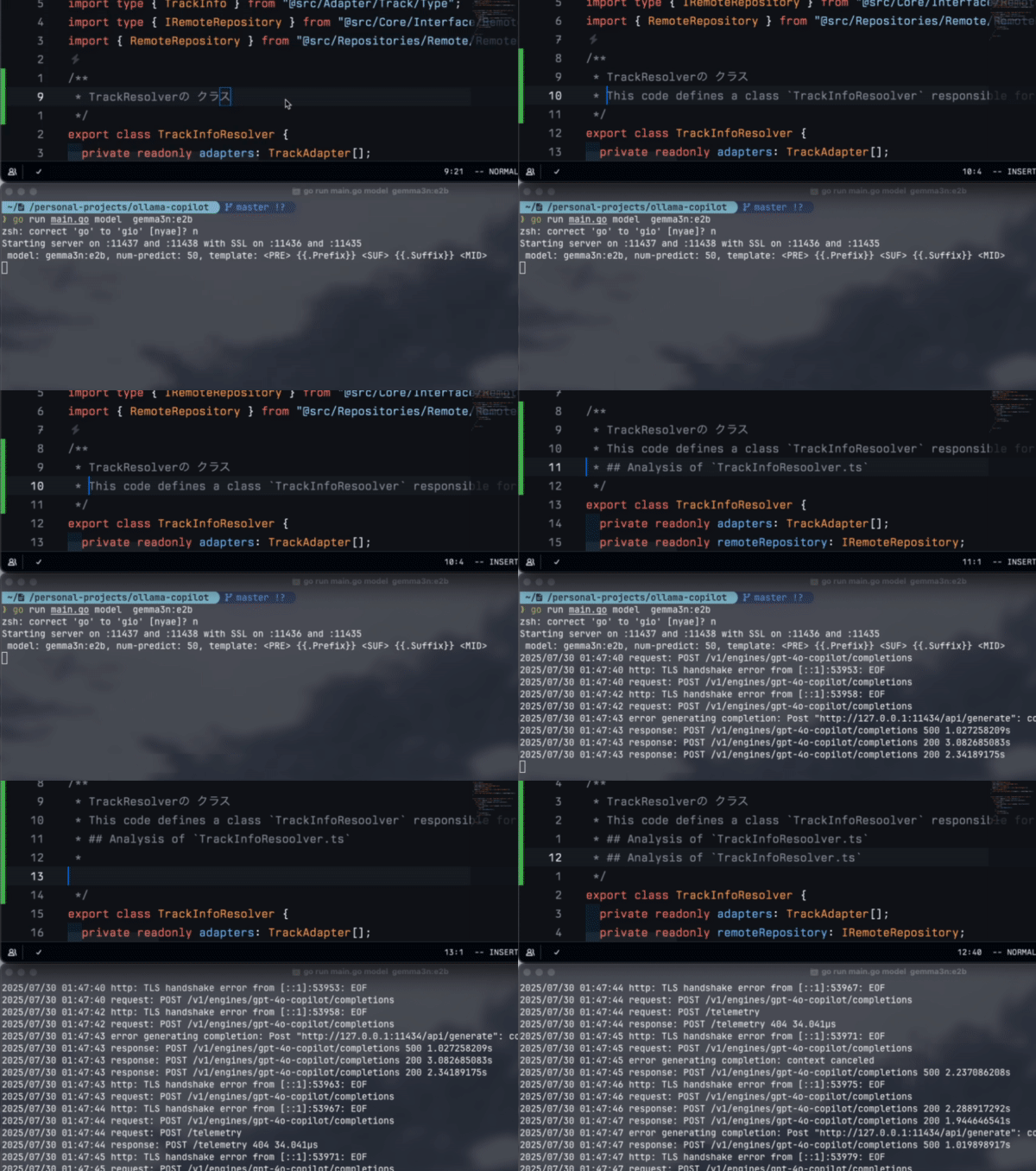
成功
今度こそ成功しました 🎉
感想
あまり使い物にならなかったです笑。
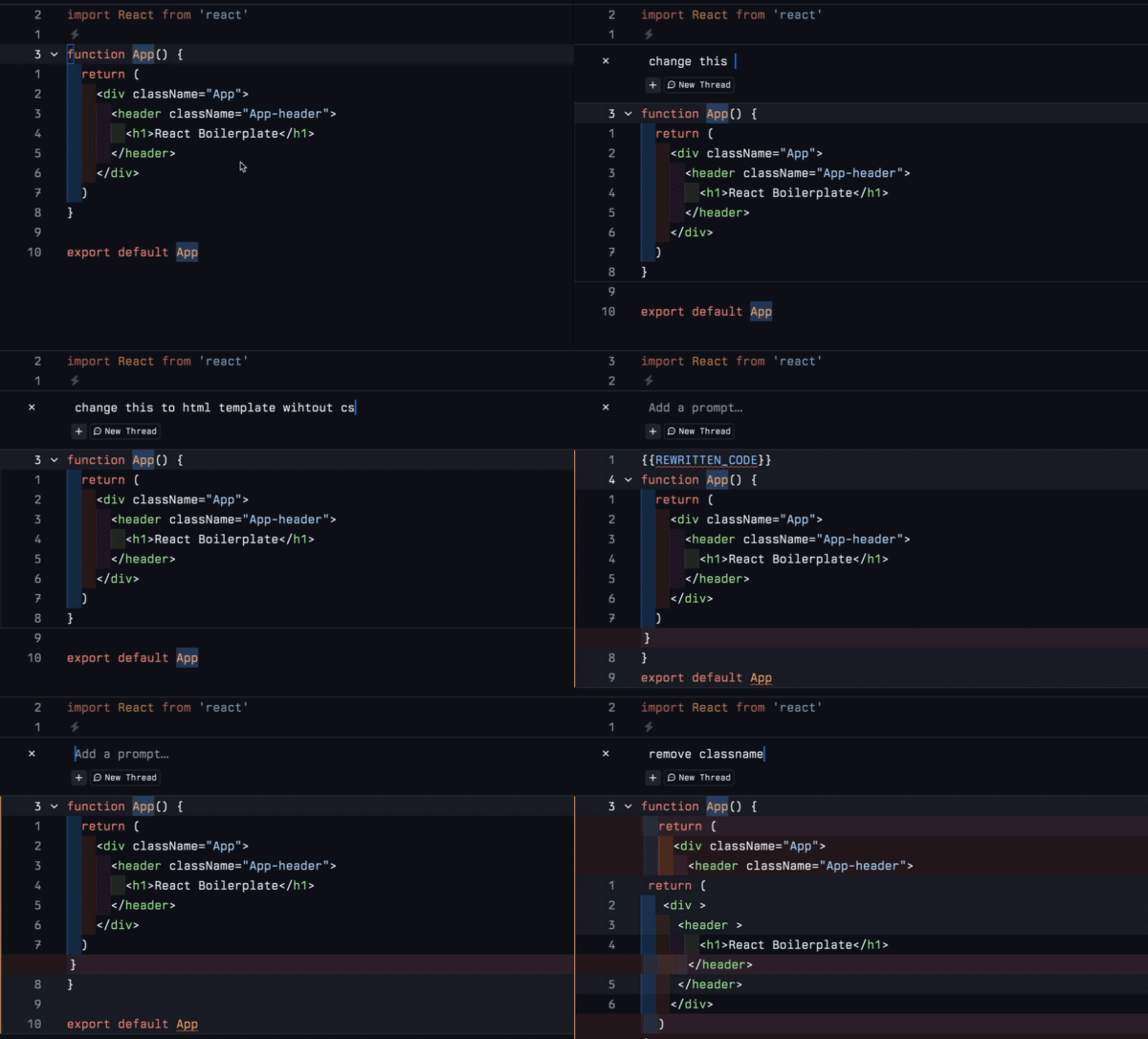
頑張ってチューニングすれば、賢くなるかもしれないです。
それに、codeに特化したモデルではないというのもあるのかもしれません、今度もっと設備を整えて、codellamaを試してみようと思いました。

Discussion