Closed22
AirSim+ROSのDocker環境を作る
 akiemon
 Dockerfile_binary
ARG BASE_IMAGE=nvidia/cudagl:11.3.1-devel-ubuntu18.04
FROM $BASE_IMAGE

+ FROM ros:noetic-perception
aStep 5/11 : RUN python3 -m pip install --upgrade pip &&     pip3 install setuptools wheel &&     pip3 install airsim
 ---> Running in dcc12a60081b
Collecting pip
  Downloading pip-22.1.2-py3-none-any.whl (2.1 MB)
Installing collected packages: pip
  Attempting uninstall: pip
    Found existing installation: pip 20.0.2
    Not uninstalling pip at /usr/lib/python3/dist-packages, outside environment /usr
    Can't uninstall 'pip'. No files were found to uninstall.
Successfully installed pip-22.1.2
Requirement already satisfied: setuptools in /usr/lib/python3/dist-packages (45.2.0)
Requirement already satisfied: wheel in /usr/lib/python3/dist-packages (0.34.2)
WARNING: Running pip as the 'root' user can result in broken permissions and conflicting behaviour with the system package manager. It is recommended to use a virtual environment instead: https://pip.pypa.io/warnings/venv
Collecting airsim
  Downloading airsim-1.7.0.tar.gz (20 kB)
  Preparing metadata (setup.py): started
  Preparing metadata (setup.py): finished with status 'error'
  error: subprocess-exited-with-error

  × python setup.py egg_info did not run successfully.
  │ exit code: 1
  ╰─> [14 lines of output]
      Traceback (most recent call last):
        File "<string>", line 2, in <module>
        File "<pip-setuptools-caller>", line 34, in <module>
        File "/tmp/pip-install-ejil7y1e/airsim_56213591f8ad4cf7b210a50f7ebb9713/setup.py", line 2, in <module>
          from airsim import __version__
        File "/tmp/pip-install-ejil7y1e/airsim_56213591f8ad4cf7b210a50f7ebb9713/airsim/__init__.py", line 1, in <module>
          from .client import *
        File "/tmp/pip-install-ejil7y1e/airsim_56213591f8ad4cf7b210a50f7ebb9713/airsim/client.py", line 3, in <module>
          from .utils import *
        File "/tmp/pip-install-ejil7y1e/airsim_56213591f8ad4cf7b210a50f7ebb9713/airsim/utils.py", line 11, in <module>
          from .types import *
        File "/tmp/pip-install-ejil7y1e/airsim_56213591f8ad4cf7b210a50f7ebb9713/airsim/types.py", line 2, in <module>
          import msgpackrpc #install as admin: pip install msgpack-rpc-python
      ModuleNotFoundError: No module named 'msgpackrpc'
      [end of output]

  note: This error originates from a subprocess, and is likely not a problem with pip.
error: metadata-generation-failed

× Encountered error while generating package metadata.
╰─> See above for output.

note: This is an issue with the package mentioned above, not pip.
hint: See above for details.
The command '/bin/sh -c python3 -m pip install --upgrade pip &&     pip3 install setuptools wheel &&     pip3 install airsim' returned a non-zero code: 1
こんな感じにしたらとりあえず通った。
#RUN python3 -m pip install --upgrade pip && \
#    pip3 install setuptools wheel && \
#    pip3 install airsim
RUN pip3 install msgpack-rpc-python
RUN pip3 install airsim
起動
./run_airsim_image_binary.sh airsim_binary:11.3.1-devel-ubuntu18.04 Blocks/LinuxNoEditor/Blocks.sh -windowed -ResX=1080 -ResY=720
Vulkanの代わりがないって言われる。

Cannnot find a compatible Vulkan driver (ICD).
Please look at the Getting Started guide for additional indormation.
動いていたときの警告によると
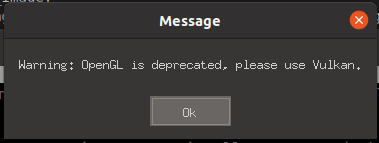
opengl is deprecated please use vulkan
Vulkanを使ってくださいみたいな警告
とりあえずの動作にはOpenGLが入っていればいいのかしら
akiemon
akiemonちがった
akiemonDockerfile_binary
RUN DEBIAN_FRONTEND=noninteractive apt-get update && apt-get install -y --no-install-recommends \
	python3 \
	python3-pip \
	sudo \
	libglu1-mesa-dev \
	xdg-user-dirs \
	pulseaudio \
	x11-xserver-utils \
+	mesa-vulkan-drivers
途中まで行くけどクラッシュする。
akiemonEngine crash handling finished; re-raising signal 11 for the default handler. Good bye.
akiemon run_airsim_image_binary.sh
docker run --gpus='all,"capabilities=compute,utility,graphics,display"' -it \
    -v $(pwd)/settings.json:/home/airsim_user/Documents/AirSim/settings.json \
    -v $UNREAL_BINARY_PATH:$UNREAL_BINARY_PATH \
    -v $HOME/work:$HOME/work \
    -e SDL_VIDEODRIVER=$SDL_VIDEODRIVER_VALUE \
    -e SDL_HINT_CUDA_DEVICE='0' \
    --net=host \
    --privileged \
    --env="DISPLAY=$DISPLAY" \
    --env="QT_X11_NO_MITSHM=1" \
    --volume="/tmp/.X11-unix:/tmp/.X11-unix:rw" \
    -env="XAUTHORITY=$XAUTH" \
    --volume="$XAUTH:$XAUTH" \
    --rm \
    $DOCKER_IMAGE_NAME \
+ /bin/bash -c "$UNREAL_BINARY_COMMAND -opengl4"
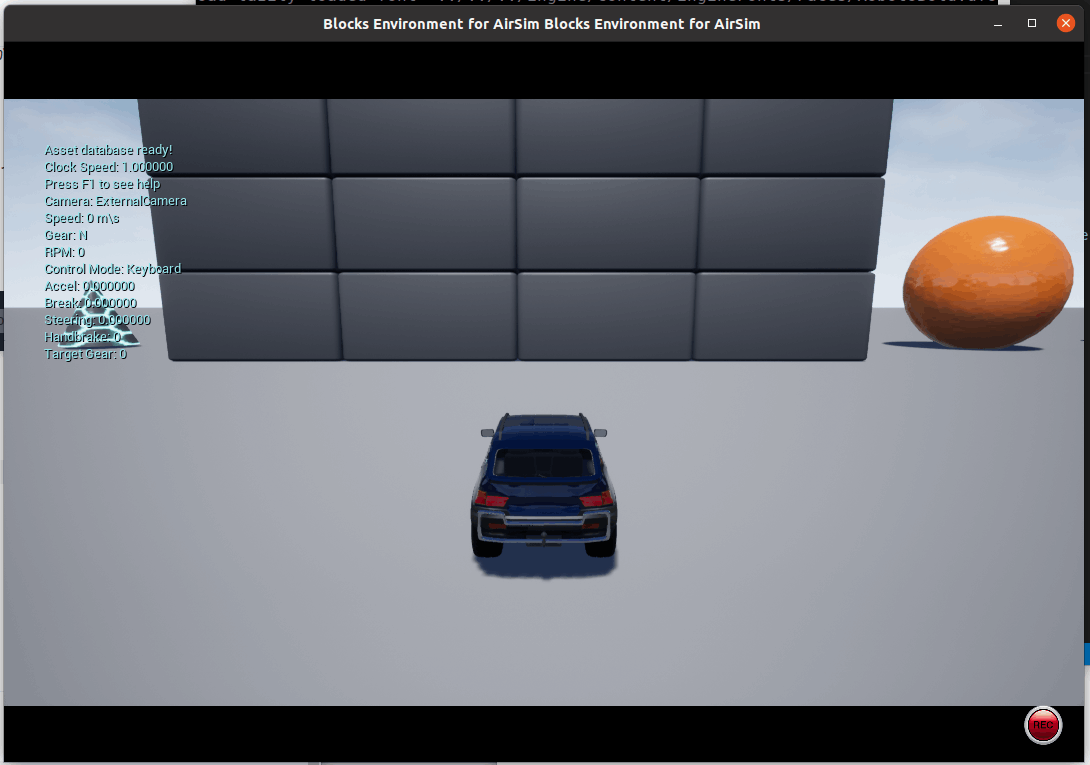
動いた?

OpenGL起動なのは相変わらずだけど動いたので一応次には進める、
akiemon run_airsim_image_binary.sh
+ --gpus all \
するとこう
$ ./run_airsim_image_binary.sh airsim_binary:11.3.1-devel-ubuntu18.04 Blocks/LinuxNoEditor/Blocks.sh -windowed -ResX=1080 -ResY=720
xauth:  /tmp/.docker.xauth not writable, changes will be ignored
xauth: (argv):1:  unable to read any entries from file "(stdin)"
chmod: changing permissions of '/tmp/.docker.xauth': Operation not permitted
docker: Error response from daemon: failed to create shim task: OCI runtime create failed: runc create failed: unable to start container process: error during container init: error running hook #1: error running hook: exit status 1, stdout: , stderr: Auto-detected mode as 'legacy'
nvidia-container-cli: mount error: file creation failed: /var/lib/docker/overlay2/4e2572b5464a742604226d3820693abe1b8dafed175065b3562d62a761d94c86/merged/run/nvidia-persistenced/socket: no such device or address: unknown.
This is expected, nvidia-smi shouldn't be in the container image
そもそも入ってないと意味ないか。(base image cudaなのだけど、入っていないものなんだろうか?)
akiemon
ROS WrapperをDockerで使う
これを読んでみるとそもそもrosのデフォルトで行けるのではという気もするので試し。
 akiemon
Vulkan問題は分離して別スクラップにすることにして、本件はクローズかな。
このスクラップは2022/07/01にクローズされました