iTranslated by AI
Importing YouTube Data into Algolia with Python


These are notes from when I imported information about videos uploaded to a YouTube channel into Algolia.
Data Preparation
Using the YouTube Data API, you can retrieve video information from channels and other sources.
[
  {
    "id": "mIWVTfXEPMY",
    "snippet": {
      "description": "動画を見ていただいて楽しんで頂けましたら...",
      "publishedAt": "2022-03-14T11:25:27Z",
      "thumbnails": {
        "default": {
          "height": 90,
          "url": "https://i.ytimg.com/vi/mIWVTfXEPMY/default.jpg",
          "width": 120
        },
        "high": {
          "height": 360,
          "url": "https://i.ytimg.com/vi/mIWVTfXEPMY/hqdefault.jpg",
          "width": 480
        },
        "medium": {
          "height": 180,
          "url": "https://i.ytimg.com/vi/mIWVTfXEPMY/mqdefault.jpg",
          "width": 320
        },
        "standard": {
          "height": 480,
          "url": "https://i.ytimg.com/vi/mIWVTfXEPMY/sddefault.jpg",
          "width": 640
        }
      },
      "title": "正直、専門店よりウマいです。..."
    },
    "statistics": {
      "likeCount": "2486",
      "viewCount": "100258"
    }
  },
  ...
]
I wrote about the details here.
Data Format for Importing to Algolia
To make the above data easier to handle when importing it into Algolia, I formatted it into the following JSON.
[
  {
    "objectID": "mIWVTfXEPMY",
    "id": "mIWVTfXEPMY",
    "title": "正直、専門店よりウマいです。...",
    "description": "動画を見ていただいて楽しんで頂けましたら...",
    "published": "2022-03-14T11:25:27Z",
    "published_timestamp": 1647257127,
    "views": 172674,
    "likes": 3617,
    "image": "https://i.ytimg.com/vi/mIWVTfXEPMY/sddefault.jpg",
    "url": "https://www.youtube.com/embed/mIWVTfXEPMY"
  },
  ...
]
- Added
objectID, a unique identifier for records on Algolia (usedidas the identifier this time).- It can also be automatically assigned by Algolia (autoGenerateObjectIDIfNotExist).
- I assigned the unique ID from YouTube (VideoID) with data updates in mind.
- Converted
viewsandlikesto numbers to enable sorting of search results. - Added
published_timestamp, which ispublishedconverted to aunixtimestamp, to allow sorting by date.- Because ISO 8601 formatted date/time strings cannot be sorted in Algolia.
- https://www.algolia.com/doc/guides/managing-results/refine-results/sorting/how-to/sort-an-index-by-date/
Importing Data
I was able to register the data by using the official sample code almost as is.
def save_to_algolia(objects):
    client = SearchClient.create(ALGOLIA_APP_ID, ALGOLIA_API_KEY)
    index = client.init_index(ALGOLIA_INDEX_NAME)

    index.save_objects(objects)

    # set searchable attributes and languages.
    index.set_settings({
        'searchableAttributes': [
            'title',
            'description'
        ],
        'customRanking': [
            'desc(published_timestamp)'
        ],
        'indexLanguages': ['ja'],
        'queryLanguages': ['ja'],
    }).wait()
Change the index settings using set_settings.
I specified title and description in searchableAttributes. Although all fields are searchable by default even if not specified, explicitly setting them can help reduce search noise.
customRanking is used to specify the criteria for ranking search results. While the distinction from sorting can be confusing, the documentation suggests that ranking based on certain criteria is generally preferred. In this example, I specified the date in descending order.
Setting indexLanguages and queryLanguages to ja improves the accuracy of Japanese searches. For example, when searching for "たまねぎ" (onion in hiragana), it will also match words like "玉ねぎ" (onion in kanji).
To output search results sorted by "Date," "View Count," and "Likes," we create index replicas and configure their rankings.
    # create replica and configure.
    attributes = ["published_timestamp", "views", "likes"]
    index.set_settings({
        'replicas': [f'{ALGOLIA_INDEX_NAME}_{attribute}_desc' for attribute in attributes]
    })
    for attribute in attributes:
        replica_index = client.init_index(f'{ALGOLIA_INDEX_NAME}_{attribute}_desc')
        replica_index.set_settings({
            'ranking': [
                f'desc({attribute})',   # sort by attribute.
                'typo',
                'geo',
                'words',
                'filters',
                'proximity',
                'attribute',
                'exact',
                'custom'
            ]
        })
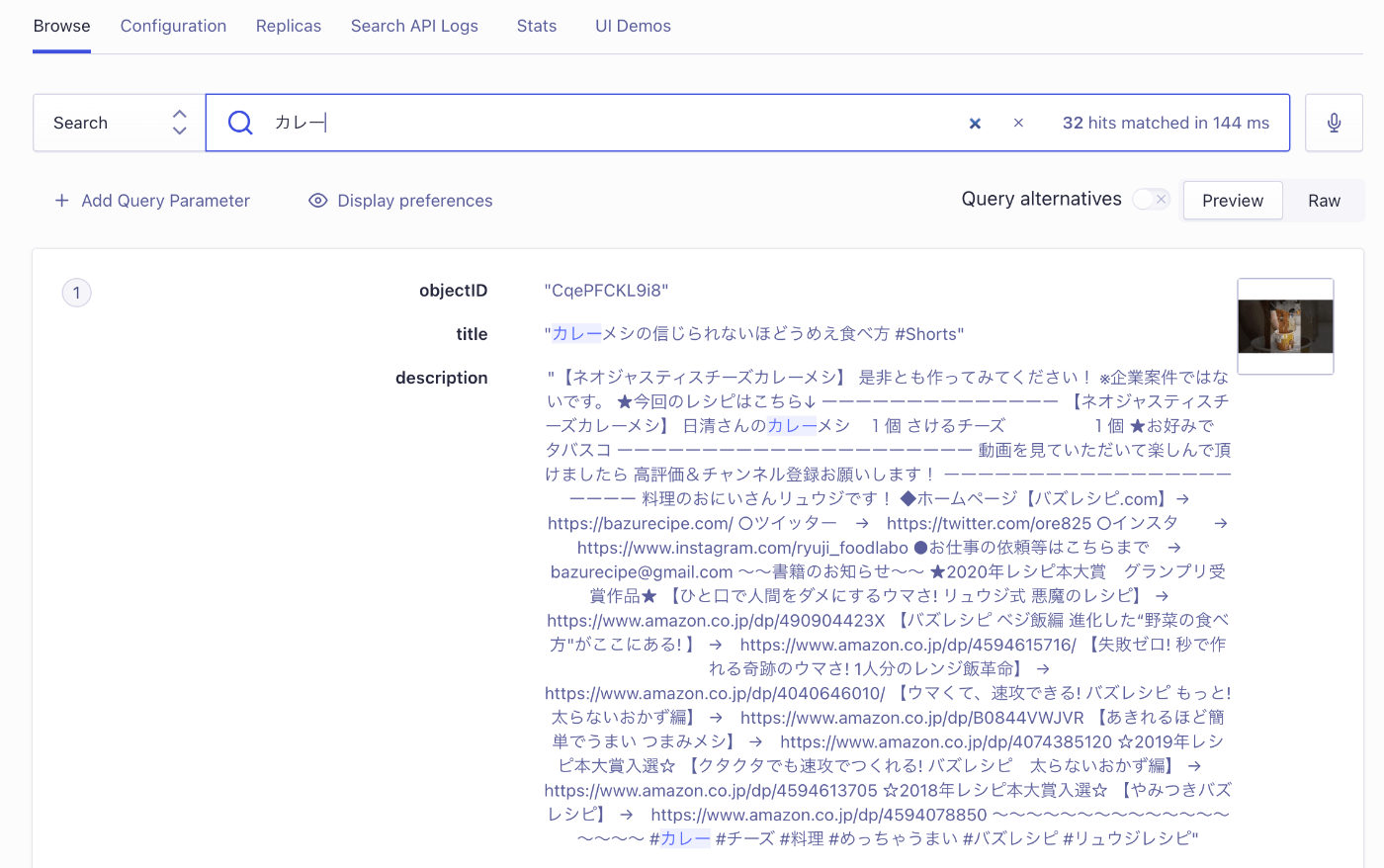
You can verify the data from the Algolia management dashboard.
Sample Code
The sample code is uploaded to GitHub.
References
Discussion