iTranslated by AI
GitHub Actions for Integrating Squash and Merge with Conventional Commits


What is this
This is a summary of the knowledge for properly implementing Conventional Commits in repositories where the Git merge strategy is set to "Squash and Merge."
What is Squash and Merge
This is a strategy where the commit history on a working branch is compressed into a single block before being merged into the trunk (= main branch). The compressed result is merged into the trunk as a single new commit. As a result, the commit history on the trunk is mapped 1:1 with the Pull Request (PR) corresponding to each working branch.
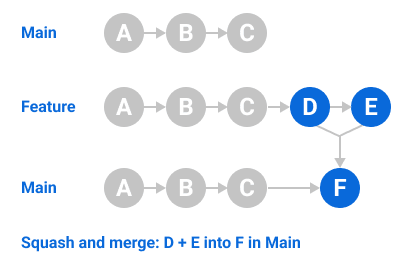
Reference: About merge methods on GitHub - GitHub Docs
On GitHub, "Create a merge commit" is the default merge strategy, but you can choose "Squash and Merge" by switching it.
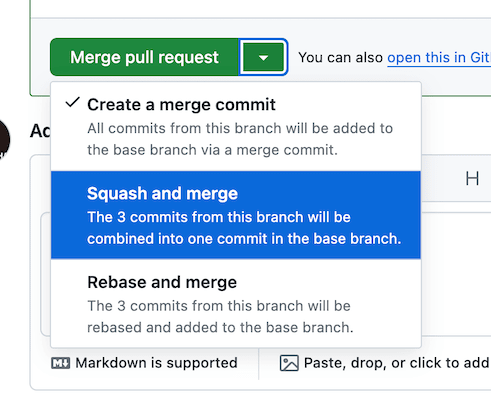
You can select the merge strategy when merging a PR.
When you perform a Squash and Merge on GitHub, it is typically merged with a commit message in the format Pull request title (#PR number) (with some exceptions) [1]. Since the (#PR number) part is displayed as a link to the corresponding PR, you can accurately verify when the work was completed.
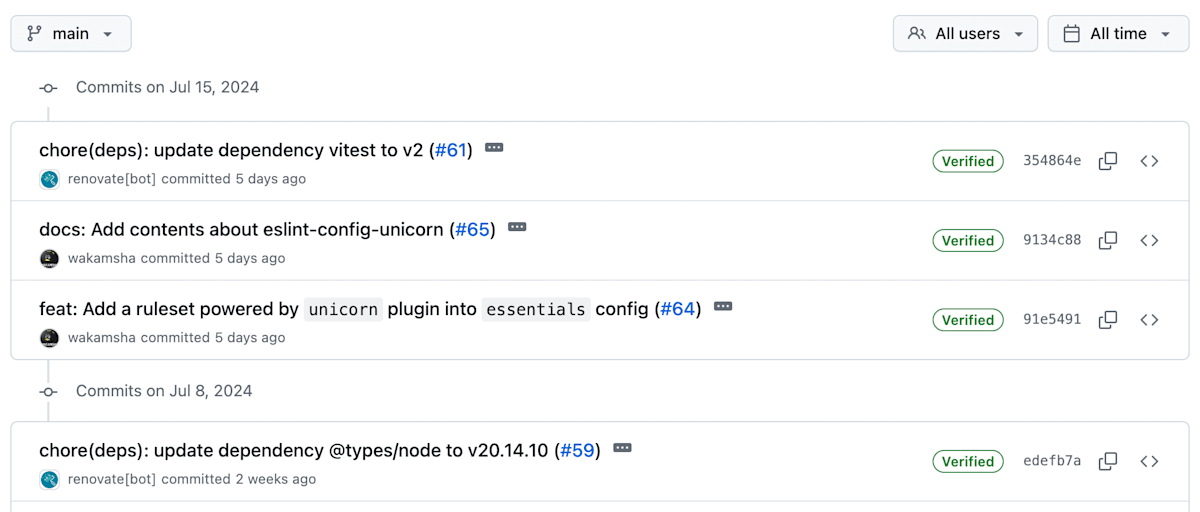
Example: Trunk history (main branch) of a repository using Squash and Merge
What are Conventional Commits
This is a convention aimed at unifying commit messages in Git and other systems into a specific format. It is designed to be easy for both humans and machines to understand, allowing for the description of concise yet clear commit messages. This not only makes it easier to track the evolution of the codebase later but also facilitates integration with tools that automate release workflows and code reviews. For more details, please refer to the following article.
Challenges
While it is theoretically possible to achieve both, the following challenges exist.
1. Pull Request titles must be written in Conventional Commits format
As mentioned earlier, the trunk history of a repository using Squash and Merge lists PR titles directly as commit messages. In other words, to implement Conventional Commits in such a repository, PR titles must comply with the Conventional Commits format. While this might be trivial for those who have already made Conventional Commits a habit, it is difficult for others to strictly follow it. Pointing this out during code reviews is unproductive, and there are concerns about frequent oversights.
2. For Pull Requests with only one commit, that commit message becomes the merge commit message
When merging a PR with only one commit via Squash and Merge, GitHub proposes the commit message from that working branch as the merge commit message, rather than the PR title. Additionally, if there is only one commit, that commit message is automatically entered into the PR title field when the PR is created.

Demo of Squash and Merge behavior. The commit message is automatically populated instead of the PR title.
In other words, in this case, the premise is that the commit message on the working branch must comply with the Conventional Commits format, so checking only the PR title is insufficient.
Solution
Solving these challenges solely through manual operation is unrealistic. Therefore, we will establish a mechanism to automatically check the format of PR titles, achieving the coexistence of Squash and Merge and Conventional Commits.
Checking Pull Request Titles with GitHub Actions
action-semantic-pull-request is a GitHub Action that checks if a PR title follows the Conventional Commits specification. By integrating this into your code review workflow, you can prevent merging if the PR title does not comply with the Conventional Commits format.
name: Check Pull Request Title

on:
  pull_request_target:
    types:
      - opened
      - edited
      - reopened
      - synchronize

permissions:
  pull-requests: read

jobs:
  check:
    runs-on: ubuntu-latest
    steps:
      - uses: amannn/action-semantic-pull-request@v5
        env:
          GITHUB_TOKEN: ${{ secrets.GITHUB_TOKEN }}
        with:
          # Based on the Angular convention
          # cf. https://github.com/angular/angular/blob/22b96b9/CONTRIBUTING.md#-commit-message-guidelines
          types: |
            feat
            fix
            docs
            style
            refactor
            perf
            test
            build
            ci
            chore
          validateSingleCommit: true
          validateSingleCommitMatchesPrTitle: true
The types field only has feat and fix enabled by default, so list other types as needed.
Support for PRs with only one commit is handled by enabling the validateSingleCommit and validateSingleCommitMatchesPrTitle fields. Enabling validateSingleCommit will check the commit message if the PR contains only a single commit. Furthermore, enabling validateSingleCommitMatchesPrTitle checks whether the PR title and the single commit message match. This ensures that the commit message used when performing a Squash and Merge is perfectly compliant.
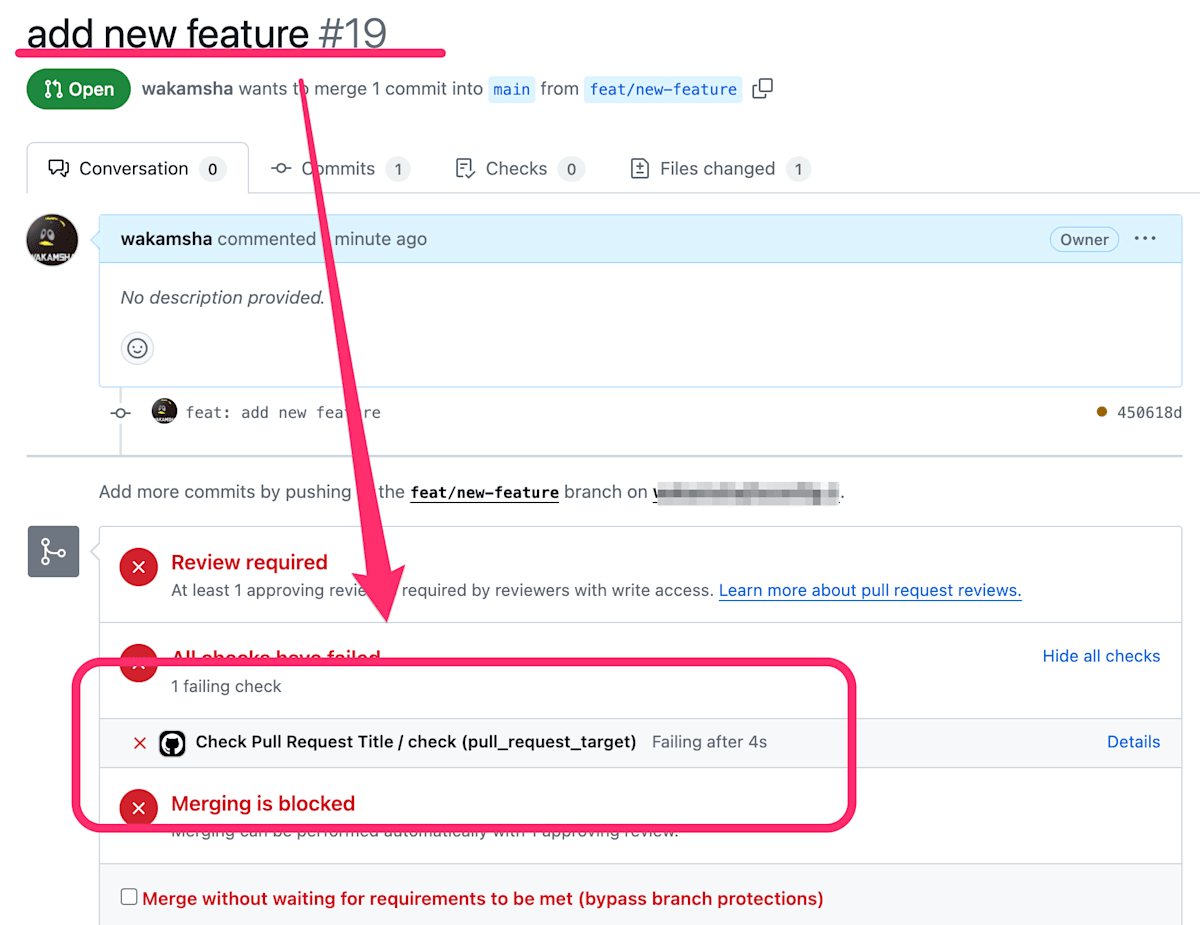
Failure example: Merging is blocked because the PR title does not comply with the Conventional Commits format.
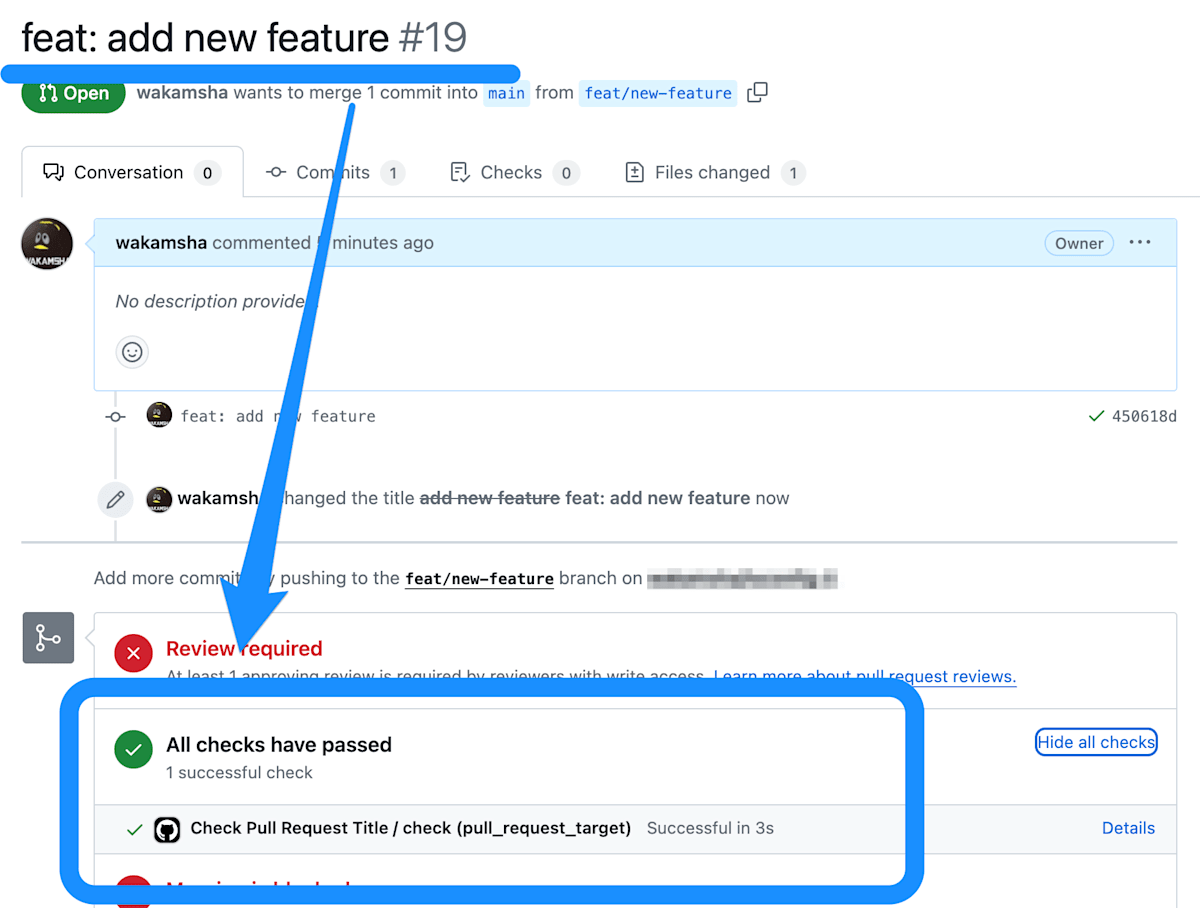
Success example: Merging is permitted because the PR title complies with the Conventional Commits format.
If you want to check the format of commit messages at the time of commit, it is appropriate to use tools such as commitlint or husky. These are explained in the following article, so please refer there for details.
Conclusion
Both Squash and Merge and Conventional Commits are useful methods for keeping the evolution of a codebase clean and easy to track. By utilizing the know-how introduced in this article, you can expect to improve the quality of your codebase while enjoying the benefits of both.
References
- Conventional Commits
- About merge methods on GitHub - GitHub Docs
- amannn/action-semantic-pull-request: A GitHub Action that ensures that your PR title matches the Conventional Commits spec
-
It is also possible to edit the commit message manually, but in most cases, you will likely merge it as is without doing anything. ↩︎
Discussion