iTranslated by AI
Task Orchestration with Boomerang Tasks in Roo Code




About Roo Code
A fork of Cline
While many unique features have been added making it easy to use, prompts tend to get longer, leading to rising costs.
About Boomerang Tasks
Most of it is summarized here, but to provide a summary:
- Roo Code allows you to set up custom modes.
- Within that, you can configure a "Boomerang Tasks" mode.
- It automatically splits child tasks from the parent task into separate sessions (this is truly amazing).
- It automatically assigns them to Architect or Code modes and works smoothly.
- Since it doesn't bloat the context length, tasks fit nicely within the context on a per-task basis.
- It's a bit of a wild horse; it would be even better if it could be controlled more precisely.
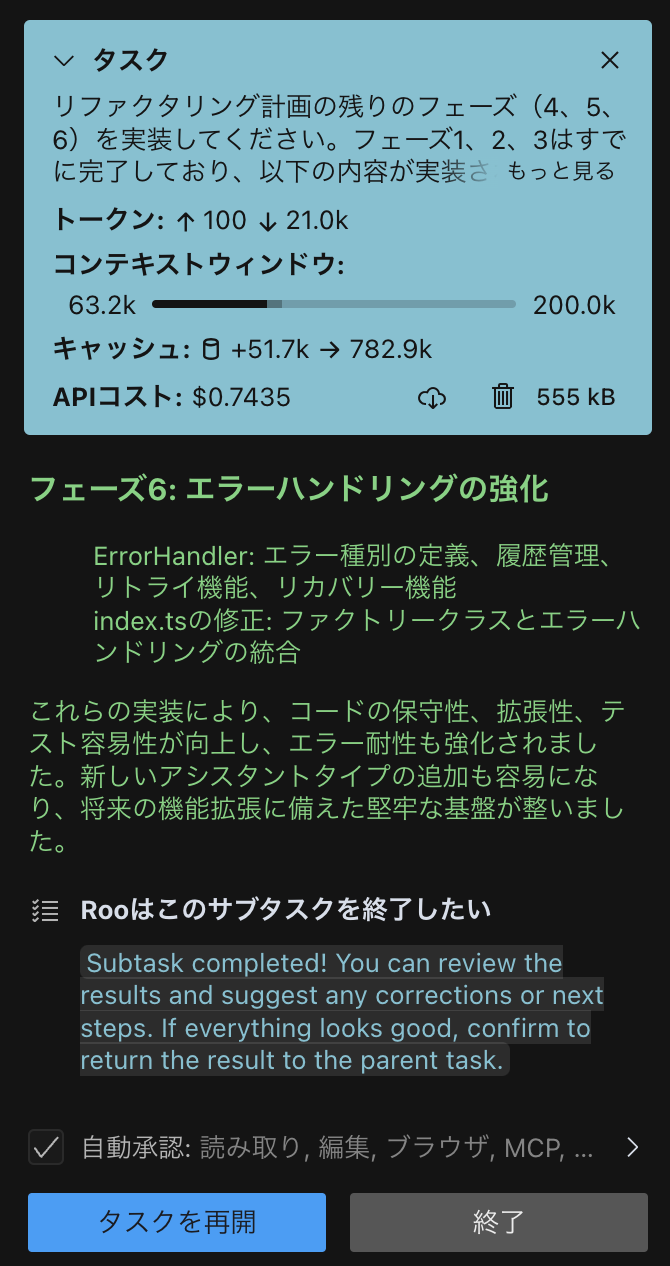
A modest illustration

Parent

Part of a child
Why it's good
I have repeatedly mentioned that both Cursor and Cline face issues because context length becomes strained.
I also mentioned that Cline's localized code understanding is a way to save tokens due to context length limitations.
However, Boomerang Tasks allows the parent task's context to be kept to a minimum. Since large refactors can be handled by breaking them down into small child tasks, it can avoid various issues caused by context length bloat.
It also allows for a much broader scope to be completed in one go.
Also, what I've been saying before was about issue management within a single session, so I'm very happy to see this achieved (Wait, who am I?).
I've been trying things like the Manager-Executor pattern around here.
Conclusion
If you haven't used it yet, go try it right now.
Since parallel tasks are impossible for humans to handle, I think Cursor and the original (Cline) will likely follow suit.
An example of why it's impossible:
Bonus
Please follow me if you'd like! (200k, 1M, and 32k refer to the context window sizes.)
Discussion