iTranslated by AI
SWR: Debouncing while hiding previous results immediately when the value changes


When using SWR, I ran into a bit of trouble when I wanted to achieve the following requirements:
- I want to suppress input using debounce or throttle.
- When the input value changes, I want to avoid displaying the previous value.
Cases where you want to avoid displaying previous values aren't very common, but it's easier to imagine if you think of a situation handling monetary amounts where displaying old data might cause confusion.
In this article, I'll use an input field where the Fibonacci number of the input value becomes the payment amount as an example.
Preparation: Creating it straightforwardly (Without Debounce)
Using an API that returns a Fibonacci number at /api/fib straightforwardly looks like this. The apiCallCount is a value for debugging to see if debouncing is working correctly later.
const useFibonacci = (value: number) => {
  const [apiCallCount, setApiCallCount] = useState(0)
  const result = useSWR(["fibonacch", value], async () => {
    const response = await fetch(`/api/fib?value=${value}`)
    const json = await response.json()
    setApiCallCount(num => num + 1)
    return json.fib
  }, {
    keepPreviousData: false
  })
  return {
    result,
    apiCallCount
  }
}
Also, the component for displaying the results is set up as follows:
const FibonacchResult: FC<{ value: number, isLoading: boolean, fibResult: number, apiCallCount: number }> = ({ value, isLoading, fibResult, apiCallCount }) => {
  if (isLoading) {
    return <div>
      <div>fib({value}) = Loading...</div>
      <div>API Call: {apiCallCount}</div>
    </div>
  }

  return <div>
    <div>fib({value}) = {fibResult}円</div>
    <div>API Call: {apiCallCount}</div>
  </div>
}
Adding "yen" (円) to the result is done only to make the use case easier to imagine.
Then, combine them as follows.
const NoDebounceFibonacch: FC<{ value: number }> = ({ value }) => {
  const { result, apiCallCount } = useFibonacci(value)
  return <FibonacchResult value={value}
    isLoading={result.isLoading}
    fibResult={result.data} apiCallCount={apiCallCount}
  />
}
You can see that it's processed without debouncing as shown below.
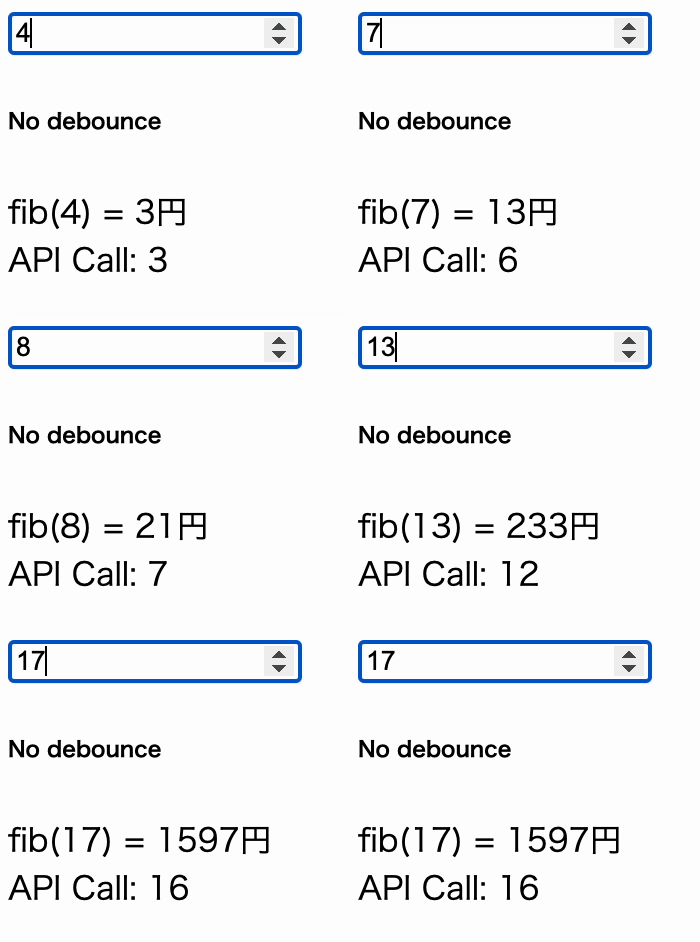
Debounce
From here, we will integrate debounce.
For the debounce logic, we'll use the one from usehooks-ts.
1. Basic Debounce
A basic implementation of debounce looks like this.
const useFibonacciWithDebounce1 = (value: number) => {
  const [apiCallCount, setApiCallCount] = useState(0)
  const debounceValue = useDebounce(value)
  const result = useSWR(["fibonacch_debounce_1", debounceValue], async () => {
    const response = await fetch(`/api/fib?value=${debounceValue}`)
    const json = await response.json()
    setApiCallCount(num => num + 1)
    return json.fib
  }, {
    keepPreviousData: false
  })
  return {
    result,
    apiCallCount
  }
}
However, in this state, even with keepPreviousData: false set, the previous result remains until debounceValue itself changes, which doesn't meet our current requirements.
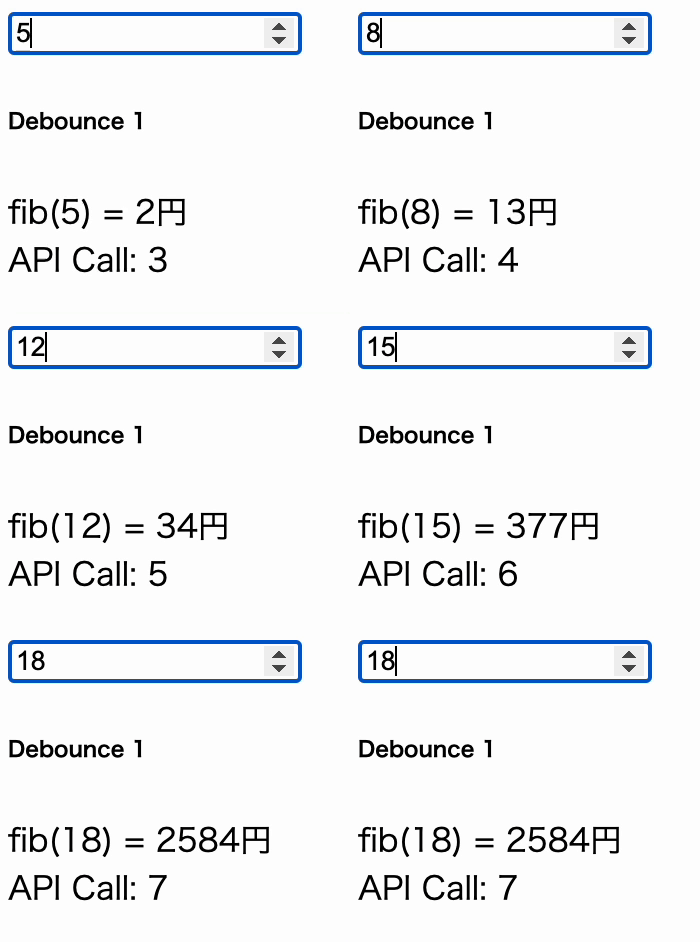
This is often sufficient for use cases like search suggestions, but since we want to address this specific issue, we need a bit more adjustment.
2. Preventing display of previous data when debounced
To immediately clear the value when the input changes, we set the key to null while debouncing.
const useFibonacciWithDebounce2 = (value: number) => {
  const [apiCallCount, setApiCallCount] = useState(0)
  const debounceValue = useDebounce(value)
  const isDebouncing = debounceValue !== value
  const result = useSWR(isDebouncing ? null : ["fibonacch_debounce_2", debounceValue],
    async () => {
      const response = await fetch(`/api/fib?value=${debounceValue}`)
      const json = await response.json()
      setApiCallCount(num => num + 1)
      return json.fib
    }, {
    keepPreviousData: false
  })
  return {
    result,
    apiCallCount
  }
}
The technique of passing null as a flag is mentioned in similar examples, such as in this issue.
However, in this case, it seemed that a state where there is no data and loading hasn't started (data: undefined and isLoading: false) occurs for a brief moment.
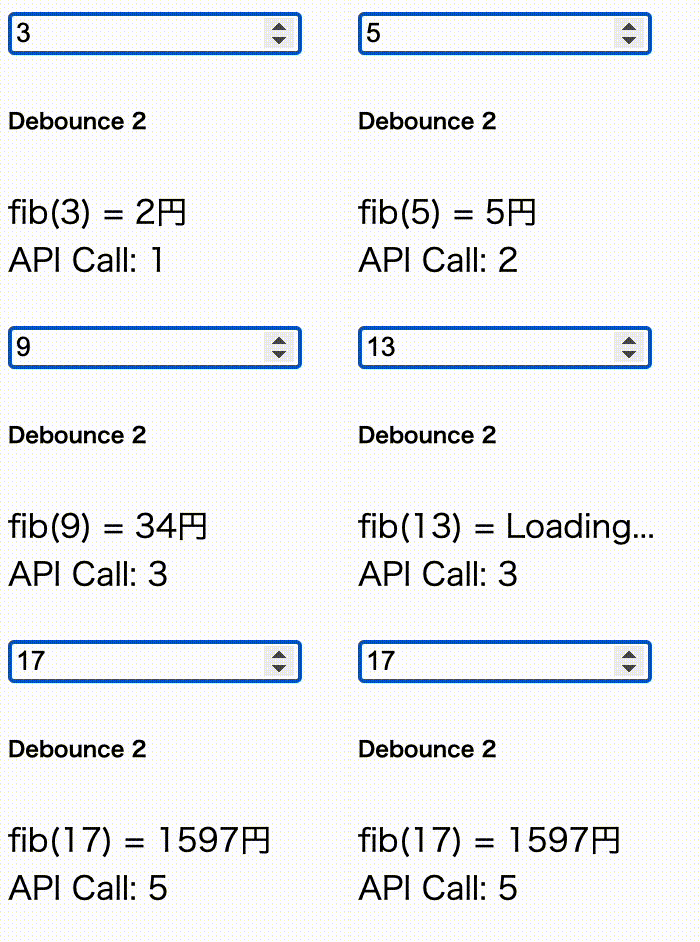
I couldn't investigate the details fully, but it's likely that some kind of lag occurs during internal processing.
3. Making the Loading Display Work as Intended While Debouncing
Regarding the part where nothing is displayed for an instant, it seemed possible to resolve this by creating a new loading state from a combination of the data and isLoading states.
const WithDebounceFibonacch3: FC<{ value: number }> = ({ value }) => {
  const { result, apiCallCount } = useFibonacciWithDebounce2(value)
  const isLoading = result.isLoading || result.data === undefined
  return <FibonacchResult value={value}
    isLoading={isLoading}
    fibResult={result.data} apiCallCount={apiCallCount}
  />
}
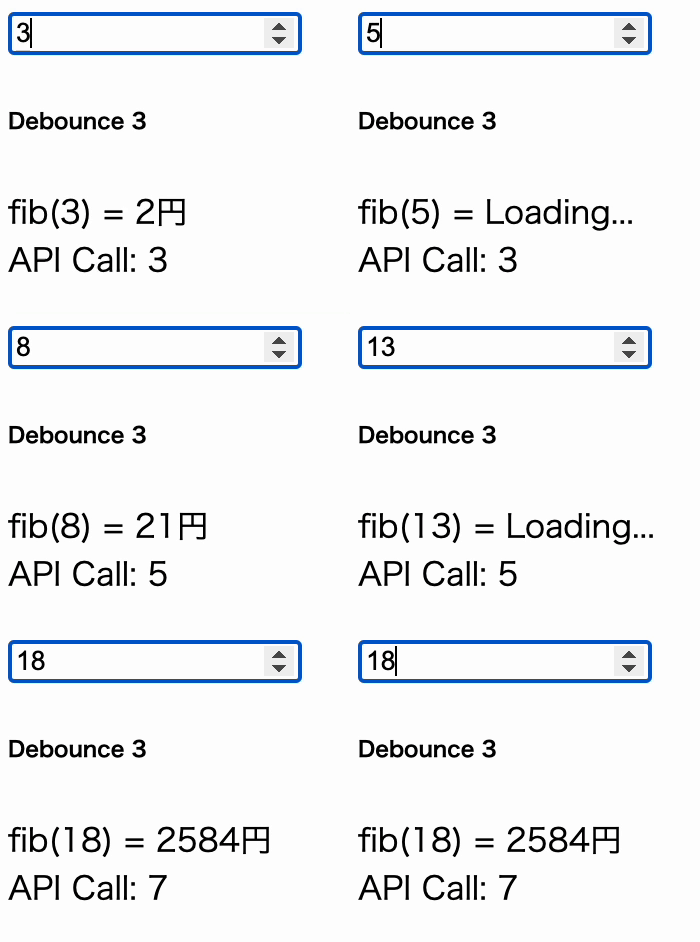
While there are approaches like wrapping this logic inside hooks or standardizing the interface by overwriting the useSWR result, I decided not to go that far this time.
Summary
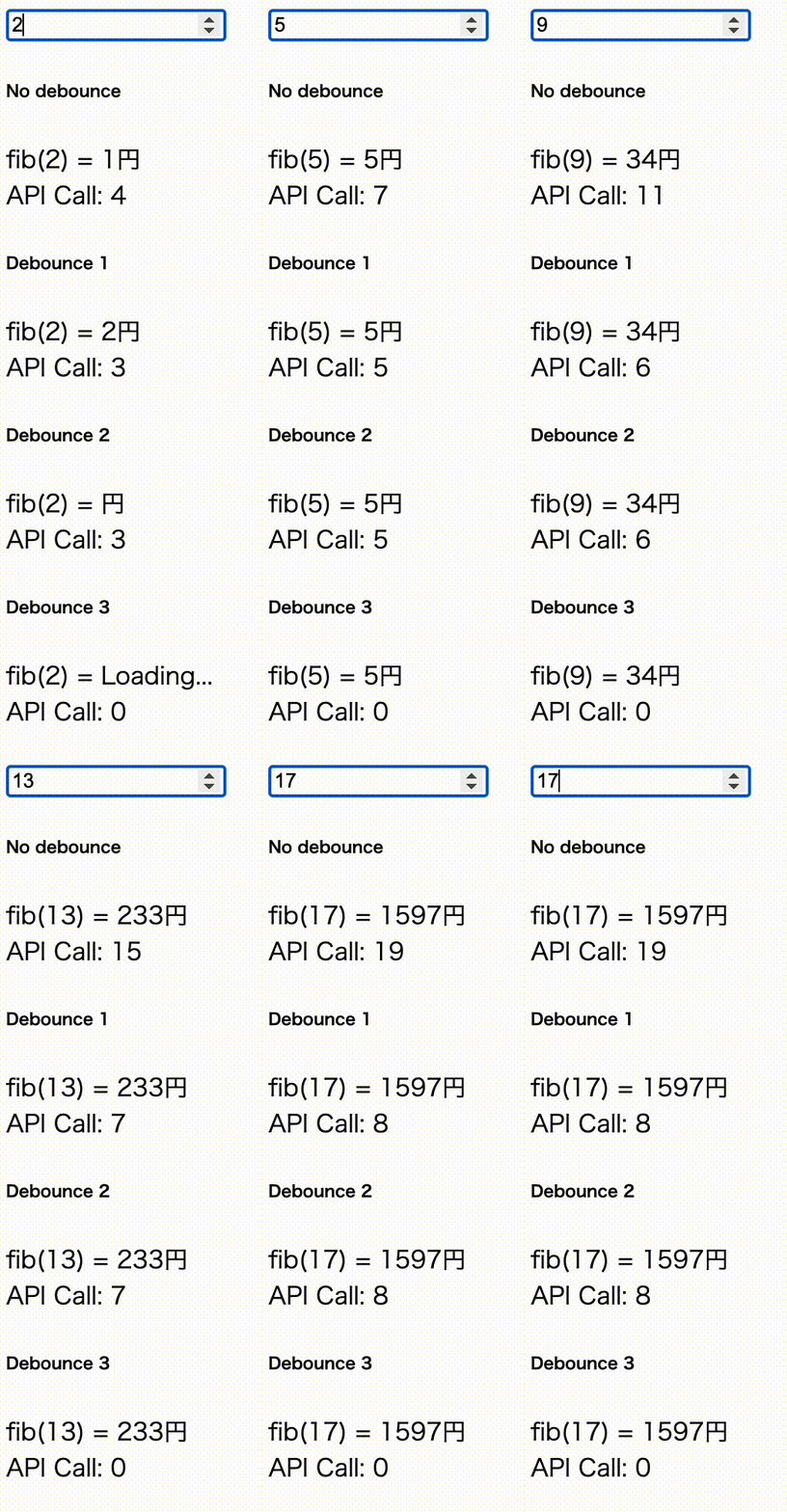
Finally, here is what it looks like when all the versions created so far are lined up together:
Discussion