iTranslated by AI
Creating Stylish Shell Scripts with gum




TL;DR
I wanted to create a personal which-key and considered what to build it with,
shellscript + gum turned out to be a good choice.
The reasons for choosing shellscript were that I wanted it to be self-contained in a single file, cd was easy, and setup was simple.
However, just a shellscript felt a bit plain, so I looked for a UI library for shellscripts and found gum.
What is gum?
A UI library for shell scripts.
https://github.com/charmbracelet/gum
Super cool!!!

Installation
Follow the official website instructions.
https://github.com/charmbracelet/gum?tab=readme-ov-file#installation
For Mac, use Homebrew
brew install gum
I tried creating which-key with fish shell
I quickly had ChatGPT create something like this.
It's quite good.
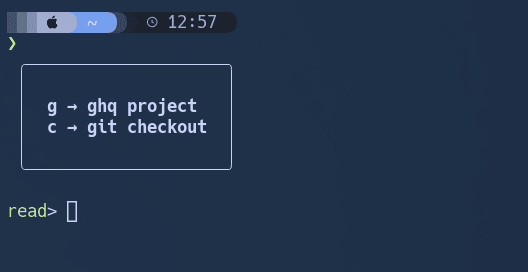
The code is as follows:
function __which-key
    gum style \
      --border rounded --margin "1 1" --padding "1 2" --align left \
      --bold "g → ghq project" "c → git checkout"

    read --nchars 1 choice

    switch $choice
        case g
            cd (ghq list | fzf | xargs -I {} echo $HOME/workspaces/{})
        case c
            gc # My custom command to perform git checkout with fzf
        case '*'
            gum style --foreground 196 --bold "⚠️  Unknown choice: $choice"
    end
end

bind --mode insert \cg '__which-key; echo; commandline -f repaint'
The mechanism is:
- Draw the menu with `gum style`
-
read --nchars 1to get a single key input without Enter - Branch the process with
switch
Summary
Thanks to ChatGPT, it's become easier to write shell scripts, so everyone, please try making cool shell scripts too.
Discussion