iTranslated by AI
Technical Introduction to mosya React: A Service for Learning React




On March 15, 2024, on an auspicious day known as Ichiryumanbaibi, I released mosya React, a service where you can learn React.
After a year of development, I finally managed to release it! Combined with the development period of the original mosya, it has been a total of about two years. Man, it was a long road!
Please feel free to try it out from the link below!
What kind of service is it?
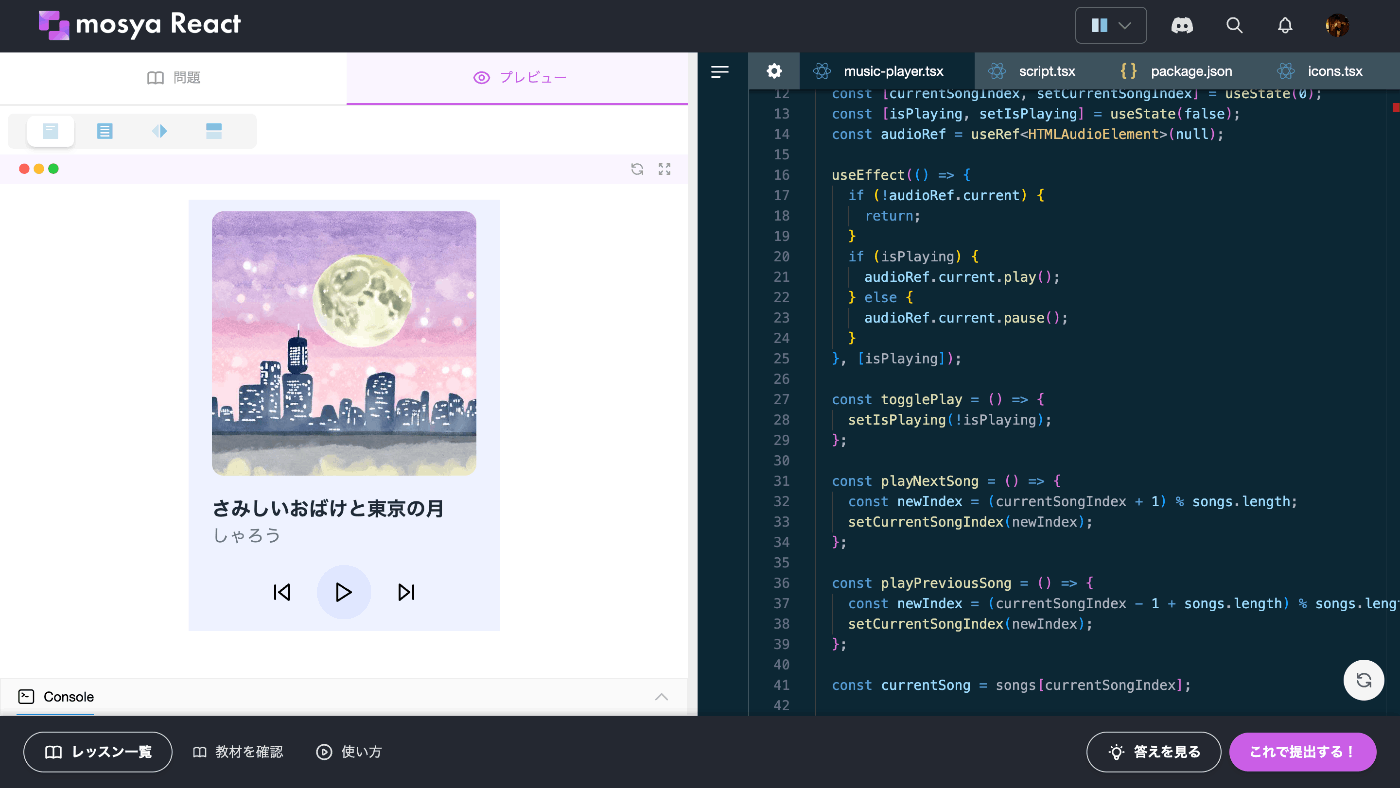
mosya React is a service for learning React online. The code written in the editor is previewed in real-time, allowing you to learn React without any environment setup! It features a grading system, making it highly recommended for those who want to self-study React.
I put particular effort into the following features during development:
- Keeping up with the latest technologies
- Enabling library type checks within the editor
- Running Biome so that lint errors can be checked within the editor
Keeping up with the latest technologies
mosya React features content that incorporates the latest technologies! For example, we naturally teach React hooks, and you can also learn React development using TypeScript! Furthermore, instead of Recoil, where development has stalled, you can learn state management using Jotai. We also have lessons for React Router, using v6 instead of the old v5!
It was very tough because technical trends changed while I was creating the lessons, and I sometimes had to discard everything and start over... This is something only possible because it's a personal development project!
Enabling library type checks within the editor
In mosya React, you can check library types directly in the editor! You can also check the types of the code you've written, providing a development environment much like VSCode.
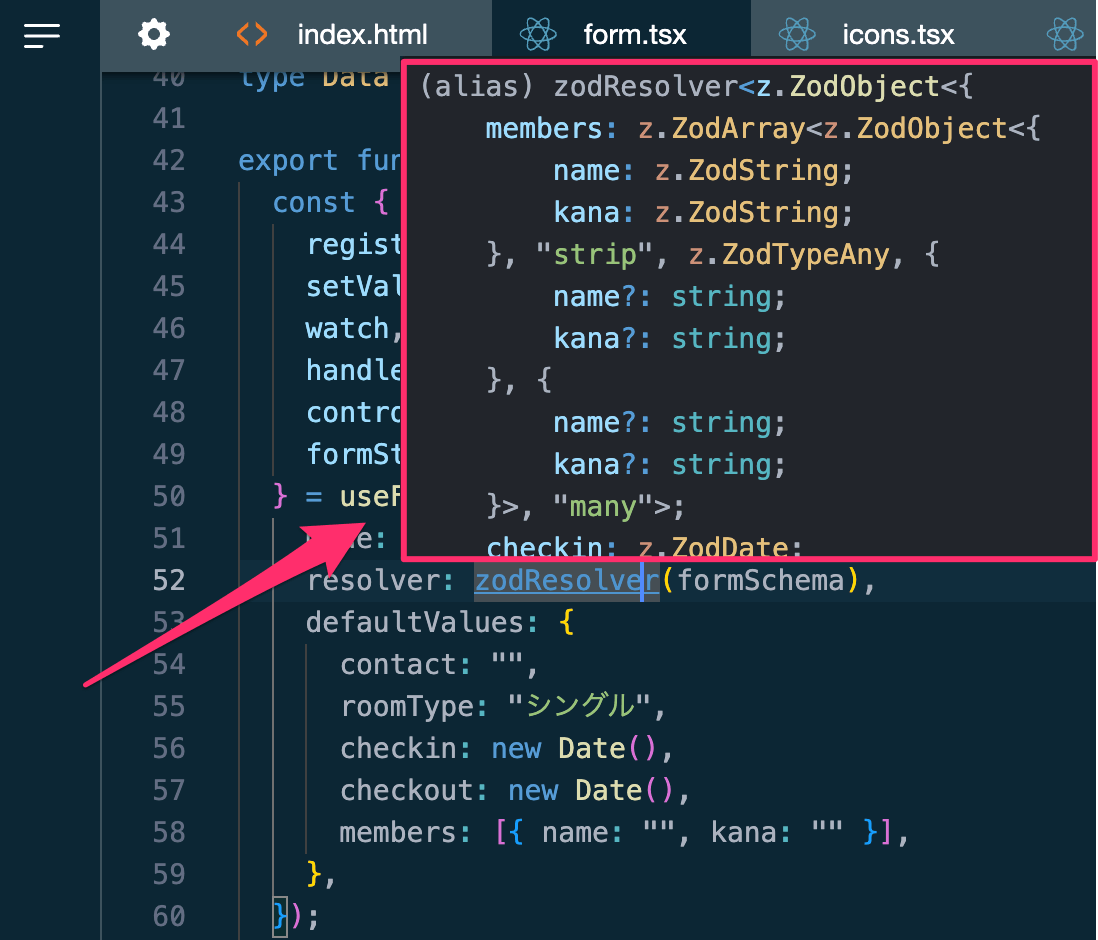
When you hover over variables or functions you want to check, the types are displayed, allowing you to develop while confirming types!
Running Biome so that lint errors can be checked within the editor
mosya React runs Biome, so you can check lint errors in the editor during linting lessons and practical lessons!

Since you cannot pass the grading if there are lint errors, you naturally learn to write good code!
Technical Introduction
mosya React is developed using the following technologies. I will introduce the following items that I put the most effort into:
- React compilation using Service Workers
- Editor linting
- Type resolution within the editor
- Type testing
React compilation using Service Workers
What I worked particularly hard on is the preview screen that updates in real-time as you write code! This preview screen uses Service Workers to compile the React code!
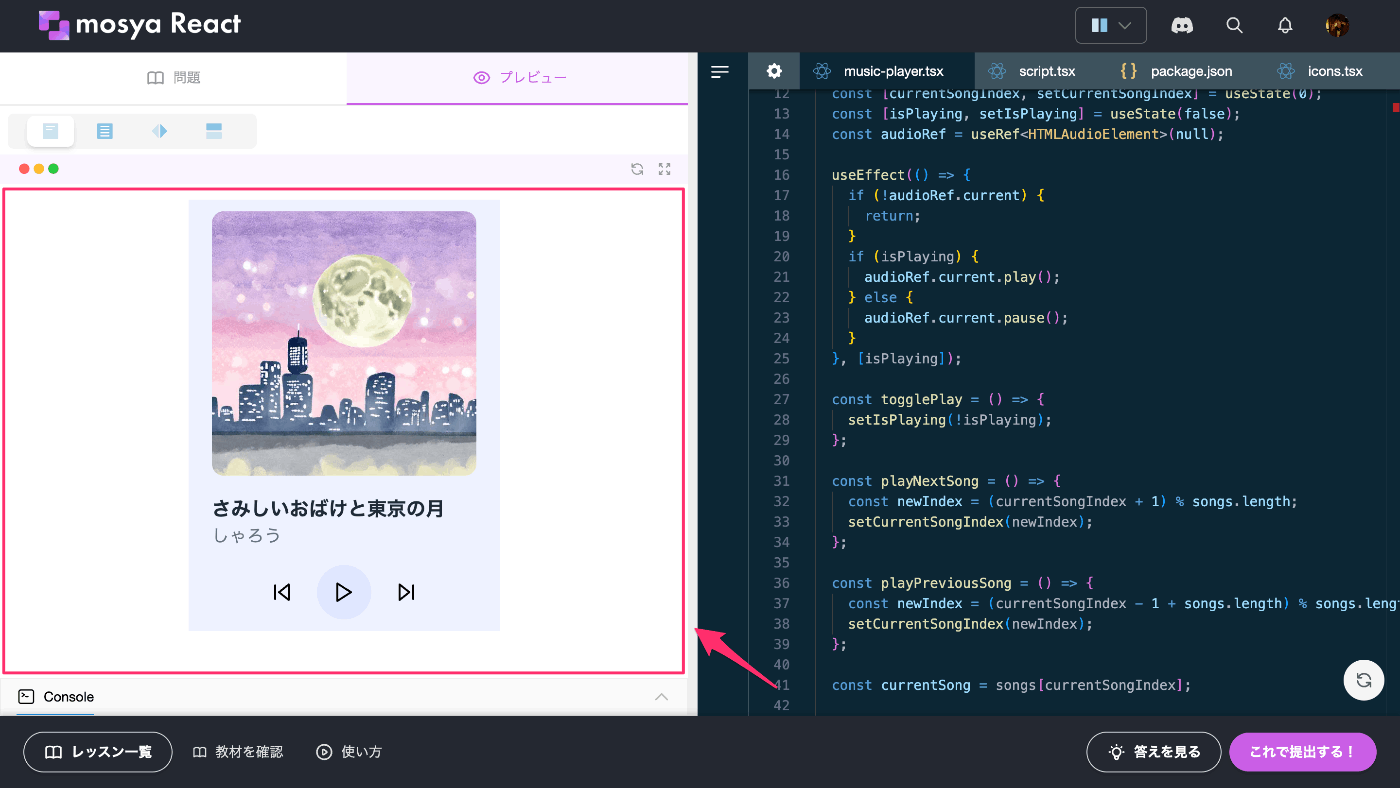
To achieve this, Service Workers receive the code written in the editor, compile it, and display it on the preview screen!

To explain in detail, first, the content of the files written in the editor is saved to IndexedDB on the frontend.

The reason for saving to IndexedDB is that Service Workers can retrieve files stored there.
Next, the iframe is updated using a React key whenever the code is modified.
<iframe key={refreshKey} />
Service Workers come in handy for requests to files within the iframe! We use one of the Service Worker features that allows it to intercept and process requests before returning them!
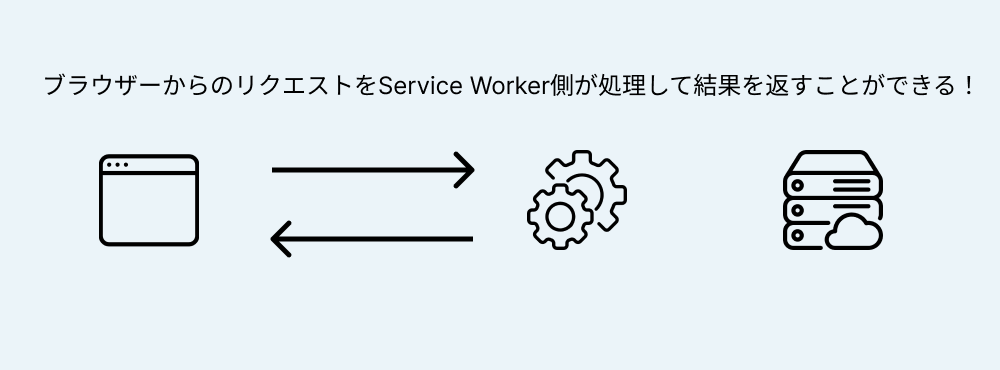
While this is usually used to return cached responses, in this case, the Service Worker retrieves the file saved in IndexedDB, compiles it, and returns it!
At this point, to resolve all import statements with relative paths as ESM imports, the extensions are converted to .mjs, and the code is compiled using esbuild.
For example, when there is an access to a Hoge.mjs file, the Hoge.tsx file is retrieved from IndexedDB, compiled, and then returned from the Service Worker.
Resolving libraries like React
The resolution of libraries like React is handled using a feature called importmap rather than Service Workers.
For instance, let's say you write code like the following:
import React from 'react'
To make this possible, we configure the importmap to load react from https://esm.sh/react.
<script type="importmap">
{
  "imports": {
    "react": "https://esm.sh/react"
  }
}
</script>
esm.sh is a service that converts libraries written in CommonJS to ESM via CDN. It's incredibly convenient!
Editor linting
Editor linting is implemented using Web Workers. We perform linting on a Web Worker using a library called Biome.
However, since running Biome directly in the browser was a bit heavy, we decided to calculate the linting results on the Worker and return them to the browser.
We use a library called Comlink for communication between the Web Worker and the main thread. It is very easy to use as it allows you to call methods on the Worker side intuitively from the frontend.
Frontend side
const worker = new Worker(
new URL("../../workers/biome.worker", import.meta.url),
{
    type: "module",
}
);
const api = Comlink.wrap<BiomeWorkerApi>(worker);
const diagnostics = await api.getJSReport(code, pathName);
Worker side
// Omitted above
const workerApi = {
  getJSReport,
};

Comlink.expose(workerApi);
At this time, the @biomejs/wasm-web library, which is a Wasm version of Biome, was extremely helpful! It's amazing that a linter can run on a browser!
Type resolution within the editor
As mentioned earlier, in mosya React, when you hover over a variable or function whose type you want to check, the type is displayed.
This is achieved by pre-converting the contents of node_modules into JSON files for each lesson and loading them using the features of the Monaco Editor.
It is loaded roughly like this:
const deps = await fetch(
  `${process.env.NEXT_PUBLIC_CLOUD_FLARE_PUBLIC_URL}/${lessonName}/deps.json`
);
const depsJson = await deps.json()

Object.entries(depsJson).forEach(([key, value]) => {
  monaco.languages.typescript.typescriptDefaults.addExtraLib(
    value,
    `file:///node_modules/${key}`
  );
});
Monaco Editor is truly impressive for being able to resolve types just by loading the contents of node_modules!
Type testing
In the TypeScript lessons, type-level tests are also conducted during the grading process! We use the TypeScript Compiler API to perform these type tests.
Using this, you can write type tests as follows:
import { TypeTester } from "browser-type-tester";

const code = `
type Concat<T extends any[], U extends any[]> = [...T, ...U];
type Result = Concat<[1], [2]>; // expected to be [1, 2]
`;
const typeTest = new TypeTester({ code });

typeTest.it("Concat<A, B> type is correct", () => {
  typeTest.expect("Concat<['a', 'b'], ['c', 'd']>").toBe("['a', 'b', 'c', 'd']");
});

typeTest.it("Concat<A, B> does not return any", () => {
  typeTest.expect("Concat<['a', 'b'], ['c', 'd']>").not.toBeAny();
});

const results = await typeTest.run();

console.log(results);
For more details, please check out the Zenn article I wrote previously!
Future updates
In future updates, we plan to add development lessons using Next.js!
Since Next.js alone cannot be reproduced with the technologies mentioned above, we plan to use a library called WebContainers to achieve the preview functionality!
While WebContainers requires permission for commercial use, thanks to a friend's help, I was somehow able to connect with the WebContainers developers on Discord!
It was decided that the service would be free to use up to 10,000 session users, after which payment would be required.
Since the Next.js lessons are planned to be provided only to users who have registered for a subscription, I don't think it will reach 10,000 session users very easily, but if it does, I plan to pay properly!
Actually, I have already written an article about WebContainers on Zenn before!
Technical introduction of other services
Details about the development of mosya and mosya<TC> released previously are summarized in the following Zenn articles.
Promotion
I also run a service for corporations called mosya Business!
This allows services like mosya and mosya React to be provided to corporate employees, making it possible to visualize employee progress and the code they have written!
Progress tracking screen

Code review screen
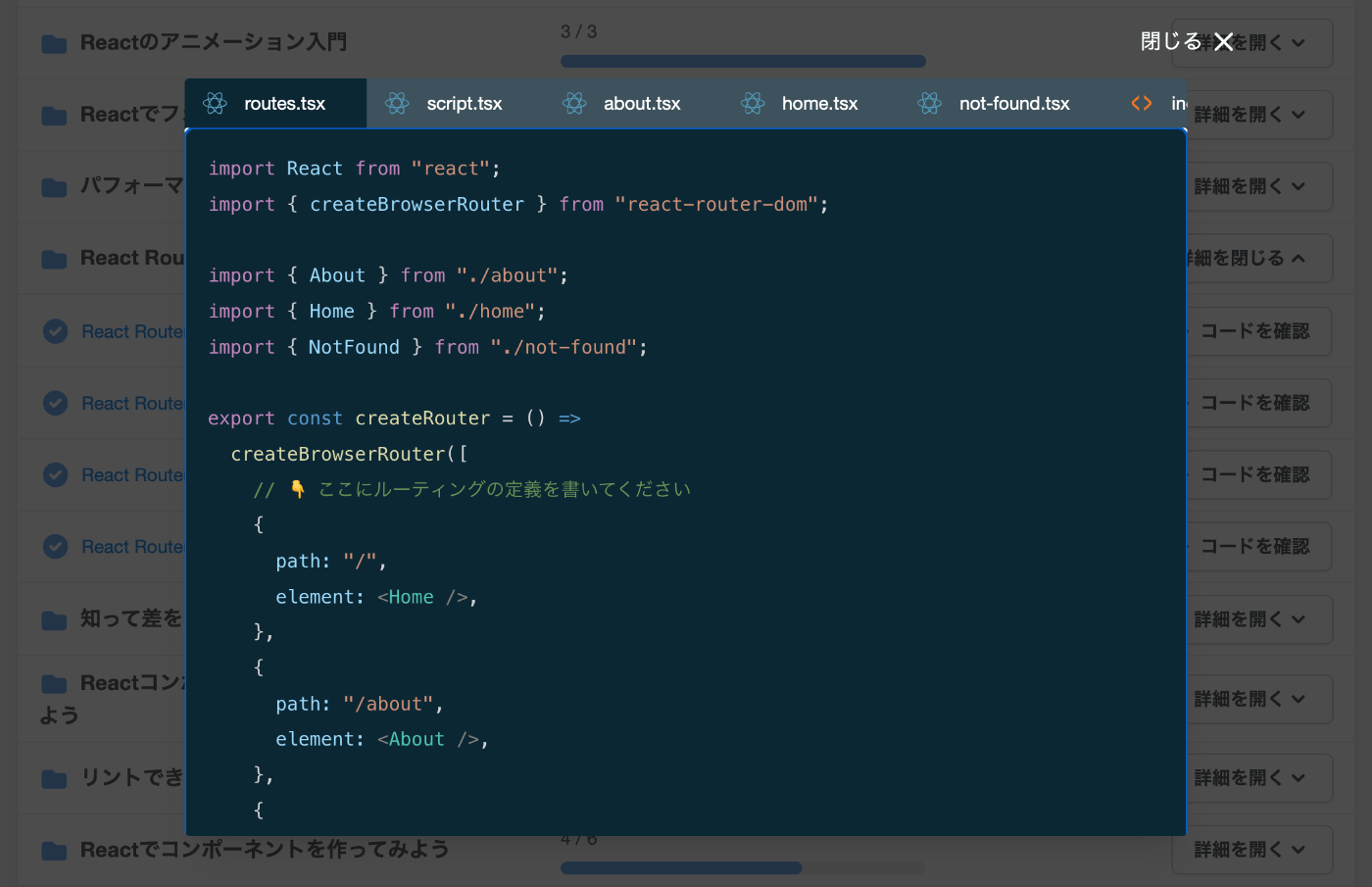
We also have a contact point where you can consult with me about necessary lessons, so if you are interested, please check it out here!
I would be very happy if you could use mosya at your company as well!
Discussion