iTranslated by AI
Comfortable API Development with Hono × Zod-OpenAPI


Overview
Recently, I had the opportunity to build an OpenAPI-based API using Hono and Zod, and since the experience was so positive, I've summarized it in this article. This post assumes a configuration combining Hono and Cloudflare Workers, introducing the steps and key points for creating the API. If you know of any other good methods or approaches, I would be very happy to hear your feedback.
Operating Environment
- node: 22.7.0
- yarn: 1.22.22
Environment Setup
Hono + Cloudflare Workers Project Creation
Let's create the project right away. Use create hono and select cloudflare-workers for the template.
$ yarn create hono .
✔ Using target directory … .
? Which template do you want to use? cloudflare-workers
? Directory not empty. Continue? yes
✔ Cloning the template
? Do you want to install project dependencies? yes
? Which package manager do you want to use? yarn
✔ Installing project dependencies
🎉 Copied project files
If you are using Docker, add the following to wrangler.toml👇.
[dev]
ip = "0.0.0.0"
port = 8787
Run yarn install & yarn dev to start, and if Hello Hono! is displayed when you access http://localhost:8787/, you're good to go.
Adding Necessary Packages
Add @hono/swagger-ui as well for displaying documentation.
yarn add @hono/zod-openapi @hono/swagger-ui
Overview of the API to be Created
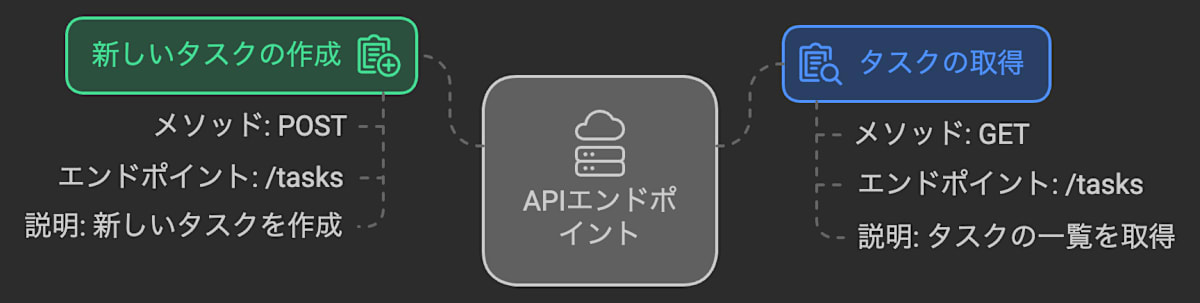
Assuming an API for a task management application, we will implement an API that allows for the retrieval and creation of tasks. We will implement it with the assumption that GET /api/tasks retrieves a list of tasks and POST /api/tasks creates a new task.
Model Definition
First, create src/models/task.ts with the following content as a model representing a task.
import { z } from '@hono/zod-openapi';

export const TaskSchema = z
  .object({
    uuid: z.string().openapi({
      example: '12345678-e29b-41d4-a716-123456789000',
    }),
    title: z.string().openapi({
      example: 'Title',
    }),
    description: z.string().openapi({
      example: 'Description',
    }),
    completed: z.boolean().openapi({
      example: false,
    }),
    priority: z.number().min(1).max(5).openapi({
      example: 3,
    }), // Task priority (1-5)
  })
  .openapi('TaskSchema');

// Request model for creating a new task
export const CreateTaskSchema = z
  .object({
    title: z.string().openapi({
      example: 'Title',
    }),
    description: z.string().openapi({
      example: 'Description',
    }),
    priority: z.number().min(1).max(5).default(3).openapi({
      example: 3,
    }),
    completed: z.boolean().default(false).openapi({
      example: false,
    }),
  })
  .openapi('CreateTaskSchema');

// Response model for tasks
export const TaskListSchema = z.array(TaskSchema).openapi('TaskListSchema');
We also define CreateTaskSchema, which is intended for use during POST /api/tasks requests, and TaskListSchema for responses in GET /api/tasks.
While we're at it, let's also define a response schema for errors. Create src/models/error.ts with the following content.
import { z } from '@hono/zod-openapi';

export const ErrorResponse = z
  .object({
    message: z.string(),
    stackTrace: z.string().optional(),
  })
  .openapi('ErrorResponse');
Implementing Each Endpoint
GET /api/tasks Endpoint
Create a new file src/api/tasks/getTasks.ts and define the OpenAPI route. Here, we use the createRoute method from the @hono/zod-openapi package.
import { createRoute } from '@hono/zod-openapi';
import { ErrorResponse, TaskListSchema } from '../../models';

export const getTasksRoute = createRoute({
  path: '/',
  method: 'get',
  description: '登録されているすべてのタスクのリストを取得します',
  responses: {
    200: {
      description: 'OK',
      content: {
        'application/json': {
          schema: TaskListSchema,
        },
      },
    },
    500: {
      description: 'Internal Server Error',
      content: {
        'application/json': {
          schema: ErrorResponse,
        },
      },
    },
  },
});
Here, we use the TaskListSchema defined in src/models/task.ts for a successful response with HTTP status code 200. In addition, we have configured it to return the ErrorResponse defined in src/models/error.ts when a 500 error occurs.
Next, we will implement the actual logic to perform some processing and return the task list. For this sample, we are returning fixed data.
type TaskSchema = z.infer<typeof TaskSchema>;

export const getTasksHandler: RouteHandler<typeof tasksRoute, {}> = async (c) => {
  try {
    const tasks: TaskSchema[] = [
      {
        uuid: '12345678-e29b-41d4-a716-123456789000',
        title: 'Buy Groceries',
        description: 'Purchase milk, eggs, and bread from the store',
        completed: false,
        priority: 2,
      },
      {
        uuid: '23456789-c23e-59c3-c234-234567890111',
        title: 'Morning Run',
        description: 'Run 5 kilometers in the park',
        completed: false,
        priority: 5,
      },
    ];

    return c.json(tasks, 200);
  } catch (e) {
    console.error(e);
    return c.json({ message: 'Internal Server Error', stackTrace: e }, 500);
  }
};
POST /api/tasks Endpoint
Create a new file src/api/tasks/createTasks.ts. Just like with the GET request, we first define the OpenAPI route.
import { createRoute } from '@hono/zod-openapi';
import { CreateTaskSchema, ErrorResponse, TaskSchema } from '../../models';

type CreateTaskSchema = z.infer<typeof CreateTaskSchema>;

export const createTasksRoute = createRoute({
  path: '/',
  method: 'post',
  description: '新たにタスクを登録します',
  request: {
    body: {
      content: {
        'application/json': {
          schema: CreateTaskSchema,
        },
      },
    },
  },
  responses: {
    200: {
      description: 'OK',
      content: {
        'application/json': {
          schema: TaskSchema,
        },
      },
    },
    500: {
      description: 'Internal Server Error',
      content: {
        'application/json': {
          schema: ErrorResponse,
        },
      },
    },
  },
});
We set the CreateTaskSchema, which was implemented during the model definition, in the request schema.
Next, we will implement the actual logic. While you would typically save this to a database or perform other processing, for this example, we will simply issue a UUID for the received data and return it.
type TaskSchema = z.infer<typeof TaskSchema>;

export const createTasksHandler: RouteHandler<
  typeof createTasksRoute,
  {}
> = async (c) => {
  try {
    const newTask = await c.req.json<CreateTaskSchema>();
    const uuid = crypto.randomUUID();
    const task: TaskSchema = {
      uuid,
      ...newTask,
    };

    return c.json(task, 200);
  } catch (e) {
    console.error(e);
    return c.json({ message: 'Internal Server Error', stackTrace: e }, 500);
  }
};
Router Definition
Create src/api/tasks/index.ts with the following content.
import { OpenAPIHono } from '@hono/zod-openapi';
import { createTasksHandler, createTasksRoute } from './createTask';
import { getTasksHandler, getTasksRoute } from './getTasks';

export const tasksApi = new OpenAPIHono();
tasksApi
  .openapi(getTasksRoute, getTasksHandler)
  .openapi(createTasksRoute, createTasksHandler);
Here, we set the created GET /api/tasks endpoint (getTasks) and POST /api/tasks endpoint (createTask) to a route called tasksApi.
Next, create src/api/index.ts with the following content.
import { swaggerUI } from '@hono/swagger-ui';
import { OpenAPIHono } from '@hono/zod-openapi';
import { tasks, tasksRoute } from './tasks';

export const api = new OpenAPIHono();

api
  .route('/tasks', tasksApi)
  .doc('/specification', {
    openapi: '3.0.0',
    info: {
      title: 'API',
      version: '1.0.0',
    },
  })
  .get(
    '/doc',
    swaggerUI({
      url: '/api/specification',
    })
  );
Here, we add the previously mentioned tasksApi as a Nested route and add the logic to generate the Swagger documentation. In the case of 👆, you will be able to view the Swagger documentation at /api/doc.
Finally, add the api created earlier as a Nested route in src/index.ts.
(We are also configuring prettyJSON to make JSON responses easier to read, as well as setting up the 404 handler.)
import { Hono } from 'hono';
import { prettyJSON } from 'hono/pretty-json';
import { api } from './api';

const app = new Hono();
app.use(prettyJSON());
app.notFound((c) => c.json({ message: 'Not Found', ok: false }, 404));

app.route('/api', api);

export default app;
Verification
Swagger Documentation
Now that we are ready, let's verify the operation. First, let's access http://localhost:8787/api/doc in a browser to see if the Swagger documentation is displayed correctly.
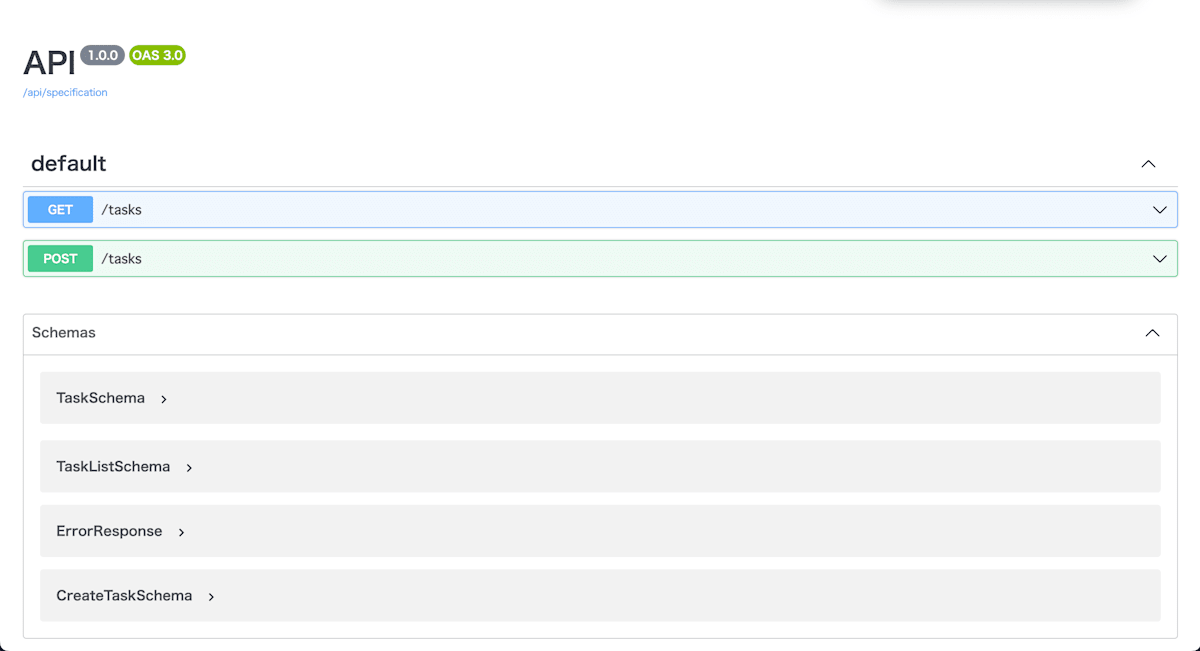
If the documentation reflecting each endpoint and schema has been generated, it's all good.
Response Verification
Finally, let's send a request and check the response.
First, let's try the GET /api/tasks endpoint.
$ curl -i 'http://localhost:8787/api/tasks?pretty'                                   main
HTTP/1.1 200 OK
Content-Length: 385
Content-Type: application/json; charset=UTF-8

[
  {
    "uuid": "12345678-e29b-41d4-a716-123456789000",
    "title": "Buy Groceries",
    "description": "Purchase milk, eggs, and bread from the store",
    "completed": false,
    "priority": 2
  },
  {
    "uuid": "23456789-c23e-59c3-c234-234567890111",
    "title": "Morning Run",
    "description": "Run 5 kilometers in the park",
    "completed": false,
    "priority": 5
  }
]
It seems the values are being returned correctly ✨
Next, let's try the POST /api/tasks endpoint.
$ curl -i -X POST 'http://localhost:8787/api/tasks?pretty' -H 'Content-Type: application/json' -d '{"title":"買い物", "description":"今日の買い物", "priority": 1, "completed": false}'
HTTP/1.1 200 OK
Content-Length: 154
Content-Type: application/json; charset=UTF-8

{
  "uuid": "104685a2-9728-488b-8505-0b64a426329a",
  "title": "買い物",
  "description": "今日の買い物",
  "priority": 1,
  "completed": false
}
This also seems to return the intended values. Now, let's send a request without the title in the request data.
$ curl -i -X POST 'http://localhost:8787/api/tasks?pretty' -H 'Content-Type: application/json' -d '{"description":"今日の買い物", "priority": 1, "completed": false}'
HTTP/1.1 400 Bad Request
Content-Length: 274
Content-Type: application/json; charset=UTF-8

{
  "success": false,
  "error": {
    "issues": [
      {
        "code": "invalid_type",
        "expected": "string",
        "received": "undefined",
        "path": [
          "title"
        ],
        "message": "Required"
      }
    ],
    "name": "ZodError"
  }
}
The validation error was returned correctly ✨
Authentication
Finally, I would like to add Basic authentication to /api/doc, and Bearer authentication to the other endpoints like GET /api/tasks and POST /api/tasks.
Basic authentication for /api/doc
Add the following to src/api/tasks/index.ts, which was created during the Router definition step.
api
  .route('/tasks', tasksApi)
  .doc('/specification', {
    openapi: '3.0.0',
    info: {
      title: 'API',
      version: '1.0.0',
    },
  })
  // ↓ Add from here
  .use('/doc/*', async (c, next) => {
    const auth = basicAuth({
      username: 'user', // Ideally, values should be set via environment variables, etc.
      password: 'pass', // Fixed for this example
    });
    return auth(c, next);
  })
  // End of addition
  .get(
    '/doc',
    swaggerUI({
      url: '/api/specification',
    })
  );
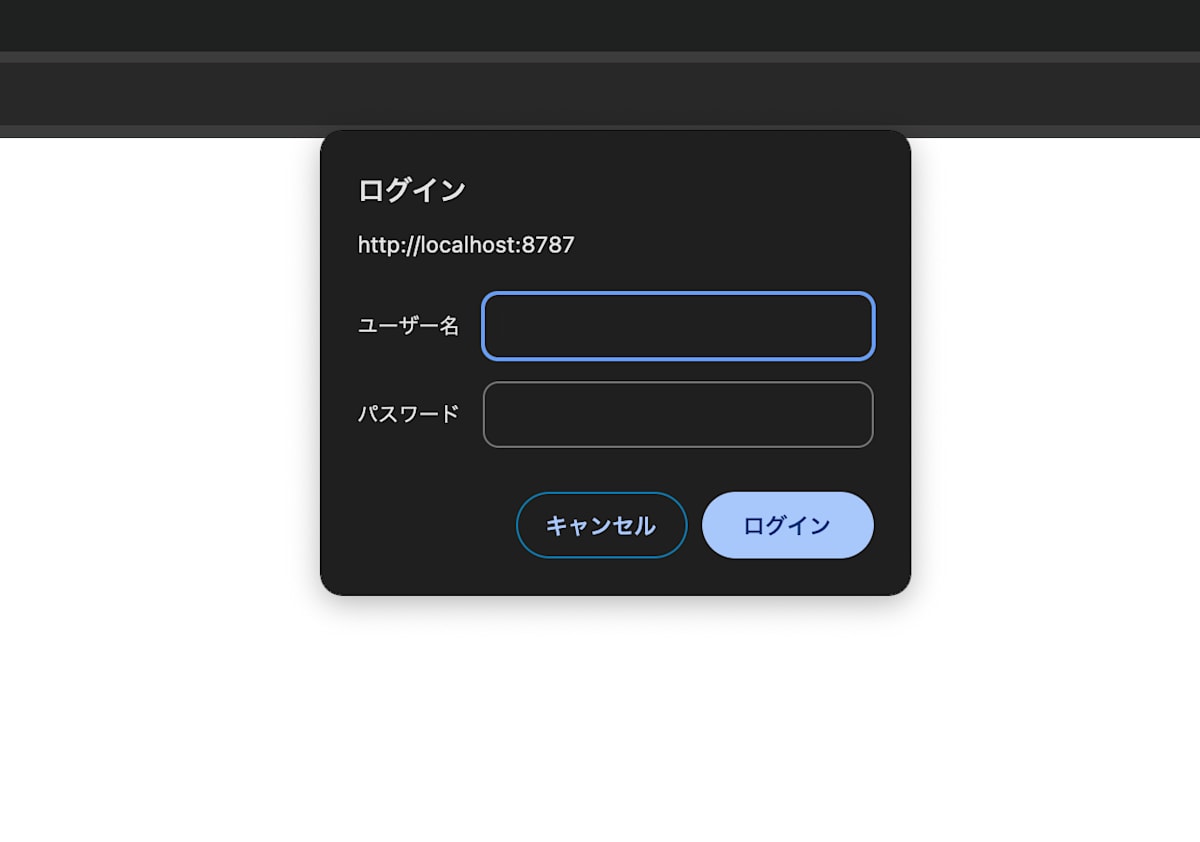
By doing this, accessing http://localhost:8787/api/doc will now require authentication.
Bearer Authentication for /api/tasks
Next, I'll try adding Bearer authentication when making GET/POST /api/tasks (excluding /api/doc) requests.
Add the following to src/api/index.ts.
export const api = new OpenAPIHono();
// ↓ Addition
// Apply Bearer authentication to everything except /api/doc
api.use('/*', async (c, next) => {
  if (c.req.path === '/api/doc' || c.req.path === '/api/specification') {
    return next();
  }
  const auth = bearerAuth({
    token: 'token', // Fixed for demo purposes
  });
  return auth(c, next);
});
// End of addition
There might be other better ways, but I've tried an approach that came to mind.
(If anyone knows other ways, I would appreciate it if you could let me know 🙏)
Let's try sending a request to the GET /api/tasks endpoint in this state.
$ curl -i 'http://localhost:8787/api/tasks?pretty'                                   main
HTTP/1.1 401 Unauthorized
Content-Length: 12
Content-Type: text/plain;charset=UTF-8
WWW-Authenticate: Bearer realm=""

Unauthorized
401 is being returned. Next, let's try requesting with the token.
$ curl -i -H 'Authorization: Bearer token' 'http://localhost:8787/api/tasks?pretty'
HTTP/1.1 200 OK
Content-Length: 385
Content-Type: application/json; charset=UTF-8

[
  {
    "uuid": "12345678-e29b-41d4-a716-123456789000",
    "title": "Buy Groceries",
    "description": "Purchase milk, eggs, and bread from the store",
    "completed": false,
    "priority": 2
  },
  {
    "uuid": "23456789-c23e-59c3-c234-234567890111",
    "title": "Morning Run",
    "description": "Run 5 kilometers in the park",
    "completed": false,
    "priority": 5
  }
]
It's returning correctly ✨
Let's also try /api/doc. If you access http://localhost:8787/api/doc and only Basic authentication is active, it's a success!
Summary
Being able to progress through a natural flow—thinking about the model schema, then the API schema, and then the implementation—combined with Hono's ease of implementation, made the development experience feel very smooth. It's also great that authentication can be quickly implemented just by adding existing middleware.
Reference URLs
Discussion