iTranslated by AI
[Google Maps Platform] Downloading Panorama Images for Specific Locations and Viewpoints Using the Street View Static API


Overview
If I could download panorama images from a specific viewpoint at a given point on Google Maps, I thought it would be useful for various purposes within apps, such as in personal development. Therefore, I investigated how to download panorama images using the Street View Static API and looked into the cost aspects.
Street View Static API
The Street View Static API lets you embed a static (non-interactive) Street View panorama or thumbnail into your web page without using JavaScript. You define the viewport with URL parameters sent through a standard HTTP request, and the API returns a static image.
To use this API, you must enable the Street View Static API in a GCP project that has billing set up.
Creating an API Key
- Go to the Google Maps Platform page via this link.
- Select your project.
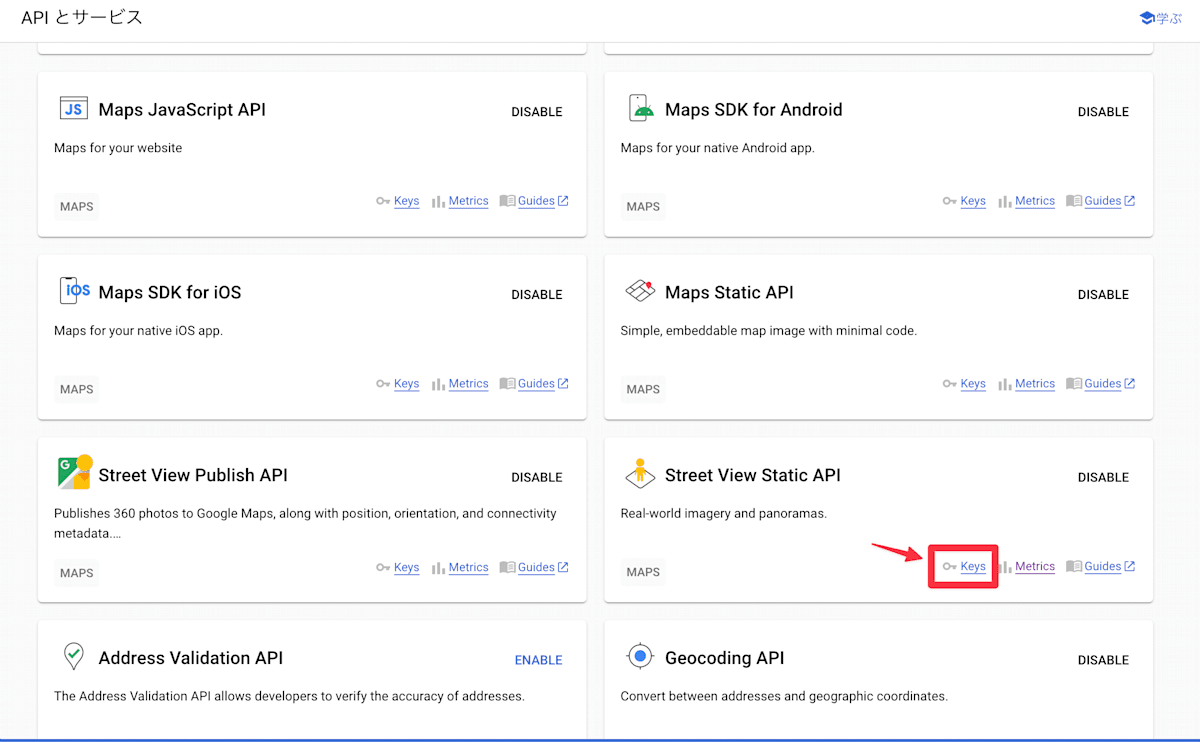
- Find "Street View Static API" in the API list and select "Keys".
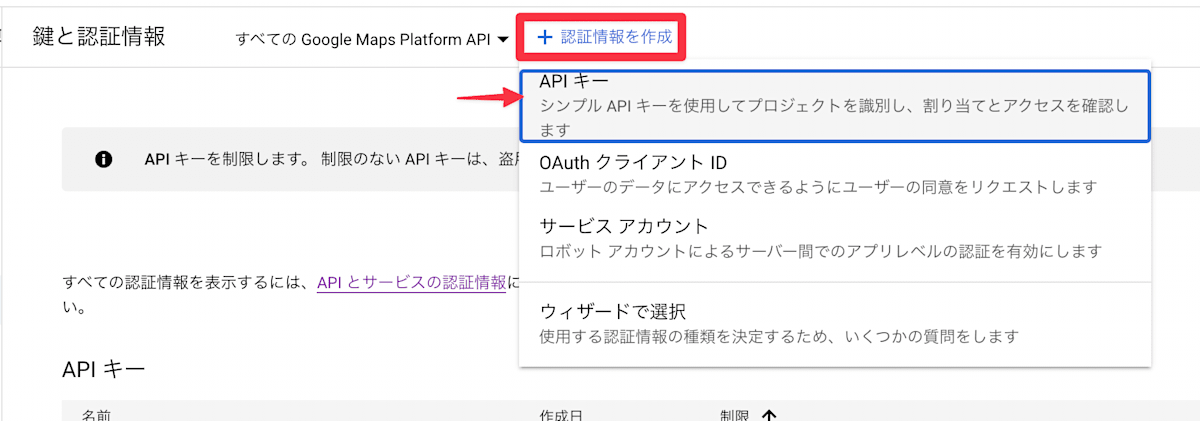
- Select "Create Credentials" > "API Key".
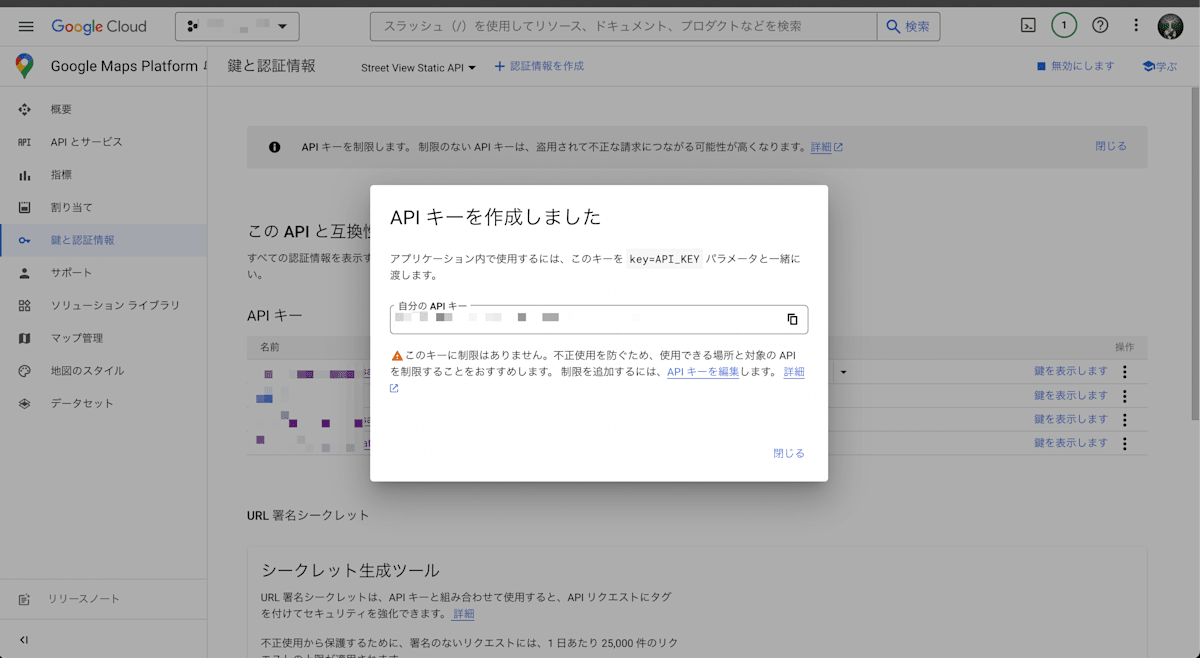
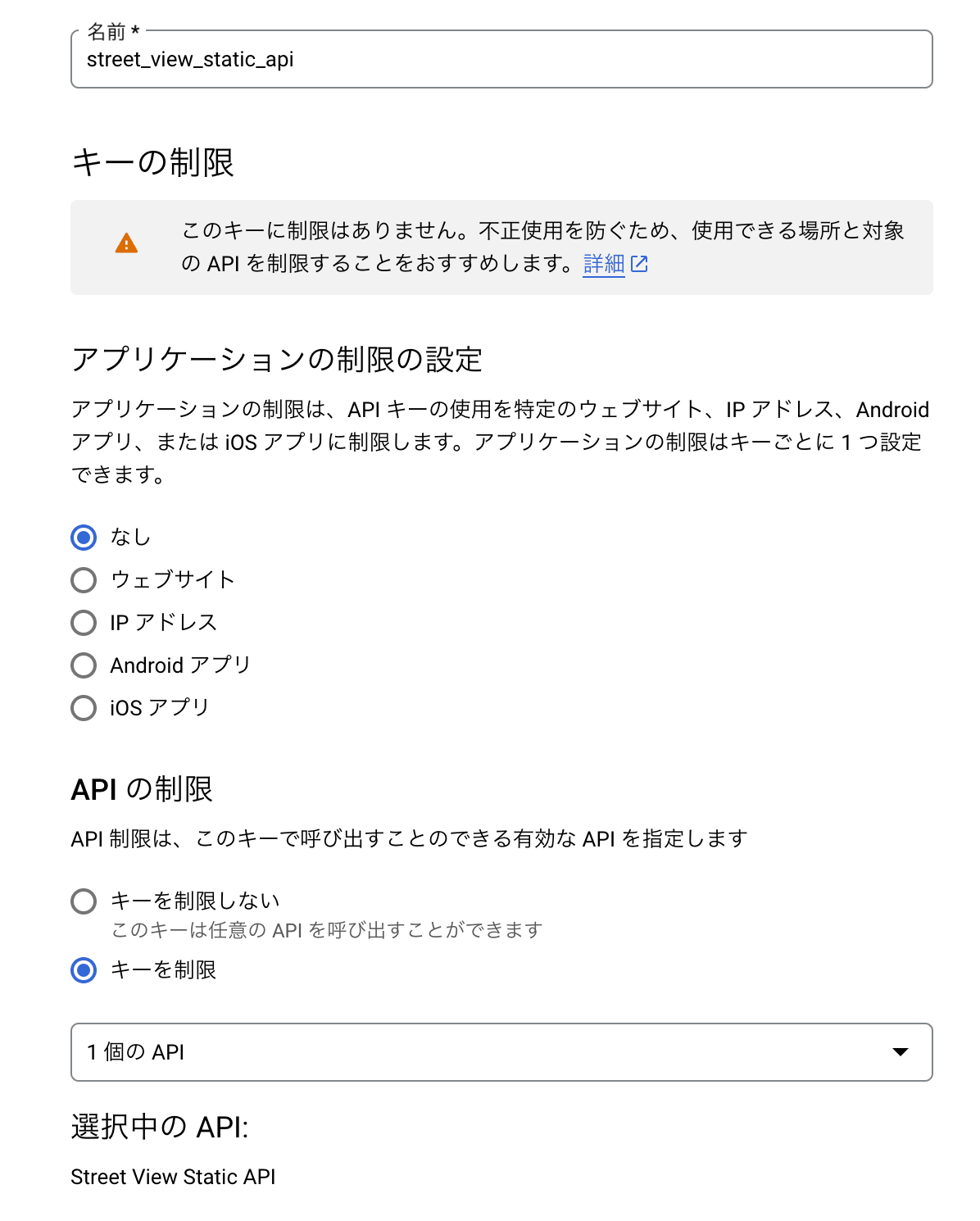
- Set an arbitrary name for the created API key and configure API restrictions (Street View Static API).
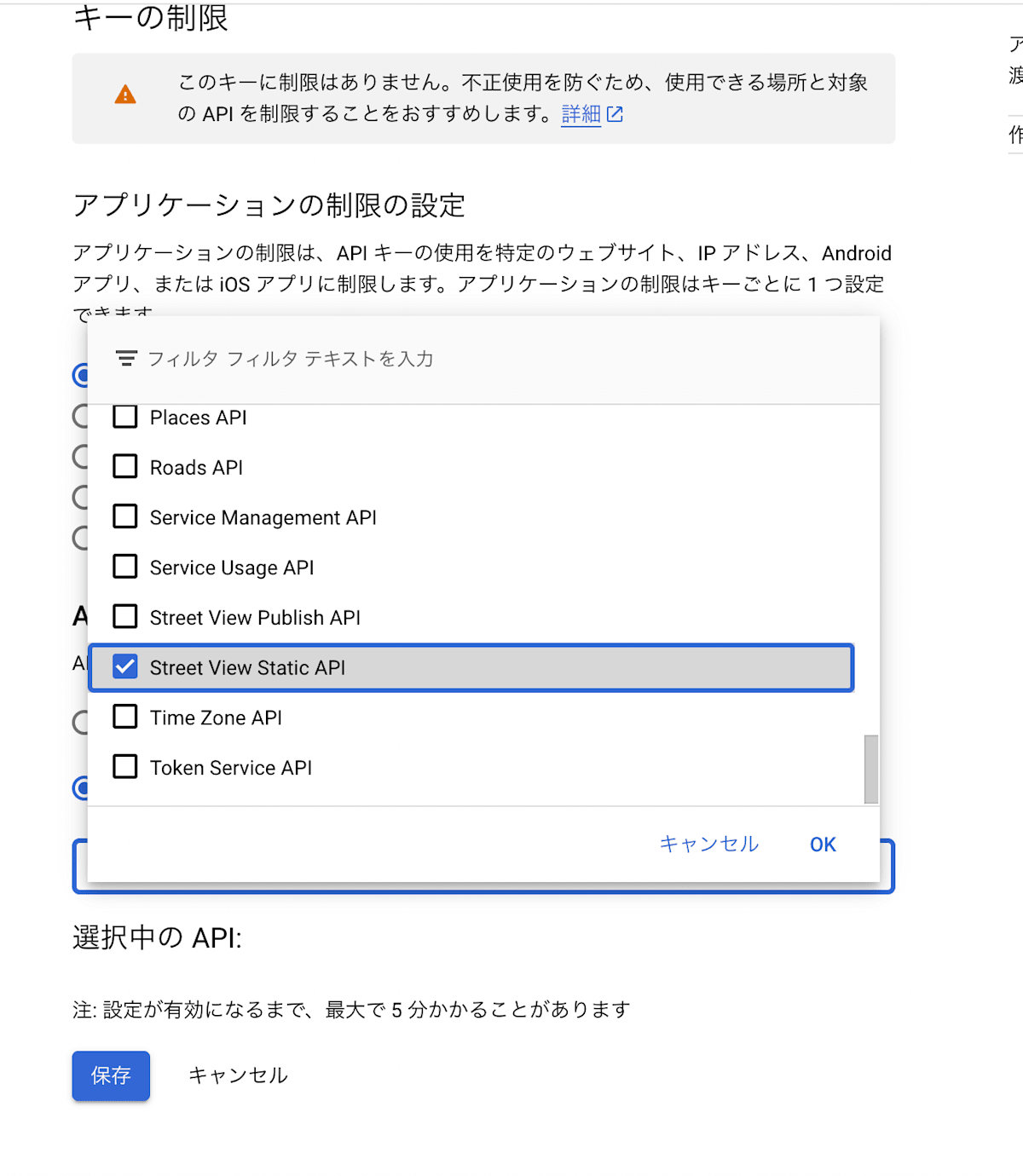
This completes the API key setup.
Try calling the following URL with the API key you created:
(Set the API key you created in the YOUR_API_KEY part)
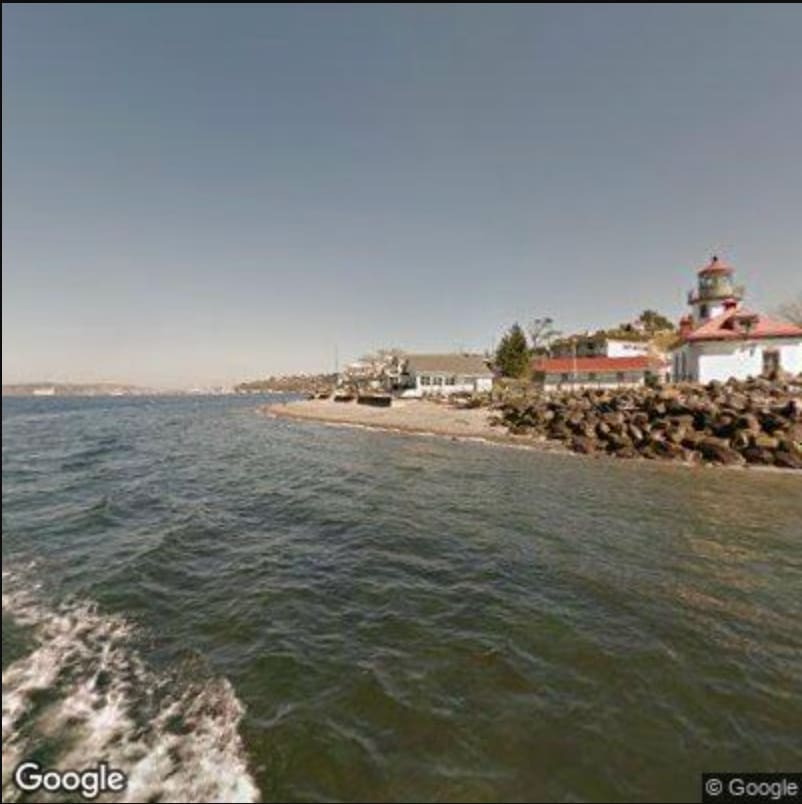
https://maps.googleapis.com/maps/api/streetview?size=400x400&location=47.5763831,-122.4211769&fov=80&heading=70&pitch=0&key=YOUR_API_KEY
If an image like the one below is displayed, you're good to go.
Request Parameters
Details of the available parameters are listed above. This time, I'd like to check the behavior while actually trying various settings.
https://maps.googleapis.com/maps/api/streetview?parameters
You set various options in the ?parameters part above.
Required Parameters
-
location- A text string (e.g.,
City Hall, New York, NY) or a latitude and longitude coordinate pair (e.g.,40.457375,-80.009353). - Needs to be URL encoded.
- A text string (e.g.,
-
pano- A specific panorama ID.
- This ID may change over time.
-
size- Specifies the output size of the image in pixels.
- Specified as
{width}x{height}.
Optional Parameters
-
signature- Digital signature.
-
heading- The compass heading of the camera.
- Accepted values are from
0to360.
-
fov- Specifies the horizontal field of view of the image in degrees (default 90).
- In essence, it's the zoom level (smaller values result in higher zoom).
- Accepted values are from
0to120.
- Specifies the horizontal field of view of the image in degrees (default 90).
-
pitch- The up or down angle of the camera.
-
90degrees is straight up,-90is straight down, default is0.
-
radius- The radius, specified in meters, in which to search for a panorama.
- Default is
50.
-
return_error_code- If
false: returns a gray image on error. - If
true: returns an error code (404 or 400).
- If
-
source-
default: The default source for Street View. -
outdoor: Limits the search to outdoor panoramas.
-
Trying to display an image looking up at Tokyo Tower
https://maps.googleapis.com/maps/api/streetview?size=600x600&location=35.659006,139.745694&heading=210&pitch=50&key=YOUR_API_KEY
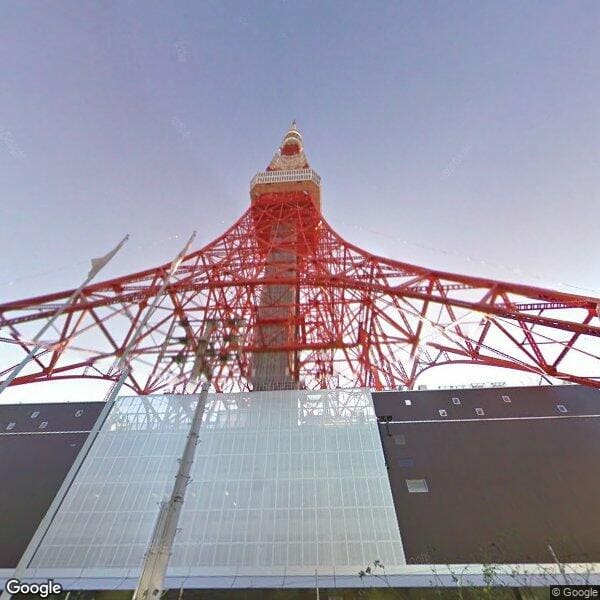
How does it look? It might be a bit too close, but an image looking up at Tokyo Tower is displayed.
Digital Signature
Authenticating Requests
Request authentication follows these two patterns based on usage:
- API keys are required for 25,000 or fewer requests per day.
- Both an API key and a digital signature are required for more than 25,000 requests per day.
It seems digital signatures are only required for large-scale apps exceeding the limit in 2., but the documentation states:
We strongly recommend that you use both an API key and a digital signature, regardless of your usage.
So, it's probably better to implement digital signatures.
How it works
- Digital signatures are generated using a URL signing secret that can be obtained from the Google Cloud Console.
- This secret is essentially a private key.
Signing a Request
Go to the [Credentials] page of Google Maps Platform, and you should see the "Current secret" under "URL signing secret".
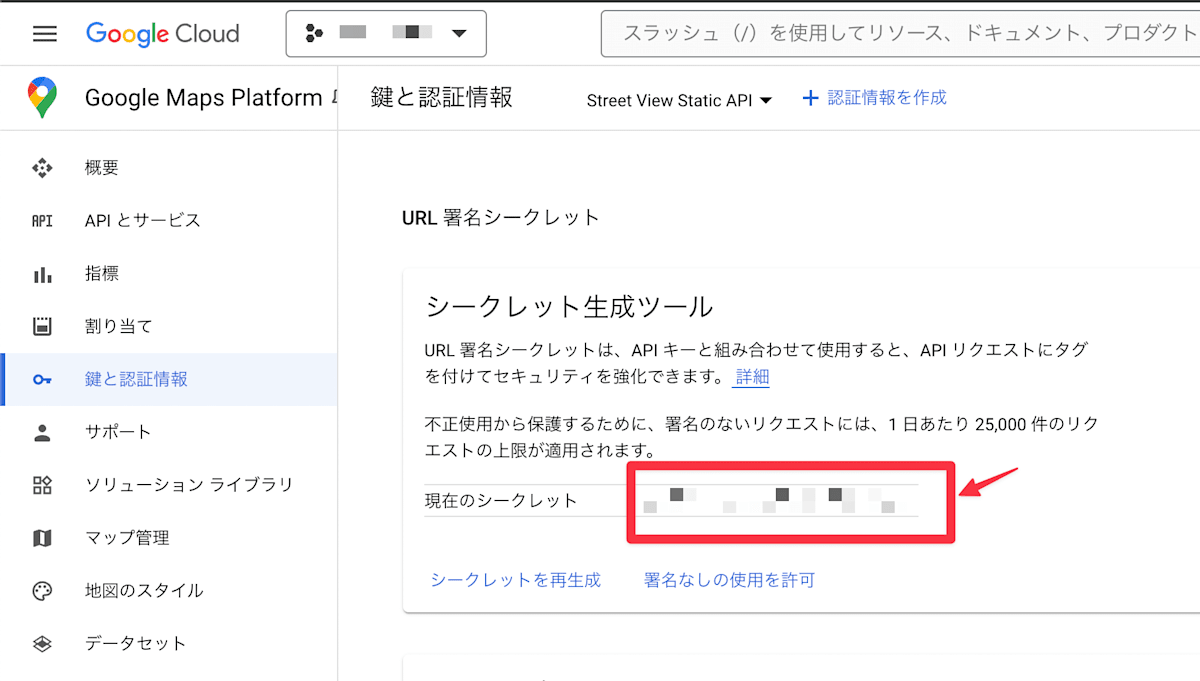
You can use this URL signing secret or regenerate a new one. If you regenerate it, the old secret will expire in 24 hours.
If you scroll down on that page, you will see "Sign a URL". For a one-time signature, you can enter the URL here to get back a version with the signature attached.
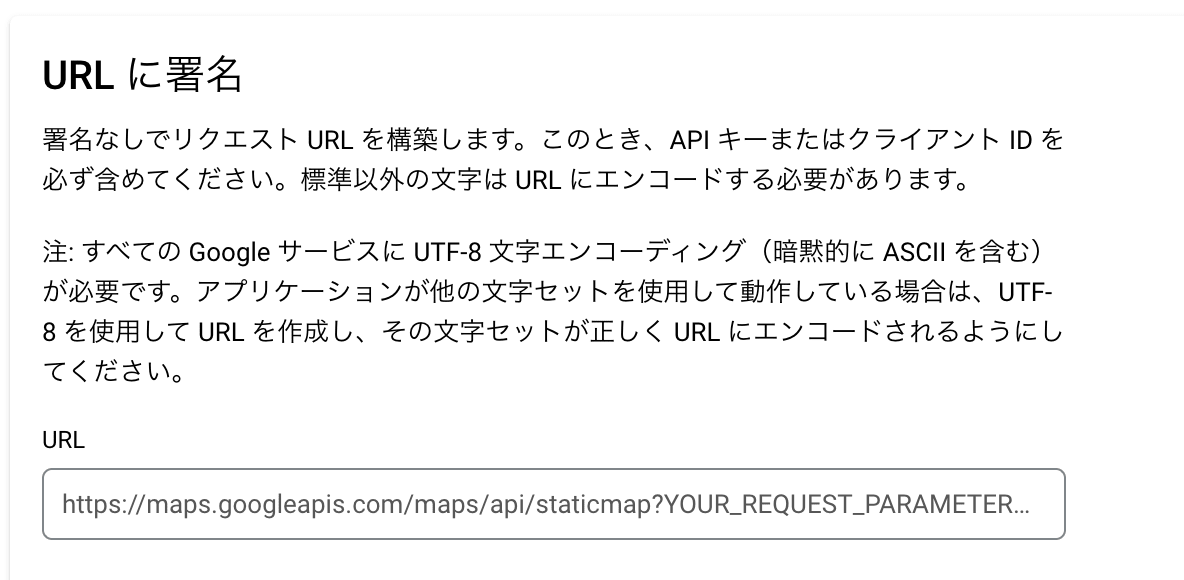
For example, entering:
https://maps.googleapis.com/maps/api/streetview?size=600x600&location=35.659006,139.745694&heading=210&pitch=50&key=YOUR_API_KEY
will display a URL with &signature= appended to the end.
If I intentionally try to request with an incorrect value in &signature=, a 403 error returns with a message like this:
The Google Maps Platform server rejected your request. Unable to authenticate the request. Provided 'signature' is not valid for the provided API key, or the provided 'key' is not valid.
The signature was checked against the URL: /maps/api/streetview?size=600x600&location=35.659006,139.745694&heading=210&pitch=50&key=YOUR_API_KEY&signature=intentionally_wrong_value
If this does not match the URL you requested, please ensure that your request is URL encoded correctly. Learn more: https://developers.google.com/maps/documentation/business/webservices/auth
Actual Operation
In this case, I signed a fixed URL, but in normal operation, URLs change dynamically, so you need a mechanism to append the signature on the server side.
I won't try that here, but if needed, please check here.
Pricing
Google Maps Platform offers a $200/month free credit. The cost for the Street View Static API is $7 per 1,000 requests for the first 100,000 requests. Within the free credit, you can make approximately 28,571 requests per month.
Other Usage Limits
- There is no limit on the number of requests per day.
- The maximum number of queries per minute is 30,000.
Conclusion
Since parameters can be specified in great detail, I felt that this API could be effectively used for purposes such as handling images of specific locations on a map.
In terms of cost, as long as it is not used excessively (e.g., exceeding roughly 1,000 requests per day), it should fit within the free credit, making it a viable option for specific use cases within an app.
References
Discussion