iTranslated by AI
[Android] Customizing the Calendar Library




Introduction
This post covers the adjustments I made to the look and behavior of the Calendar library I tried out in my previous article.
Here is the Before → After of the customization I did this time.
-
Before
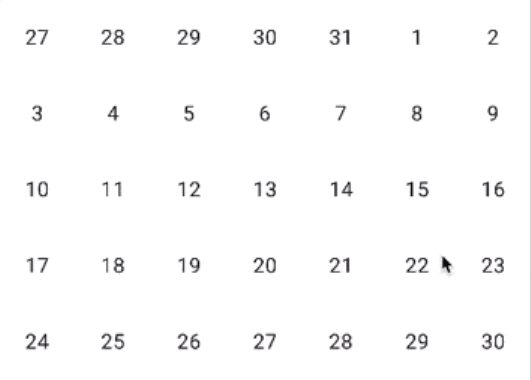
-
After

Environment Setup and Preparation
Versions and environment
- Android Studio Giraffe | 2022.3.1 Patch 1
- com.kizitonwose.calendar:compose: 2.4.0-beta01
$ sw_vers
ProductName: macOS
ProductVersion: 13.4
BuildVersion: 22F66
Base Implementation
@Composable
fun CalendarCompose() {
    val currentMonth = remember { YearMonth.now() }
    val startMonth = remember { currentMonth.minusMonths(100) } // Adjust as needed
    val endMonth = remember { currentMonth.plusMonths(100) } // Adjust as needed
    val firstDayOfWeek = remember { firstDayOfWeekFromLocale() } // Available from the library

    val state = rememberCalendarState(
        startMonth = startMonth,
        endMonth = endMonth,
        firstVisibleMonth = currentMonth,
        firstDayOfWeek = firstDayOfWeek
    )

    Column(modifier = Modifier.fillMaxSize()) {
        HorizontalCalendar(
            state = state,
            dayContent = { Day(it) }
        )
    }
}

@Composable
private fun Day(day: CalendarDay) {
    Box(
        modifier = Modifier
            .aspectRatio(1f), // This is important for square sizing!
        contentAlignment = Alignment.Center
    ) {
        Text(text = day.date.dayOfMonth.toString())
    }
}
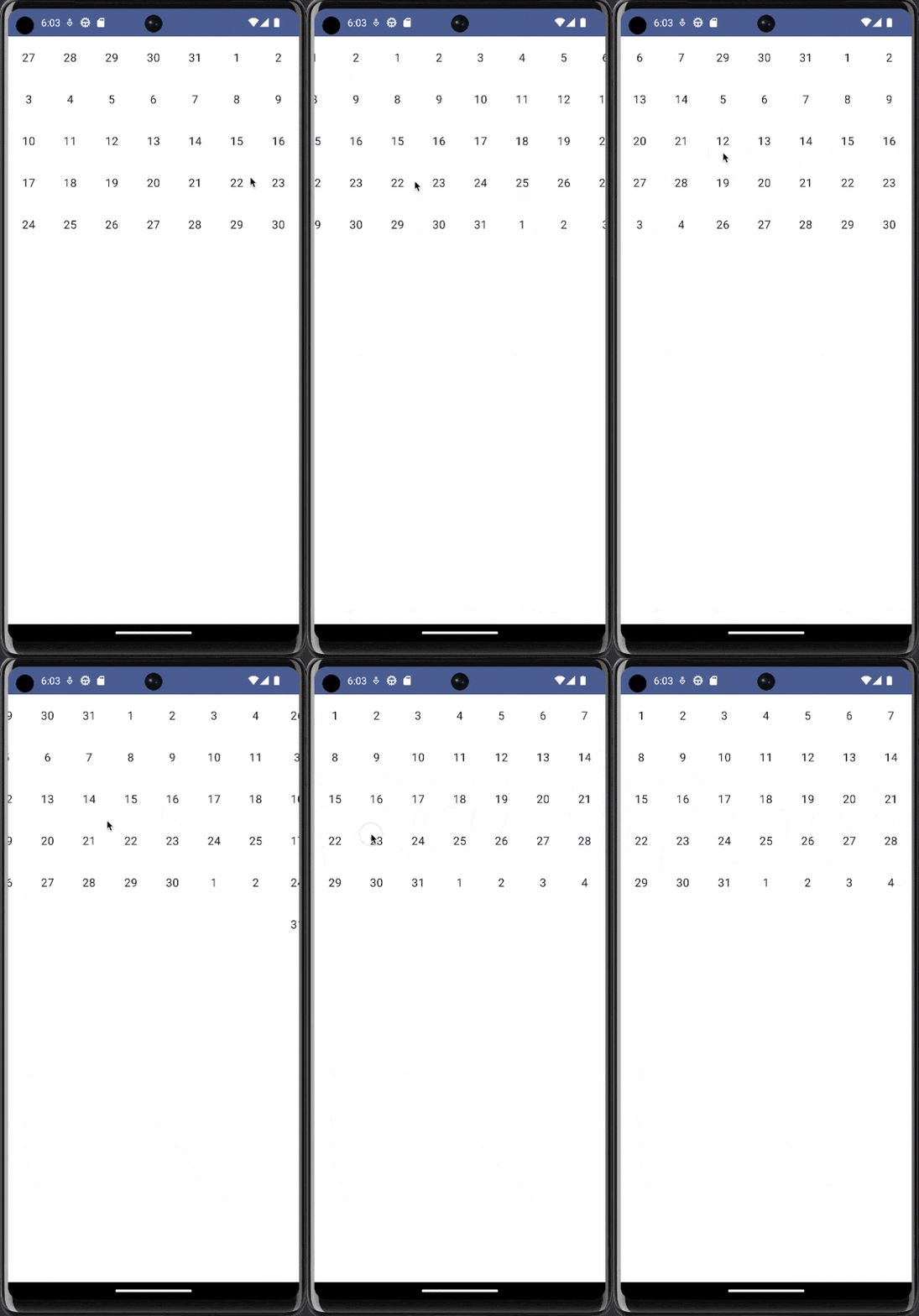
This is the minimal implementation I created last time. The behavior is just changing months by swiping left or right, as shown below.
Implementation
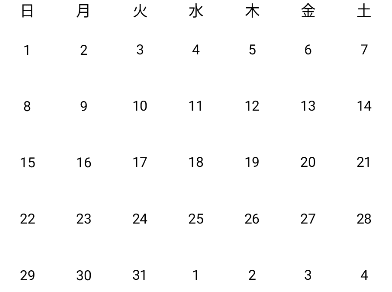
1. Displaying days of the week
1-1. Adding MonthHeader
fun DayOfWeek.displayText(uppercase: Boolean = false): String {
    return getDisplayName(TextStyle.SHORT, Locale.getDefault()).let { value ->
        if (uppercase) value.uppercase(Locale.getDefault()) else value
    }
}

@Composable
private fun MonthHeader(daysOfWeek: List<DayOfWeek>) {
    Row(
        modifier = Modifier
            .fillMaxWidth()
            .testTag("MonthHeader"),
    ) {
        for (dayOfWeek in daysOfWeek) {
            Text(
                modifier = Modifier.weight(1f),
                textAlign = TextAlign.Center,
                fontSize = 15.sp,
                text = dayOfWeek.displayText(),
                fontWeight = FontWeight.Medium,
            )
        }
    }
}
1-2. Applying to HorizontalCalendar
Column(modifier = Modifier.fillMaxSize()) {
        HorizontalCalendar(
            state = state,
            dayContent = { Day(it) },
            monthHeader = { month ->
                val daysOfWeek = month.weekDays.first().map { it.date.dayOfWeek }
                MonthHeader(daysOfWeek = daysOfWeek)
            }
        )
    }
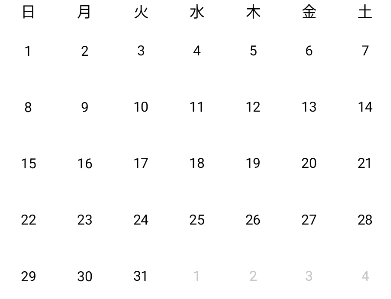
2. Changing the TextColor for days not in the displayed month
Add logic to determine the color based on day.position in the Day Composable.
@Composable
private fun Day(day: CalendarDay) {
    val textColor = when (day.position) {
        DayPosition.MonthDate -> Color.Unspecified
        DayPosition.InDate, DayPosition.OutDate -> Color.LightGray
    }
    Box(
        modifier = Modifier
            .aspectRatio(1f),
        contentAlignment = Alignment.Center
    ) {
        Text(text = day.date.dayOfMonth.toString(), color = textColor)
    }
}
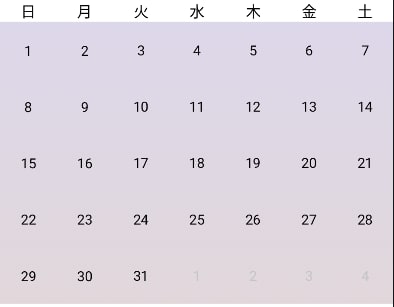
3. Changing the background color of the body part
Add monthBody to HorizontalCalendar.
monthBody = { _, content ->
                Box(
                    modifier = Modifier.background(
                        brush = Brush.verticalGradient(
                            colors = listOf(
                                MaterialTheme.colorScheme.primary.copy(alpha = 0.2f),
                                MaterialTheme.colorScheme.tertiary.copy(alpha = 0.2f)
                            )
                        )
                    )
                ) {
                    content()
                }
            },
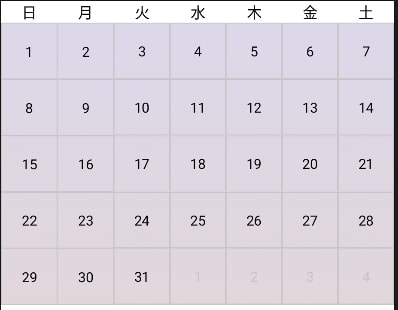
4. Adding a border to the dates
HorizontalCalendar(
    ...
    monthBody = { _, content ->
        Box(
            modifier = Modifier
                .background(
                    brush = Brush.verticalGradient(
                        colors = listOf(
                            MaterialTheme.colorScheme.primary.copy(alpha = 0.2f), // TODO: Consider theme switching
                            MaterialTheme.colorScheme.tertiary.copy(alpha = 0.2f) // TODO: Consider theme switching
                        )
                    )
                )
                .border(width = 0.5.dp, color = Color.LightGray) // Added
        ) {
            content()
        }
    },
)

@Composable
private fun Day(day: CalendarDay) {
    val textColor = when (day.position) {
        DayPosition.MonthDate -> Color.Unspecified
        DayPosition.InDate, DayPosition.OutDate -> Color.LightGray
    }
    Box(
        modifier = Modifier
            .aspectRatio(1f)
            .border(width = 0.5.dp, color = Color.LightGray) // Added
            .padding(1.dp),
        contentAlignment = Alignment.Center
    ) {
        Text(text = day.date.dayOfMonth.toString(), color = textColor)
    }
}
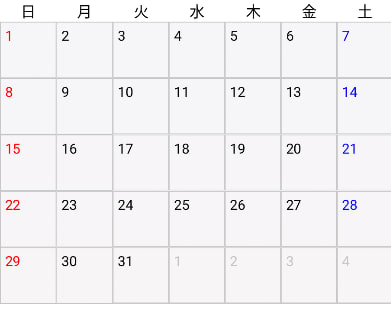
5. Aligning dates to the top-left and changing the color for weekends
@Composable
private fun Day(day: CalendarDay) {
    val textColor = when (day.position) {
        DayPosition.MonthDate -> when (day.date.dayOfWeek) {
            DayOfWeek.SATURDAY -> Color.Blue
            DayOfWeek.SUNDAY -> Color.Red
            else -> Color.Unspecified
        }

        DayPosition.InDate, DayPosition.OutDate -> Color.LightGray
    }
    Box(
        modifier = Modifier
            .aspectRatio(1f)
            .border(width = 0.5.dp, color = Color.LightGray)
            .padding(1.dp),
        contentAlignment = Alignment.Center
    ) {
        Text(
            modifier = Modifier
                .align(Alignment.TopStart)
                .padding(top = 3.dp, start = 4.dp),
            text = day.date.dayOfMonth.toString(), color = textColor
        )
    }
}
6. Making it selectable
First, add the following variable to hold the selected date.
var selection by remember { mutableStateOf<CalendarDay?>(null) }
Next, add clickable to the Modifier so that the Day Composable can be clicked.
@Composable
private fun Day(day: CalendarDay, onClick: (CalendarDay) -> Unit = {}) {
    ...
    Box(
        modifier = Modifier
            .aspectRatio(1f)
            .border(width = 0.5.dp, color = Color.LightGray)
            .padding(1.dp)
            .clickable { // ← Added
                onClick(day)
            },
        contentAlignment = Alignment.Center
    ) {
       ...
    }
}
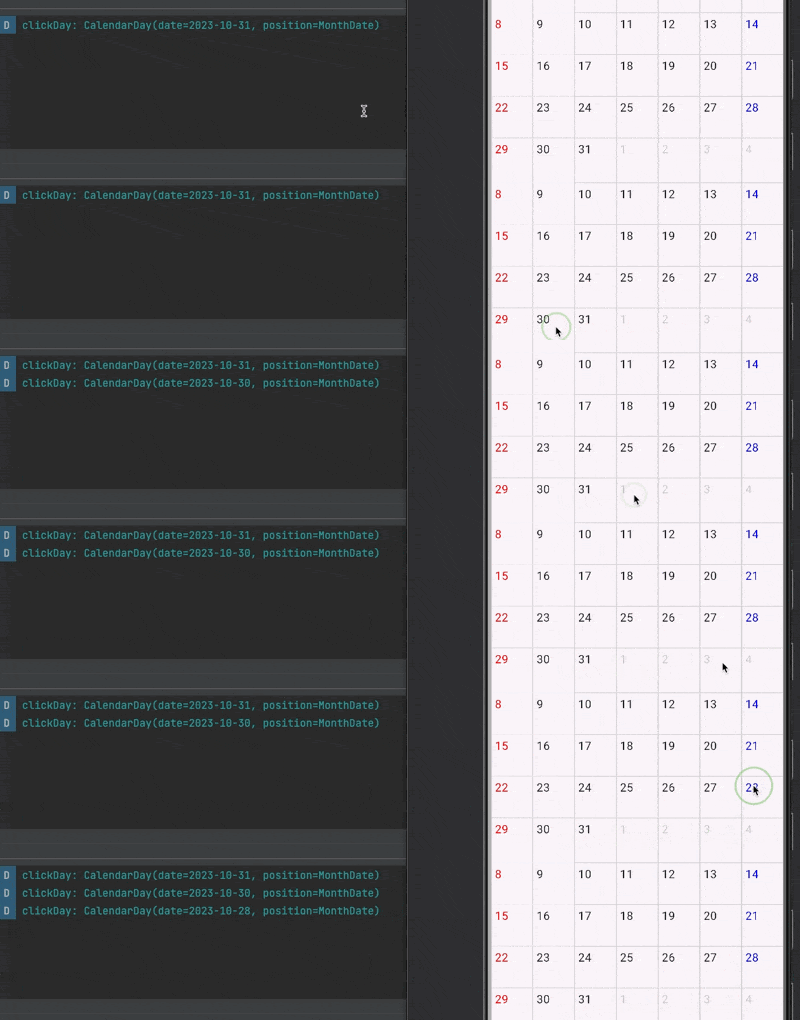
Let's try to output a log when a date is clicked in this state.
HorizontalCalendar(
    state = state,
    dayContent = {
        Day(it) { clickDay ->
            Timber.d("clickDay: $clickDay")
        }
    },
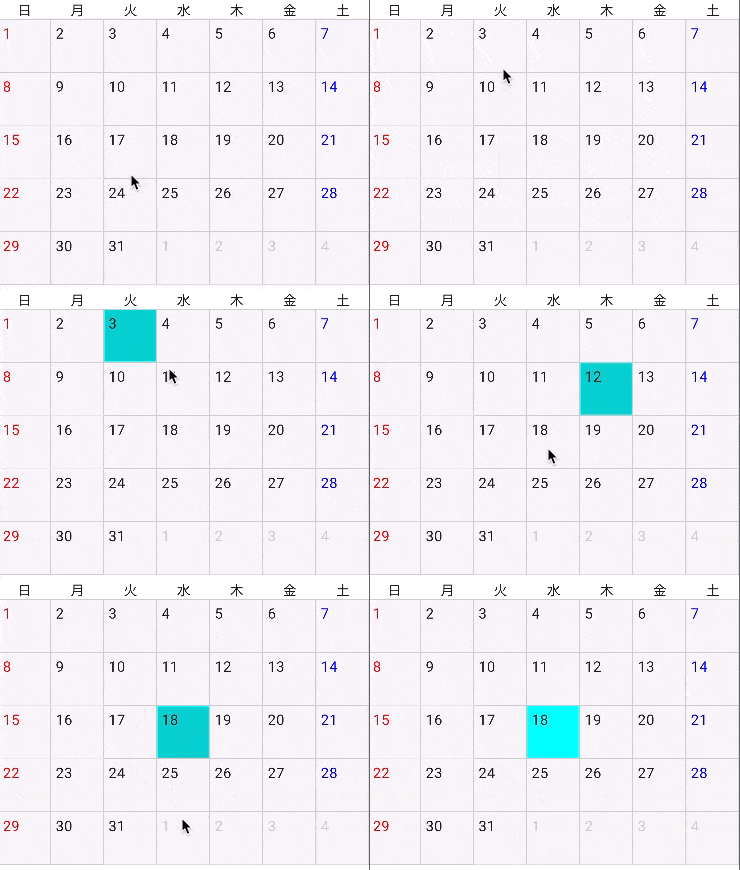
The clicked date is being output to the log ↓

Also, to prevent responses when clicking dates from months other than the one currently displayed, set the enabled parameter of clickable as follows.
.clickable(enabled = day.position == DayPosition.MonthDate) { // ← Added
    onClick(day)
},
Finally, reflect the selected date.
Day(it, isSelected = selection == it) { clickDay ->
    selection = clickDay
}

...

@Composable
private fun Day(
    day: CalendarDay,
    isSelected: Boolean = false, // ← Added
    onClick: (CalendarDay) -> Unit = {}
) {
    ...
    Box(
        modifier = Modifier
            .aspectRatio(1f)
            .background(color = if (isSelected) Color.Cyan else Color.Transparent) // ← Added
            .border(width = 0.5.dp, color = Color.LightGray)
            .padding(1.dp)
            .clickable(enabled = day.position == DayPosition.MonthDate) {
                onClick(day)
            },
        contentAlignment = Alignment.Center
    ) {
       ...
    }
}
That's all.
Discussion