iTranslated by AI
Running Open-RMF Demos in DevContainer


I wanted to try out Open-RMF, so I ran the Open-RMF demos on DevContainer.
Open-RMF is an open-source robot fleet management system for integrating and coordinating multiple robot systems.
- open-rmf/rmf_demos: Demonstrations of the Open-RMF
- open-rmf/rmf: Root repository for the RMF software
Configuration Details
Targeting ROS 2 Jazzy.
Verified operation on WSL2 with Windows 11.
The project repository is linked below.
Note that since I plan to try running things like rmf-web later, the content described here may change over time.
All setup is performed within the Dockerfile.
FROM ubuntu:24.04

# ROS 2 Jazzy
# https://docs.ros.org/en/jazzy/Installation/Ubuntu-Install-Debs.html
#
# Open RMF
# https://github.com/open-rmf/rmf?tab=readme-ov-file#setup

SHELL ["/bin/bash", "-c"]

# Change mirror sites for stable apt performance
RUN apt-get update && apt-get install -y ca-certificates
RUN sed -i.bak -r 's@http://(jp\.)?archive\.ubuntu\.com/ubuntu/?@https://ftp.udx.icscoe.jp/Linux/ubuntu/@g' /etc/apt/sources.list.d/ubuntu.sources

# System setup - Set locale
RUN apt-get update && apt-get install -y locales && \
    locale-gen en_US en_US.UTF-8 && \
    update-locale LC_ALL=en_US.UTF-8 LANG=en_US.UTF-8
ENV LANG=en_US.UTF-8

# Enable required repositories
RUN apt-get update && apt-get install -y \
    software-properties-common \
    curl && \
    add-apt-repository universe

# Add ROS 2 GPG key
RUN curl -sSL https://raw.githubusercontent.com/ros/rosdistro/master/ros.key -o /usr/share/keyrings/ros-archive-keyring.gpg

# Add repository to sources list
RUN echo "deb [arch=$(dpkg --print-architecture) signed-by=/usr/share/keyrings/ros-archive-keyring.gpg] http://packages.ros.org/ros2/ubuntu $(. /etc/os-release && echo $UBUNTU_CODENAME) main" | tee /etc/apt/sources.list.d/ros2.list > /dev/null

# Install development tools
RUN apt-get update && apt-get install -y ros-dev-tools

# Update repository caches and upgrade system
RUN apt-get update && apt-get upgrade -y

# Install ROS 2 (Desktop Install - Recommended)
RUN apt-get install -y ros-jazzy-desktop

# Initialize rosdep
# https://docs.ros.org/en/jazzy/Installation/Alternatives/Ubuntu-Install-Binary.html#linux-install-binary-install-missing-dependencies
RUN rosdep init

# Install Open RMF
RUN apt-get update && apt-get install -y ros-jazzy-rmf-dev

# Preparation for rmf_demos
WORKDIR /opt/rmf_demos

# Download the jazzy branch of rmf_demos as a zip and build it
RUN wget https://github.com/open-rmf/rmf_demos/archive/refs/heads/jazzy.zip -O rmf_demos.zip && \
    unzip rmf_demos.zip && \
    mkdir src && \
    mv rmf_demos-jazzy src/rmf_demos && \
    rm -rf rmf_demos.zip

RUN colcon mixin add default https://raw.githubusercontent.com/colcon/colcon-mixin-repository/master/index.yaml && colcon mixin update default

RUN source /opt/ros/jazzy/setup.bash && \
    source /usr/share/colcon_argcomplete/hook/colcon-argcomplete.bash && \
    rosdep update && \
    rosdep install --from-paths src --ignore-src -r -y && \
    colcon build

# Copy models downloaded to ~/.gazebo/models during build to the ubuntu user's home directory
RUN cp -r /root/.gazebo /home/ubuntu/ && \
    chown -R ubuntu:ubuntu /home/ubuntu/.gazebo

RUN apt-get update && apt-get install -y ros-jazzy-ros-gz

# Create symbolic links because the robot Model paths are not set correctly
RUN cd /opt/rmf_demos/install/rmf_demos_assets/share/rmf_demos_assets/models/ && \
    mkdir Open-RMF && \
    cd Open-RMF && \
    ln -s ../Caddy ./Caddy && \
    ln -s ../CleanerBotA ./CleanerBotA && \
    ln -s ../CleanerBotE ./CleanerBotE && \
    ln -s ../DeliveryRobot ./DeliveryRobot && \
    ln -s ../HospitalRobot ./HospitalRobot && \
    ln -s ../RobotPlaceholder ./RobotPlaceholder && \
    ln -s ../TeleportDispenser ./TeleportDispenser && \
    ln -s ../TeleportIngestor ./TeleportIngestor && \
    ln -s ../TinyRobot ./TinyRobot

# Install other necessary packages
RUN apt-get install -y \
    vim \
    # GUI related (for X11 forwarding)
    x11-apps

# Configuration to allow sudo execution without a password
RUN echo 'ubuntu ALL=(ALL) NOPASSWD:ALL' >> /etc/sudoers

# Switch user
USER ubuntu

# Setup environment
RUN echo "source /opt/ros/jazzy/setup.bash" >> ~/.bashrc && \
    echo "source /usr/share/colcon_argcomplete/hook/colcon-argcomplete.bash" >> ~/.bashrc && \
    echo "source /opt/rmf_demos/install/setup.bash" >> ~/.bashrc

# Set system plugin paths
RUN echo "export GZ_SIM_SYSTEM_PLUGIN_PATH=/opt/ros/jazzy/lib/rmf_robot_sim_gz_plugins:\$GZ_SIM_SYSTEM_PLUGIN_PATH" >> ~/.bashrc && \
    echo "export GZ_SIM_SYSTEM_PLUGIN_PATH=/opt/ros/jazzy/lib/rmf_building_sim_gz_plugins:\$GZ_SIM_SYSTEM_PLUGIN_PATH" >> ~/.bashrc
# Set gui plugin paths
RUN echo "export GZ_GUI_PLUGIN_PATH=/opt/ros/jazzy/lib/rmf_building_sim_gz_plugins:\$GZ_GUI_PLUGIN_PATH" >> ~/.bashrc
I have confirmed that the Hotel World and Office World from Demo Worlds are working.
ros2 launch rmf_demos_gz office.launch.xml
ros2 run rmf_demos_tasks dispatch_delivery -p pantry -ph coke_dispenser -d hardware_2 -dh coke_ingestor --use_sim_time
ros2 run rmf_demos_tasks dispatch_patrol -p coe lounge -n 3 --use_sim_time
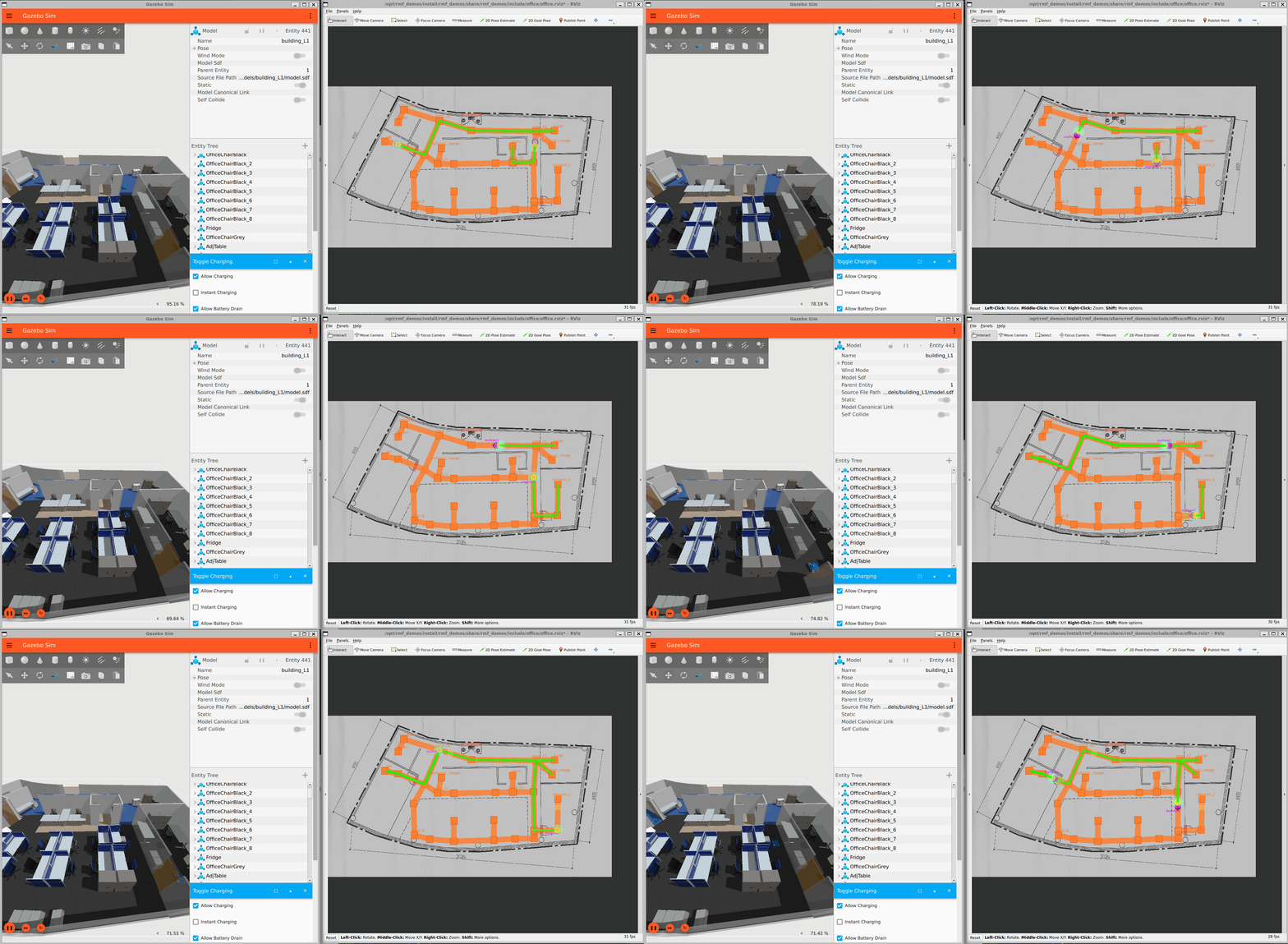
Note that it worked even without a GPU, but the CPU was maxed out at 100%. (The Gazebo UI seemed quite heavy.)
Issues encountered during setup
I have documented the parts that did not work using only the information from the GitHub README and other sources.
(1) Unable to find uri[model://Open-RMF/CleanerBotA]
[gz-20] [Err] [Server.cc:86] Error Code 14: [/sdf/world[@name="sim_world"]/include[61]/uri:/opt/rmf_demos/install/rmf_demos_maps/share/rmf_demos_maps/maps/hotel/hotel.world:L815]: Msg: Unable to find uri[model://Open-RMF/CleanerBotA]
[gz-20] [Err] [Server.cc:86] Error Code 14: [/sdf/world[@name="sim_world"]/include[62]/uri:/opt/rmf_demos/install/rmf_demos_maps/share/rmf_demos_maps/maps/hotel/hotel.world:L820]: Msg: Unable to find uri[model://Open-RMF/CleanerBotA]
[gz-20] [Err] [Server.cc:86] Error Code 14: [/sdf/world[@name="sim_world"]/include[63]/uri:/opt/rmf_demos/install/rmf_demos_maps/share/rmf_demos_maps/maps/hotel/hotel.world:L825]: Msg: Unable to find uri[model://Open-RMF/TinyRobot]
[gz-20] [Err] [Server.cc:86] Error Code 14: [/sdf/world[@name="sim_world"]/include[64]/uri:/opt/rmf_demos/install/rmf_demos_maps/share/rmf_demos_maps/maps/hotel/hotel.world:L830]: Msg: Unable to find uri[model://Open-RMF/DeliveryRobot]
In reality, they exist under rmf_demos_assets/share/rmf_demos_assets/models (without the Open-RMF directory), so I worked around this by creating an Open-RMF folder and creating symbolic links there.
cd /opt/rmf_demos/install/rmf_demos_assets/share/rmf_demos_assets/models/
mkdir Open-RMF
cd Open-RMF
ln -s ../Caddy ./Caddy
ln -s ../CleanerBotA ./CleanerBotA
ln -s ../CleanerBotE ./CleanerBotE
ln -s ../DeliveryRobot ./DeliveryRobot
ln -s ../HospitalRobot ./HospitalRobot
ln -s ../RobotPlaceholder ./RobotPlaceholder
ln -s ../TeleportDispenser ./TeleportDispenser
ln -s ../TeleportIngestor ./TeleportIngestor
ln -s ../TinyRobot ./TinyRobot
(2) Failed to load system plugin
[gz-20] [Err] [SystemLoader.cc:92] Failed to load system plugin [libdoor.so] : Could not find shared library.
[gz-20] [Err] [SystemLoader.cc:92] Failed to load system plugin [liblift.so] : Could not find shared library.
[gz-20] [Err] [SystemLoader.cc:92] Failed to load system plugin [libslotcar.so] : Could not find shared library.
[gz-20] [Err] [SystemLoader.cc:92] Failed to load system plugin [libslotcar.so] : Could not find shared library.
[gz-20] [Err] [SystemLoader.cc:92] Failed to load system plugin [libslotcar.so] : Could not find shared library.
[gz-20] [Err] [SystemLoader.cc:92] Failed to load system plugin [libslotcar.so] : Could not find shared library.
[gz-20] [Err] [SystemLoader.cc:92] Failed to load system plugin [libregister_component.so] : Could not find shared library.
[gz-20] [Err] [SystemLoader.cc:92] Failed to load system plugin [libregister_component.so] : Could not find shared library.
[gz-20] [Err] [SystemLoader.cc:92] Failed to load system plugin [libregister_component.so] : Could not find shared library.
[gz-20] [Err] [SystemLoader.cc:92] Failed to load system plugin [libregister_component.so] : Could not find shared library.
[gz-20] [Err] [SystemLoader.cc:92] Failed to load system plugin [libregister_component.so] : Could not find shared library.
The system plugins were not being loaded. I resolved this by setting the system plugin paths in GZ_SIM_SYSTEM_PLUGIN_PATH.
export GZ_SIM_SYSTEM_PLUGIN_PATH=/opt/ros/jazzy/lib/rmf_robot_sim_gz_plugins:$GZ_SIM_SYSTEM_PLUGIN_PATH
export GZ_SIM_SYSTEM_PLUGIN_PATH=/opt/ros/jazzy/lib/rmf_building_sim_gz_plugins:$GZ_SIM_SYSTEM_PLUGIN_PATH
(3) Failed to load plugin
[gz-16] [GUI] [Err] [Application.cc:545] Failed to load plugin [toggle_charging] : couldn't find shared library.
[gz-16] [GUI] [Err] [Application.cc:545] Failed to load plugin [toggle_floors] : couldn't find shared library.
The GUI plugins were not being loaded. I resolved this by setting the GUI plugin path in GZ_GUI_PLUGIN_PATH.
export GZ_GUI_PLUGIN_PATH=/opt/ros/jazzy/lib/rmf_building_sim_gz_plugins:$GZ_GUI_PLUGIN_PATH
Discussion