iTranslated by AI
Understanding Parallel Processing in Python: How to Use threading (Part 01)




Introduction
I want to perform parallel processing.
By utilizing multiple CPU cores or multi-threading, you can process multiple tasks simultaneously. This reduces the total execution time of tasks and improves application performance.
In this article, I will introduce the basics of parallel processing in Python.
[Review] What is the order of processing in Python?
You can skip this part if you'd like.
In Python, processes are executed in order from the top of the code.
I believe this is basic for any programming language.
For example, it looks like this:
print("春はあけぼの。")
print("やうやう白くなりゆく山ぎは、")
print("すこしあかりて、")
print("紫だちたる雲のほそくたなびきたる。 ")
春はあけぼの。
やうやう白くなりゆく山ぎは、
すこしあかりて、
紫だちたる雲のほそくたなびきたる。
It is processed in order from top to bottom.
This is perfectly normal code.
However, when you write parallel processing code, this is no longer the case.
Basics of Parallel Processing
Let's start writing parallel processing.
1. Using the threading library
When you want to do parallel processing in Python, you use a library called "threading."
Since it is a standard library, you don't need to run pip install XX.
You use it as follows:
import threading

print(threading.currentThread().getName())
MainThread
The code above is to "check the thread that is currently running."
It might look a bit wordy, but you can just copy and paste it.
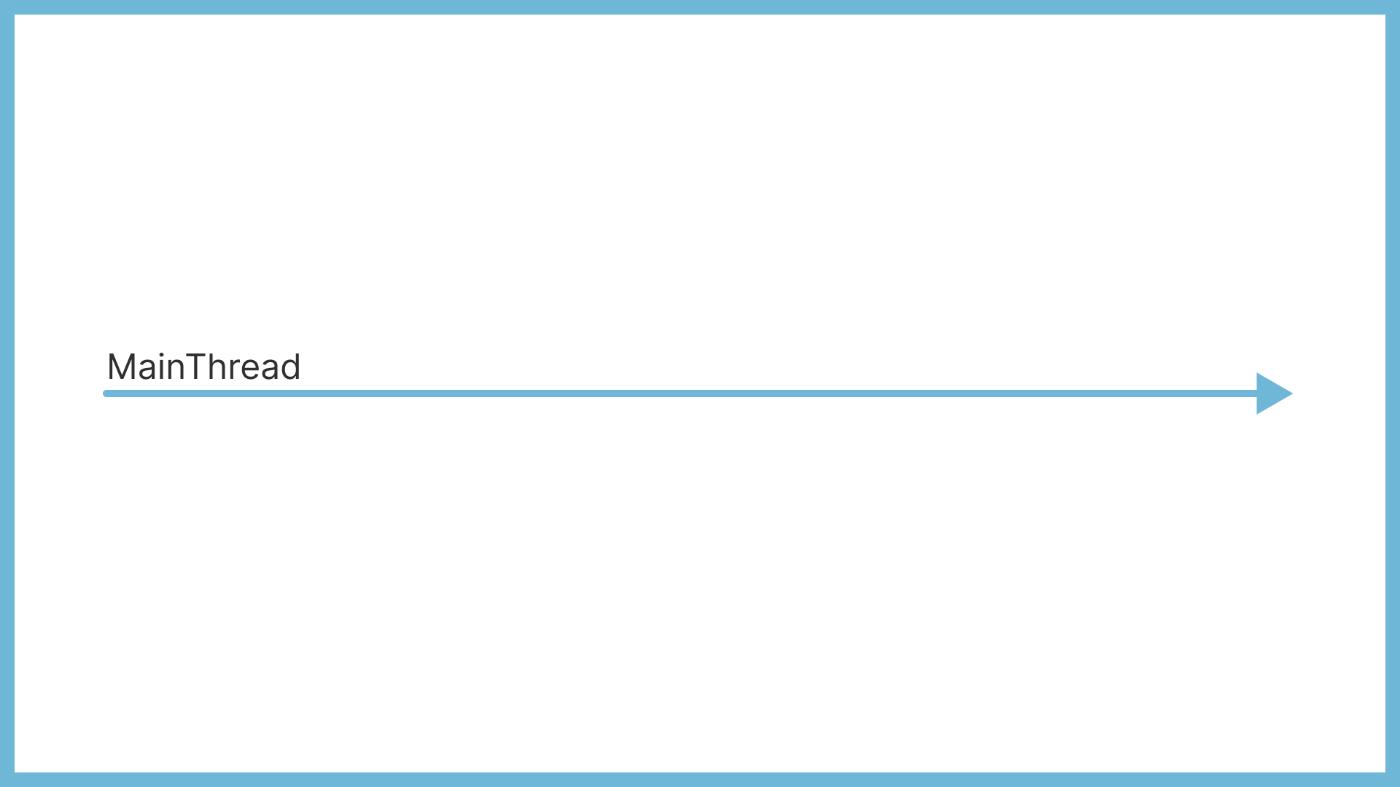
From the result, we can see that we are in a thread called "MainThread."
To visualize it, it's like being on a main line as shown in the diagram below.
Now, let's take a look in a bit more detail.
2. Let's try increasing the number of threads
import threading
import time

# Function to boil udon
def boil_udon():
    print("  ◆スレッド:", threading.currentThread().getName())

    print('  うどんを茹でます。')
    time.sleep(3)
    print('  うどんが茹であがりました。')

# Main
if __name__ == "__main__":
    print("◆スレッド:", threading.currentThread().getName())

    print('うどんを作ります。')

    # Create a thread
    thread1 = threading.Thread(target=boil_udon)

    # Start the thread processing
    thread1.start()

    # Wait for the thread processing to finish
    thread1.join()

    print('盛り付けます。')
    print('うどんができました。')
*I referred to the following code, which is very easy to understand: ↓
I have added a lot of code, but you can just copy and paste it. When you execute it, you should get a result like this:
◆スレッド: MainThread
うどんを作ります。
  ◆スレッド: Thread-1
  うどんを茹でます。
  うどんが茹であがりました。
盛り付けます。
うどんができました。
The main thread's process is executed first, followed by the process of another thread (Thread-1).
Here is a brief explanation of what this code is doing.
First, you can add a thread using threading.Thread(). If you don't specify a name, it will be automatically named with a sequential number like "Thread-1". You pass the function you want to process in parallel to the target argument.
Then, by executing .start(), the thread starts and the processing inside boil_udon proceeds. Note that at this point, it is being processed in parallel with the MainThread.
By executing .join(), the MainThread will wait until the processing of Thread-1 is finished. Once the processing of Thread-1 is complete, the program proceeds to the next step.
The image below illustrates this flow.

3. Let's add another thread
With the code above, we were able to boil the udon.
In this code, let's add a function to make the soup (tsuyu) and make it while the udon is boiling.
Performing both boiling the udon and making the soup at the same time—in other words, parallel processing.
import threading
import time

# Function to boil udon
def boil_udon():
    print("  ◆スレッド:", threading.currentThread().getName())

    print('  うどんを茹でます。')
    time.sleep(3)
    print('  うどんが茹であがりました。')

# Function to make soup
def make_tuyu():
    print("  ◆スレッド:", threading.currentThread().getName())

    print('  ツユをつくります。')
    time.sleep(2)
    print('  ツユができました。')

# Main
if __name__ == "__main__":
    print("◆スレッド:", threading.currentThread().getName())

    print('うどんを作ります。')

    # Create threads
    thread1 = threading.Thread(target=boil_udon)
    thread2 = threading.Thread(target=make_tuyu)

    # Start the thread processing
    thread1.start()
    thread2.start()

    # Wait for the thread processing to finish
    thread1.join()
    thread2.join()

    print('盛り付けます。')
    print('うどんができました。')
The result will be as follows:
◆スレッド: MainThread
うどんを作ります。
  ◆スレッド: Thread-1
  うどんを茹でます。
  ◆スレッド: Thread-2
  ツユをつくります。
  ツユができました。
  うどんが茹であがりました。
盛り付けます。
うどんができました。
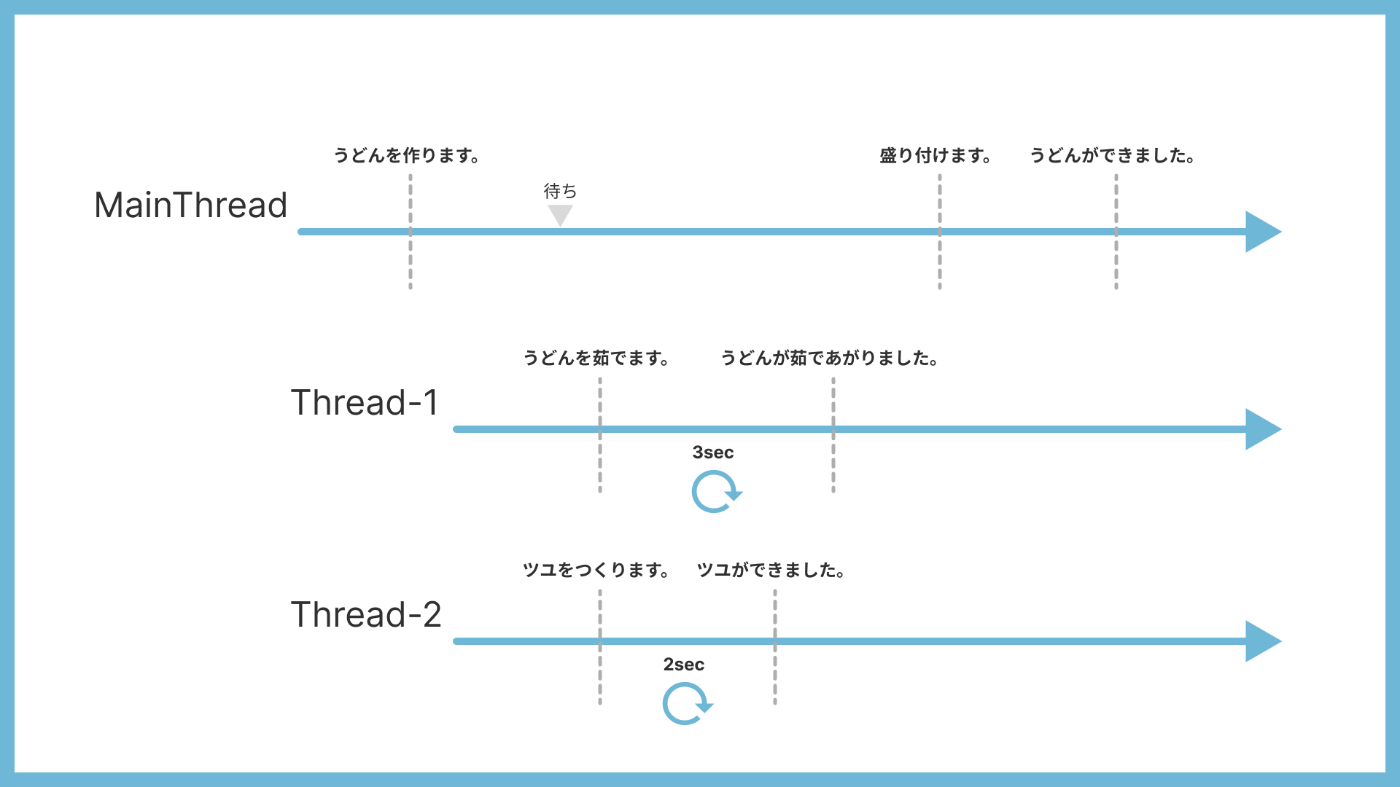
You can see that the process for Thread-2 has been added and is running in parallel. With this, we were able to make the soup while boiling the udon.
The diagram below illustrates this flow.
Summary
- You can add threads using
threading.Thread. - Pass the function you want the thread to execute to the argument.
- The thread starts with the
.start()method. - Use the
.join()method to wait for the thread to finish.
Reference
Discussion