iTranslated by AI
Creating a Multi-functional Discord Bot Template with discord.go, OAuth2 Authentication, and Server-side Support


Greetings
Hello everyone! I'm Maguro.
A few months ago, I was mostly writing Python, but lately, I've been writing almost nothing but Go and TypeScript.
I've really been fired up about Go in particular, so I've added various features to the multi-functional discordgo Bot I made previously.
Server-side
Frontend-side
In addition to the previous version, I have added:
- Connection to Postgres and SQLite
- Discord OAuth2 authentication (storing auth info in sessions)
- Integration with React
If you want to use it, please clone the repositories above and try running them.
Also, this time I will deploy the server-side to koyeb, but for the frontend, I'll deploy it to either vercel or koyeb.
I will explain the differences later.
What is not covered
- Basic knowledge about Discord Bot (Registration, permissions, etc.)
- Explanation of OAuth2
- CORS
- React basics
Bot-side Directory Structure
The directory structure is as follows:
$ tree
.
├── bot_handler
│   ├── bot_router                   # Bot router settings
│   │   ├── command.go               # Slash command handler settings
│   │   └── handler.go               # Event handler settings
│   ├── message_create.go            # When there's a message in a text channel
│   └── vc_signal.go                 # When voice channel status changes
├── commands
│   ├── disconnect_voice_channel.go  # Slash command to disconnect from voice channel
│   ├── ping.go                      # Slash command for ping check
│   └── start_record.go              # Slash command to start recording
├── controllers
│   └── discord
│       ├── discord_auth.go          # Transition to Discord auth page
│       └── discord_callback.go      # Callback for authentication
├── db
│   ├── table
│   ├── db.go                        # Database operations
│   └── schema.sql                   # SQL executed at startup
├── model
│   ├── discord                      # Type declarations for Discord
│   │   └── discord_model.go
│   ├── envconfig                    # Environment variable settings
│   │   └── env.go
│   └── index.go                     # Response for server home access
├── server_handler
│   ├── _test
│   │   └── oauth_check.go           # Test for OAuth2 authentication
│   ├── middleware
│   │   └── cors.go                  # CORS settings
│   ├── router
│   │   └── router.go                # Server router settings
│   └── index.go                     # Home
├── service
│   ├── discord_login.go             # Types for Discord OAuth2
│   └── index.go
├── Dockerfile
├── .env
├── go.mod
├── go.sum
└── main.go                         # Launching Bot + Server
The structure of the Bot itself is carried over from the previous version.
I will explain the newly added parts.
main.go
Cookie Settings
	var store = sessions.NewCookieStore([]byte(env.SessionsSecret))
	store.Options = &sessions.Options{
		Path:     "/",
		MaxAge:   86400 * 7,
		HttpOnly: true,
		Secure:   true,
		SameSite: http.SameSiteNoneMode,
	}
	// Set the domain if it's configured
	if env.CookieDomain != "" {
		store.Options.Domain = env.CookieDomain
	}
We configure the Cookie settings to store Discord authentication information.
Encryption is performed using env.SessionsSecret as the key.
We enable SameSite=None, Secure, and HttpOnly so that the frontend can read the authentication information.
Also, when deploying the frontend to koyeb, we set the CookieDomain.
This identifies the Cookie as first-party, which improves browser compatibility.
(It is recommended to also set the server-side subdomain.)
(Example: If the server-side subdomain is aaaaasas, then store.Options.Domain = "aaaaasas.koyeb.app")
Details will be explained in middlewares.
Database Usage
	// DB connection
	dbPath := env.DatabaseType + "://" + env.DatabaseHost + ":" + env.DatabasePort + "/" + env.DatabaseName + "?" + "user=" + env.DatabaseUser + "&" + "password=" + env.DatabasePassword + "&" + "sslmode=disable"
	db, err := db.NewPostgresDB(dbPath)
	if err != nil {
		fmt.Println(err)
	}
dbPath represents the Postgres URL.
NewPostgresDB connects to Postgres.
	// Register handlers
	botRouter.RegisterHandlers(discord, db)
	...
	// Add the commands you want to add here
	commandHandler.CommandRegister(commands.PingCommand(db))
	...
	mux := router.NewRouter(
			db,
			store,
			discord,
			env,
	)
As shown above, database arguments have been added to various handlers.
The database can be used within Bot handlers and HTTP server handlers.
Details will be explained in db.
controllers
Transition to Discord authentication screen
func (h *DiscordAuthHandler) ServeHTTP(w http.ResponseWriter, r *http.Request) {
	// Register the structure type to be saved in the session
	// Without this, an error will occur
	gob.Register(&discordModel.DiscordUser{})
	uuid := uuid.New().String()
	session, err := h.svc.CookieStore.Get(r, h.svc.Env.SessionsSecret)
	if err != nil {
		panic(err)
	}
	session.Values["state"] = uuid
	// Save to session
	session.Save(r, w)
	h.svc.CookieStore.Save(r, w, session)
	conf := h.svc.OAuth2Config
	// 1. Authorization page URL
	url := conf.AuthCodeURL(uuid, oauth2.AccessTypeOffline)
	http.Redirect(w, r, url, http.StatusFound)
}
This is executed when /discord/auth is accessed.
By using gob, Go structures can be saved in cookies.
Also, as a CSRF countermeasure, we issue a state in advance and save it in a cookie.
conf.AuthCodeURL adds the state to the URL, and http.Redirect redirects the user to the authentication screen.
Callback during authentication
	session, err := h.svc.CookieStore.Get(r, h.svc.Env.SessionsSecret)
	if err != nil {
		panic(err)
	}
	state, ok := session.Values["state"].(string)
	if !ok {
		fmt.Println(reflect.TypeOf(session.Values["state"]))
		panic("state is not string")
	}
	// 2. state parameter sent when redirected from the authorization page
	if r.URL.Query().Get("state") != state {
		fmt.Println(session.Values["state"])
		session.Values["state"] = ""
		h.svc.CookieStore.Save(r, w, session)
		panic("state does not match")
	}
	session.Values["state"] = ""
It compares the state sent during authentication with the state saved in the cookie.
If they match, it is determined to be a valid authentication and proceeds to the next step.
	// 1. Authorization page URL
	code := r.URL.Query().Get("code")
	conf := h.svc.OAuth2Config
	ctx := context.Background()
	// 2. Obtain access token
	token, err := conf.Exchange(ctx, code)
	if err != nil {
		panic(err)
	}
	session.Values["discord_access_token"] = token.AccessToken
	// 3. Obtain user information
	client := conf.Client(ctx, token)
	resp, err := client.Get("https://discord.com/api/users/@me")
	if err != nil {
		panic(err)
	}
	defer resp.Body.Close()
	var user discordModel.DiscordUser
	if err := json.NewDecoder(resp.Body).Decode(&user); err != nil {
		panic(err)
	}
	// Save to session
	session.Values["discord_user"] = user
	err = session.Save(r, w)
	if err != nil {
		panic(err)
	}
	err = h.svc.CookieStore.Save(r, w, session)
	if err != nil {
		panic(err)
	}
	log.Println(user)
	// 4. Transition to page after login
	http.Redirect(w, r, h.svc.Env.FrontUrl + "/test-user", http.StatusFound)
It uses the code parameter to obtain a Discord access token.
Additionally, it retrieves user information and saves it in a cookie.
Once the above processing is complete, the user is redirected to /test-user on the frontend.
test-user is designed to display the authenticated username.
db
Database
//go:embed schema.sql
var schema string // Assign the contents of schema.sql to schema
...
func NewPostgresDB(path string) (*sqlx.DB, error) {
	// Connect to the database
	db, err := sqlx.Open("postgres", path)
	if err != nil {
		return nil, err
	}

	// Create tables
	if _, err := db.Exec(schema); err != nil {
		return nil, err
	}

	return db, nil
}
It connects to the database (Postgres). Upon successful connection, it executes the contents of schema.sql located in the same directory. However, it cannot be used as is.
func NewDBHandler(db *sqlx.DB) *DBHandler {
	/*
		Returns a structure that aggregates processes to be performed in the database

		Arguments
			db: variable of type *sql.DB

		Return value
			variable of type *DBHandler
	*/
	// Check the database connection
	PingDB := func(ctx context.Context) error {
		if err := db.PingContext(ctx); err != nil {
			return err
		}
		return nil
	}
	...
	return &DBHandler{
		Driver:           db,
		DBPing:           PingDB,
		CheckTables:      TablesCheck,
		QueryxContext:    QueryxContext,
		QueryRowxContent: QueryRowxContent,
		GetContent:       GetContent,
		SelectContent:    SelectContent,
		ExecContext:      ExecContext,
		NamedExecContext: NamedExecContext,
	}
}
Since each handler handles the database, we generate it for each handler with NewDBHandler. Because we can standardize the operations we want to handle, it saves the trouble of declaring them new each time.
middlewares
CORS Middleware
package middleware

import (
	"net/http"

	"github.com/maguro-alternative/discord_go_bot/model/envconfig"
)

// Session check
func CORS(next http.Handler) http.Handler {
	env, err := envconfig.NewEnv()
	if err != nil {
		panic(err)
	}
	return http.HandlerFunc(func(w http.ResponseWriter, r *http.Request) {
		// Set for cross-origin
		w.Header().Set("Access-Control-Allow-Origin", env.FrontUrl)
		w.Header().Set("Access-Control-Allow-Headers", "Content-Type")
		w.Header().Set("Access-Control-Allow-Credentials", "true")
		w.Header().Set("Access-Control-Allow-Methods", "GET,PUT,POST,DELETE,UPDATE,OPTIONS")
		w.Header().Set("Content-Type", "application/json")

		// Return 200 for preflight
		if r.Method == "OPTIONS" {
			w.WriteHeader(http.StatusOK)
			return
		}
		next.ServeHTTP(w, r)
	})
}
To share authentication information with the frontend, we configure CORS. I will skip the explanation for each setting. Please look up CORS on your own.
Frontend-side Directory Structure
$ tree
.
├── src
│   ├── pages
│   │   └── index.tsx
│   ├── test
│   │   └── test.tsx
│   ├── App.css
│   ├── App.tsx
│   ├── index.css
│   ├── main.tsx
│   └── vite-env.d.tsx
├── .eslintrc.cjs
├── index.html
├── package-lock.json
├── package.json
├── tsconfig.json
├── tsconfig.node.json
├── vercel.json
└── vite.config.ts
I will omit the explanation as it is constructed simply.
Deploy to Koyeb
Please try deploying by referring to the previous article.
For the frontend side, let's set up and deploy another project while referring to the README.
Since it is CORS-compatible, Vercel is also fine.
However, when using it, please make sure to allow third-party cookies or cross-site tracking in your browser.
Differences between Koyeb and Vercel
Before that, I will explain first-party and third-party cookies.
Simply put, it's the difference between cookies that can only be handled by your own site or cookies that can be handled by other sites as well.
Authentication information is saved on the koyeb.app (server) side.
If the frontend is vercel.app, the domain name is different, so the server's authentication information is treated as a third-party cookie.
Since CORS is supported, it can be read, but because some browsers are phasing out third-party cookies, there will be browsers that cannot read the authentication information (the Google app browser on iPhone was confirmed to have this issue).
To put the above simply,
If you deploy the frontend to Vercel, you may not be able to log in correctly due to browser restrictions.
Execution
When you access the frontend side, a screen like the following will be displayed.
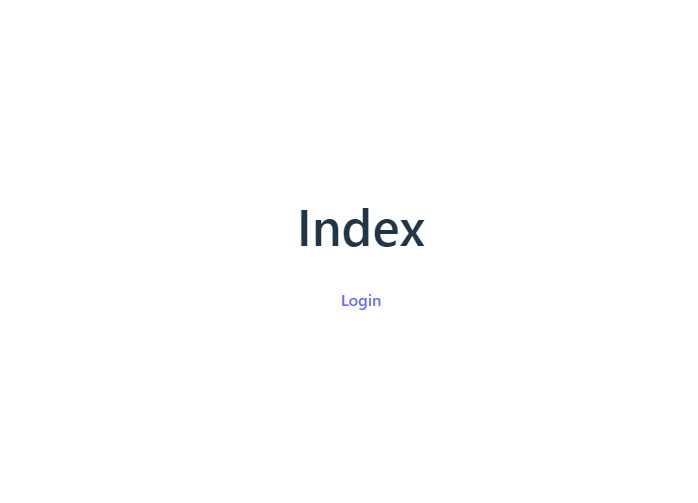
Press "Login" to authenticate.

If the Discord username is displayed as shown below, it's a success!

Conclusion
What did you think?
Personally, I struggled quite a bit with cookies.
Restrictions on third-party cookies are strict, and I repeatedly encountered situations where things worked locally but failed in production.
There are still many parts I don't fully understand, and I felt that I need to study more.
In this article, I only covered saving and displaying authentication information, but by applying these concepts, you can also set up forms to change server settings or configure webhook post contents.
Since you can operate a slightly modern Discord Bot, why not try making one as a way to study web applications?
Discussion