iTranslated by AI
Using Assembly Resource Files in SharePoint 2013 Application Pages


Introduction
When using assembly resource files in ASP.NET Web pages, you typically store resx files in the following folders:
- App_GlobalResources folder
- App_LocalResources folder
However, you cannot create these folders for SharePoint application pages. To utilize assembly resource files, you must store them in the SharePoint 2013 mapped Resources folder.[1] Since the method for loading them is also different, I will explain the steps in order.
Sample Code
Execution Steps
Adding Assembly Resource Files
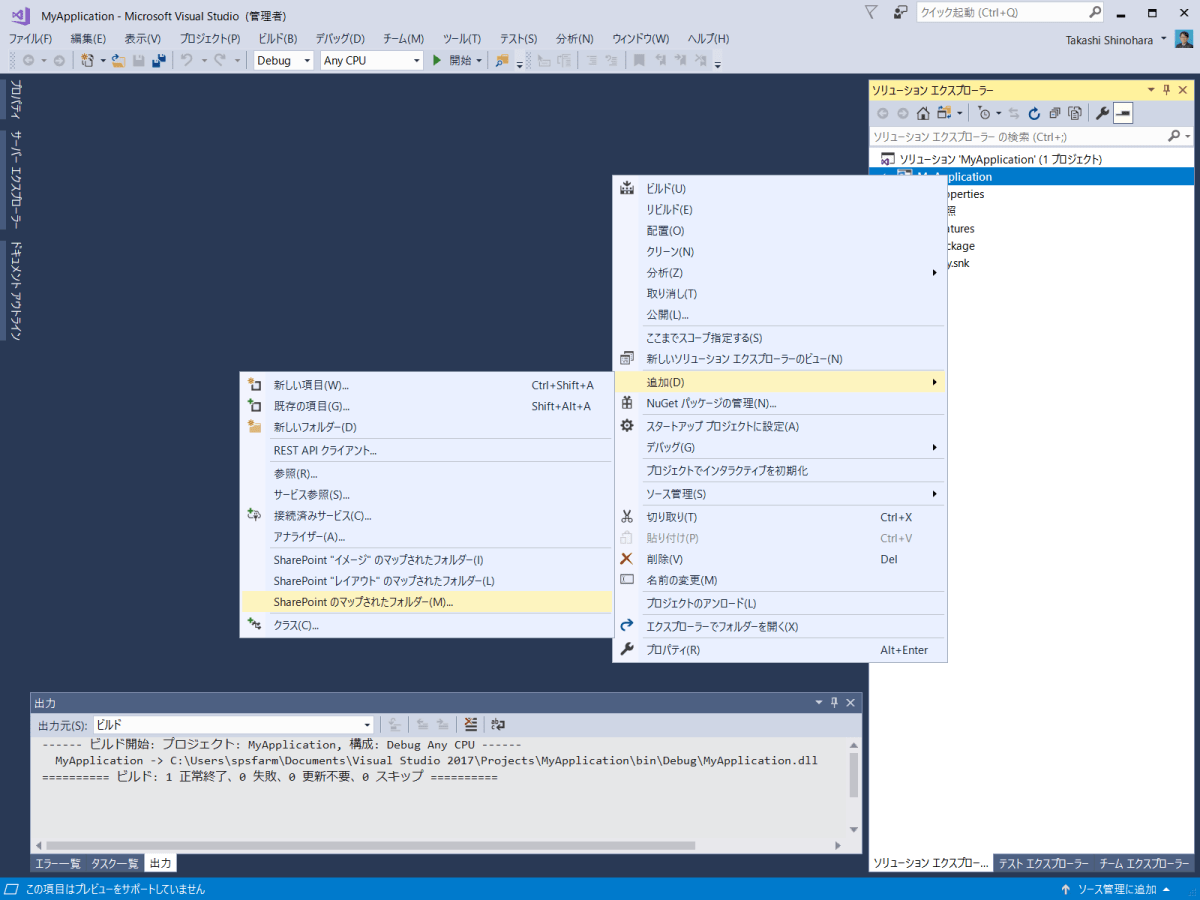
Create an empty SharePoint project. From the Solution Explorer, select Add - SharePoint Mapped Folder.
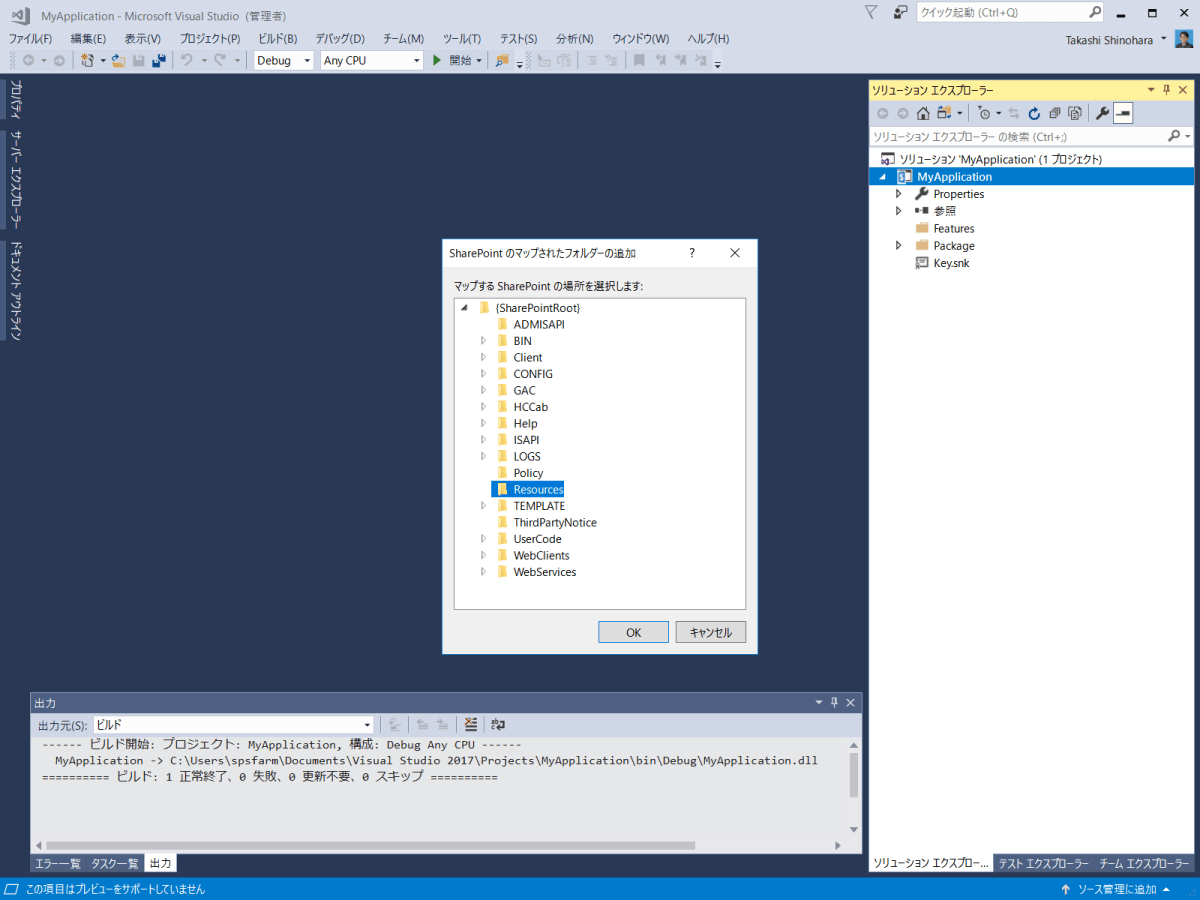
In the Add SharePoint Mapped Folder dialog, select Resources.
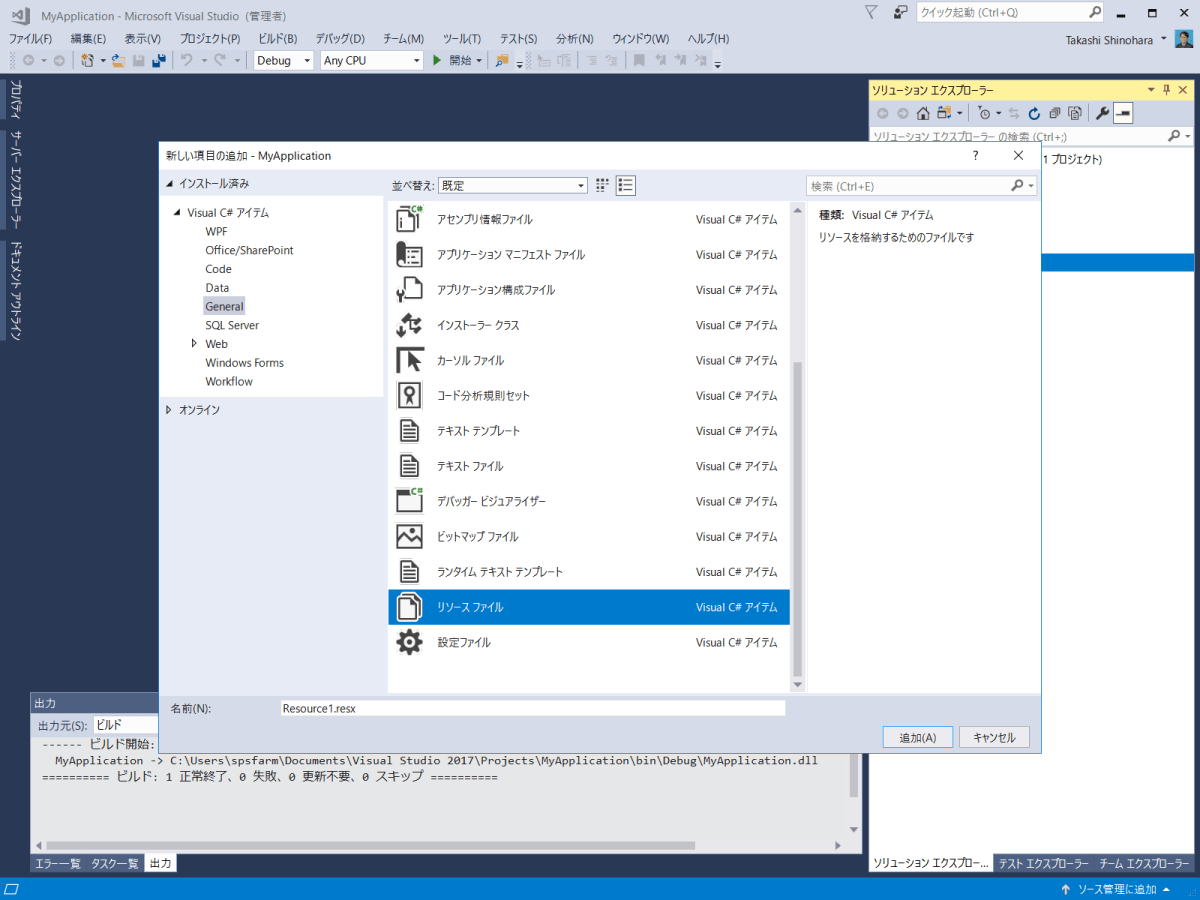
In the Solution Explorer, select Add - New Item from the added Resources folder. In the Add New Item dialog, select General - Resources File, and click Add.
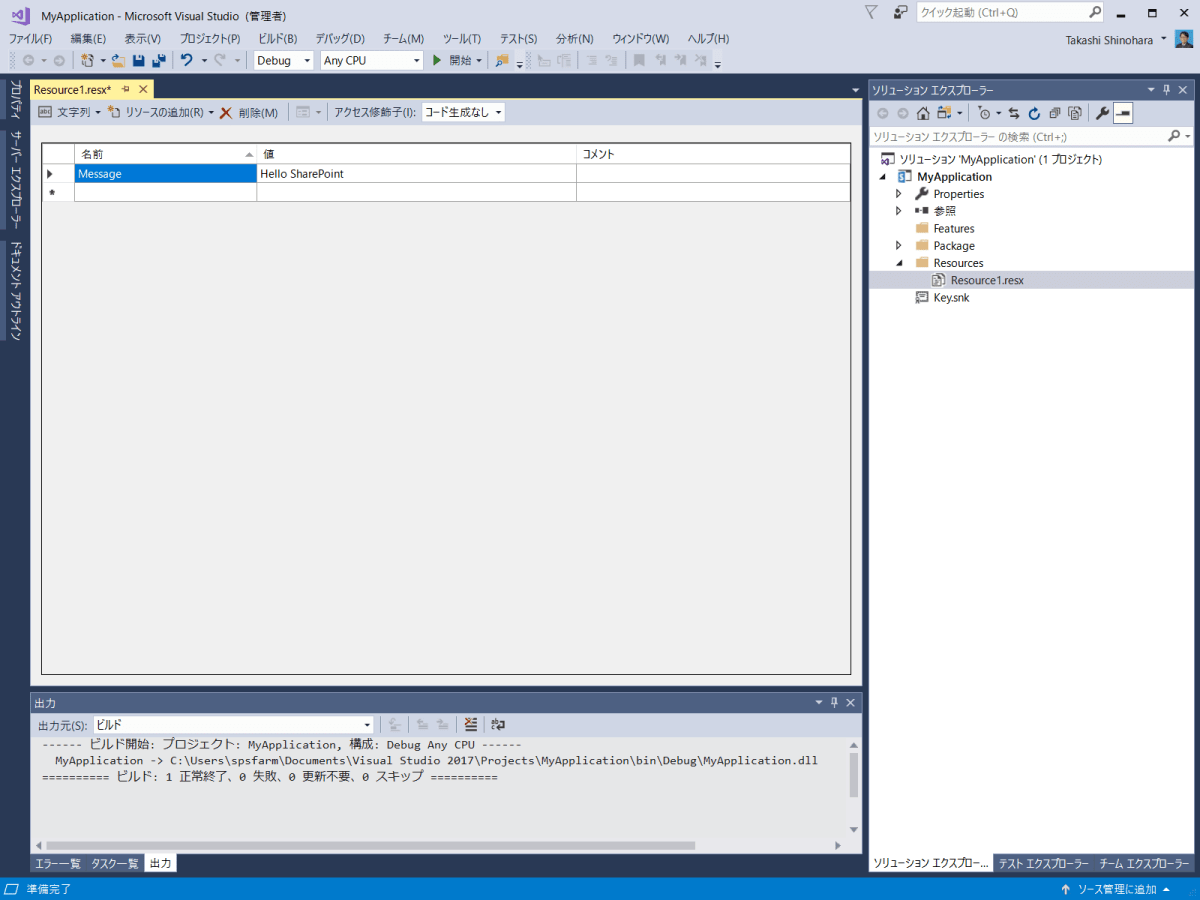
Open the added resx file and add your resources.
ApplicationPage1.aspx
Create a new application page.
To load assembly resource files, use the SPUtility.GetLocalizedString method.
<asp:Content id="Main" contentplaceholderid="PlaceHolderMain" runat="server">
    <h1><%# SPUtility.GetLocalizedString("$Resources: Message", "Resource1", SPContext.Current.Web.Language) %></h1>
</asp:Content>
ApplicationPage1.aspx.cs
You must call DataBind in the code-behind.
public partial class ApplicationPage1 : LayoutsPageBase
{
    protected void Page_Load(object sender, EventArgs e)
    {
        this.DataBind();
    }
}
Execution Results
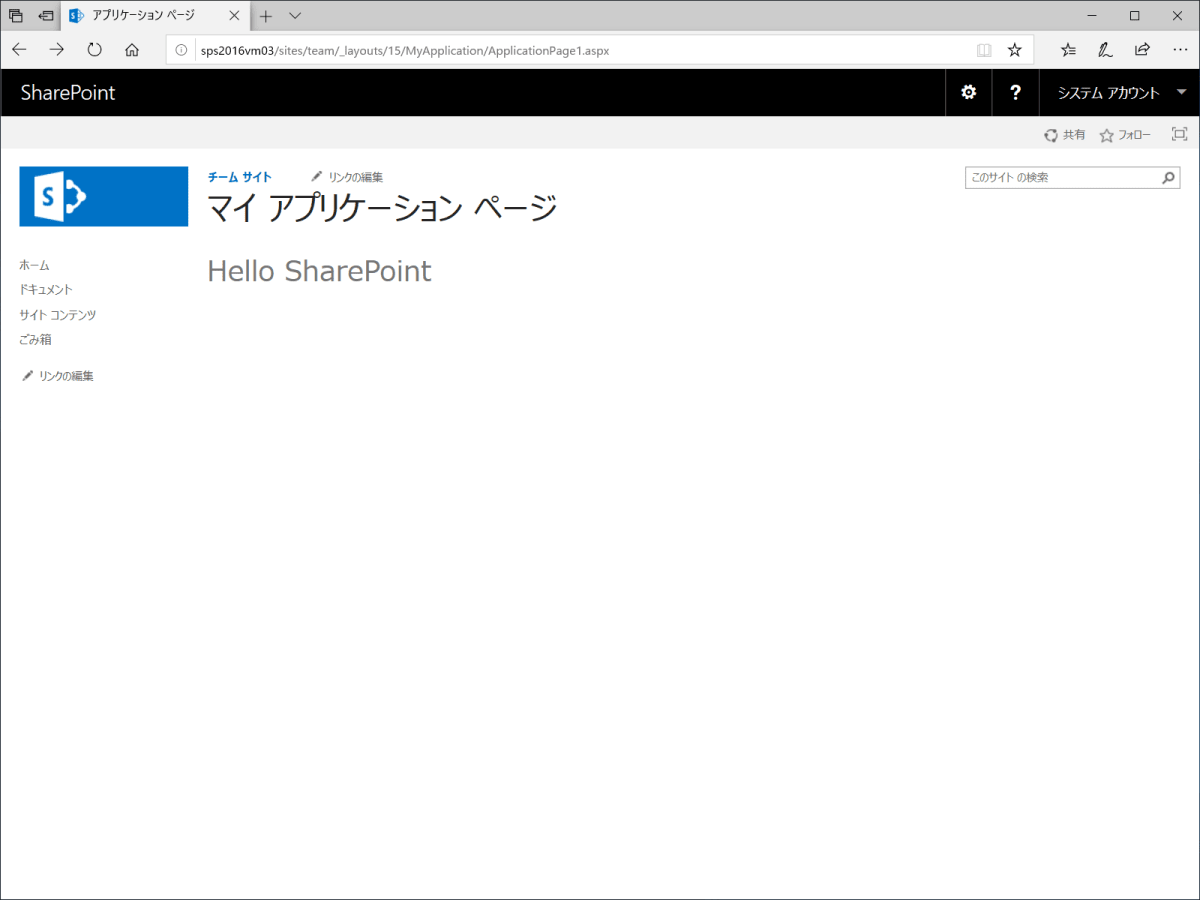
When you run the debug, the message you added in the resource file will be displayed on the application page.
Conclusion
The SPUtility.GetLocalizedString method allows you to specify a locale ID (LCID) as a parameter. Here, I have set the SPWeb.Language property. By preparing assembly resource files for each language (e.g., ApplicationPage1.ja-jp.resx, ApplicationPage1.en-us.resx, etc.), you can create internationalized application pages.
-
The physical path is
%ProgramFiles%\Common Files\Microsoft Shared\Web Server Extensions\15\Resources. ↩︎
Discussion