iTranslated by AI
How to Remote Debug an Android Emulator on a Server via SSH Tunneling


I use a 12-inch MacBook as my sub-machine, but build times for Flutter's Android development are slow on this device, and the Android emulator does not run at a speed that is anywhere near usable. Therefore, I decided to perform the builds and run the emulator on my main machine, and then use scrcpy to forward the Android emulator's screen for verification.
Environment
Main machine
MacBook Pro M1 (Pro) 32GB
Sub-machine
MacBook 12
Ubuntu 22.04.3 LTS x86_64
Kernel: 6.5.0-17-generic
Intel M-5Y71 (4) @ 2.900GHz
Intel HD Graphics 5300
RAM 8GB
Preparation
Install the full Android development environment on the server side and have the Android emulator running.
Install ADB on both machines, and install scrcpy on the client side.
Ensure that the ADB server is running on the remote computer.
Execution
Establishing an SSH Tunnel:
Establish an SSH tunnel using port forwarding. Here, we map local port 5038 to remote 5037, and 27183 in both directions. When enabling remote port forwarding:
$ ssh -CN -L5038:localhost:5037 -R27183:localhost:27183 your_remote_computer
Establish an SSH tunnel using port forwarding. Here, we map local port 5038 to remote 5037, and 27183 in both directions.
Running SCRCPY
Open another terminal, set the environment variable ADB_SERVER_SOCKET to tcp:localhost:5038, and then run scrcpy.
$ export ADB_SERVER_SOCKET=tcp:localhost:5038
$ scrcpy
Now you can check and operate the state of the Android emulator remotely. By entering the development machine using VS Code's SSH feature, you can proceed with development at your usual speed even on a low-powered laptop.
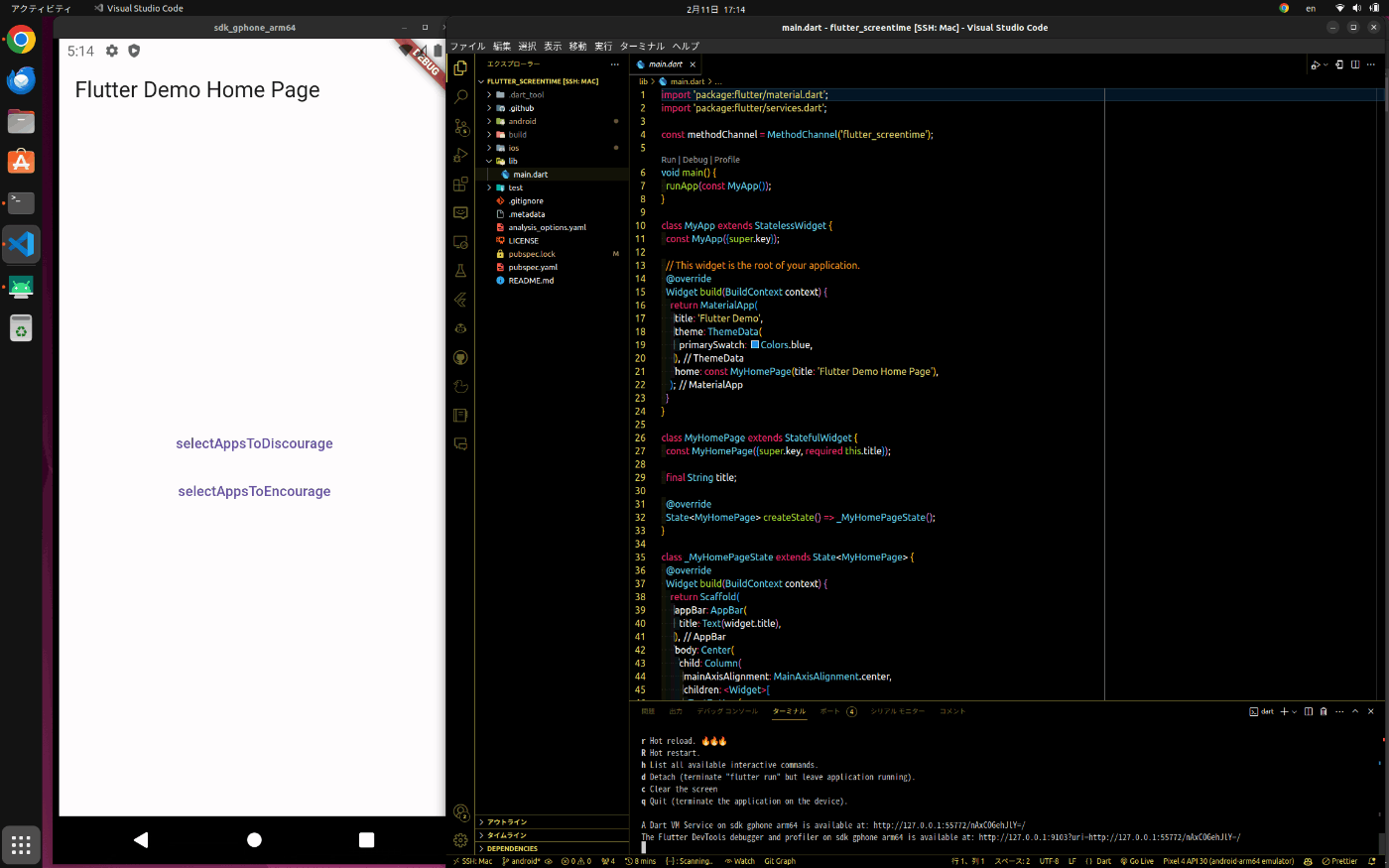
Since I have built a mesh VPN using Tailscale, I should be able to develop anywhere with the power of my main machine as long as I have my MacBook.
I also want to develop for iOS using a remote connection in a similar way—does anyone know a good method? Back in the Xamarin days, there was a tool to forward the iOS simulator from a remote Mac to Windows for operation, so I feel like it might be possible with some effort...
Discussion