iTranslated by AI
The content below is an AI-generated translation. This is an experimental feature, and may contain errors. View original article
🕰️
Terminal Dashboard for Tracking Deadlines



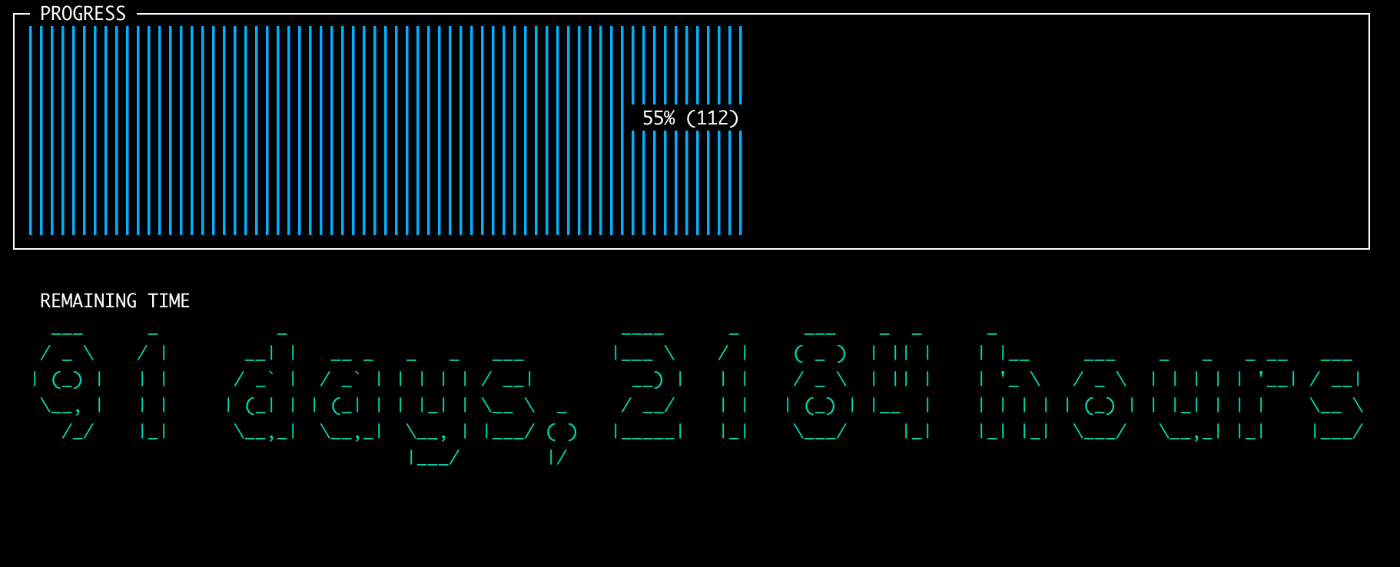
I suddenly thought about taking the next Information Technology Engineers Examination. I wanted to visualize how many days were left, so I created a dashboard using Sampler.
Screen Image
Commands
On a Mac, Sampler can be installed via Homebrew.
brew install sampler
Change the from and to dates as you like:
from=20231001 to=20240421 sampler --config config.yml
Configuration File
I created this in a Mac zsh environment, so it might not work correctly in other environments. Specifically, the options for the Mac date command seem to be unique.
config.yml
theme: dark
gauges:
  - title: PROGRESS
    position: [[0, 0], [71, 7]]
    rate-ms: 60000
    scale: 0
    color: 11
    cur:
        sample: expr `date +%s` / 86400
    max:
        sample: expr `date -j -f "%Y%m%d" $to +%s` / 86400
    min:
        sample: expr `date -j -f "%Y%m%d" $from +%s` / 86400
asciiboxes:
  - title: REMAINING TIME
    position: [[0, 8], [71, 8]]
    rate-ms: 60000
    color: 9
    sample: s=$(expr `date -j -f "%Y%m%d" $to +%s` - `date +%s`) && h=`expr $s / 3600`
        && d=`expr $s / 86400` && echo "$d days, $h hours"
    border: false
    font: 2d
Reference URLs
The color specification is in 8-bit color, so looking at this sample makes it easy to understand.
Others
By the way, I eventually forgot about the exam and, for some reason, set my remaining lifespan as the "to" date and added it to my usual dashboard. Just like Steve Jobs.
Discussion