iTranslated by AI
Using and Publishing Dev Container Features


Preface
At the recently held Japan.R 2022, I gave a presentation titled "Combine with Dev Container Features!" (Slides).
While the content was about how "Using Dev Containers for your programming environment is productive!", what I most wanted to say was that I feel great potential in Dev Container Features, which were fully implemented in late 2022.
Since there doesn't seem to be much information about Dev Container Features yet, I'm writing this here in the form of an article that is easy to find through search.
Of course, this article was also written in a Dev Container on GitHub Codespaces.
It's quite usable even with 2-core 4GB RAM specs, so I recommend it.
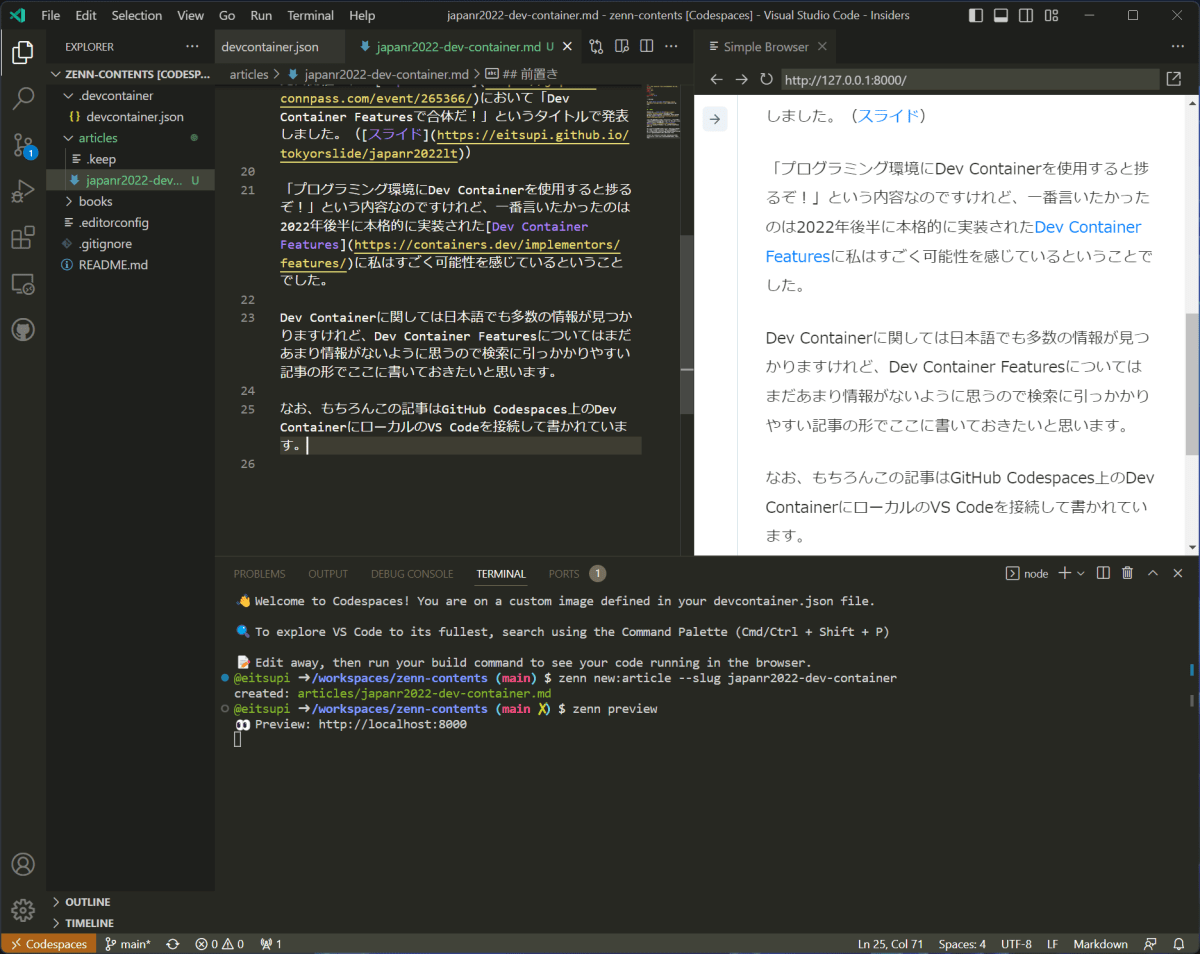
I like the method of connecting from local VS Code
What are Dev Container Features?
They are like a packaging of Dockerfile fragments and container configuration fragments.
Previously, they were shell scripts built into the VSCode Remote - Containers extension (recently renamed to VSCode Dev Containers), and their use was limited to within the extension.
Now, it has been standardized as the Dev Container Spec, the "proposal" status has been removed, and anyone can create, publish, distribute, and use them.
As an example, let's look at the Dev Container definition used[1] when developing a Dev Container Feature inside a container using the Dev Container CLI.
{
    "image": "mcr.microsoft.com/vscode/devcontainers/javascript-node:0-18",
    "features": {
        "ghcr.io/devcontainers/features/docker-in-docker:2": {}
    },
    "postCreateCommand": "npm install -g @devcontainers/cli"
}
With just this, Docker-in-Docker is set up on an image with Node installed, and the Dev Container CLI can be used inside the container.
No definition files like a Dockerfile or command-line options are needed besides this JSON file.
Another example is the container definition for an R package containing Rust code that I recently created:
{
    "image": "ghcr.io/rocker-org/devcontainer/r-ver:4",
    "features": {
        "ghcr.io/devcontainers/features/rust:1": {
            "version": "latest"
        }
    }
}
It feels like installing the latest version of Rust on a container with R version 4.
By the way, because VS Code settings and extension installation settings are written within the image labels and Dev Container Features, just building from here in VS Code or Codespaces will perfectly configure your VS Code settings.
Distribution of Dev Container Features
Some of you might have noticed from the names of the Dev Container Features like ghcr.io/devcontainers/features/docker-in-docker or ghcr.io/devcontainers/features/rust under the features section of the file mentioned earlier, but Dev Container Features can now be distributed via OCI registries, just like Docker images.
When distributing on GitHub, you can easily publish and distribute them using the official GitHub Actions.
For example, several R-related Dev Container Features can currently be found in the VS Code Dev Container UI and the GitHub Codespaces Dev Container editor; these were published by me in the following repository:
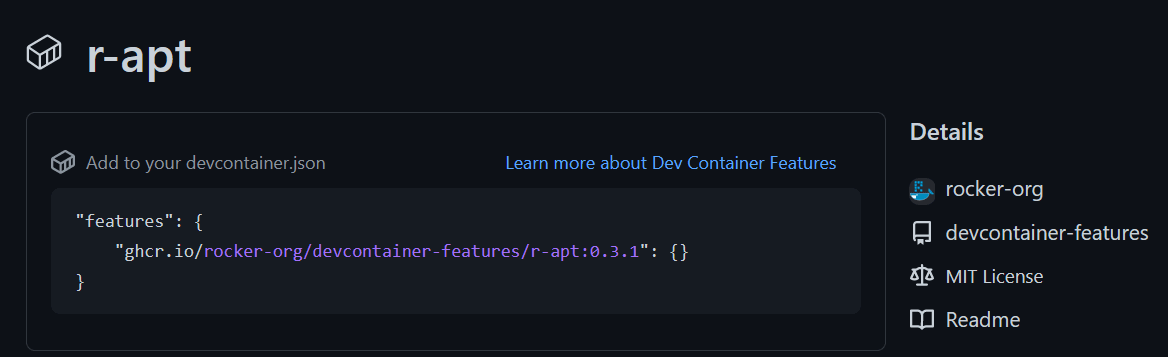
When publishing via GHCR, they are displayed with a dedicated UI that is distinct from regular Docker images.
Let's Pick Features from the VS Code or Codespaces UI
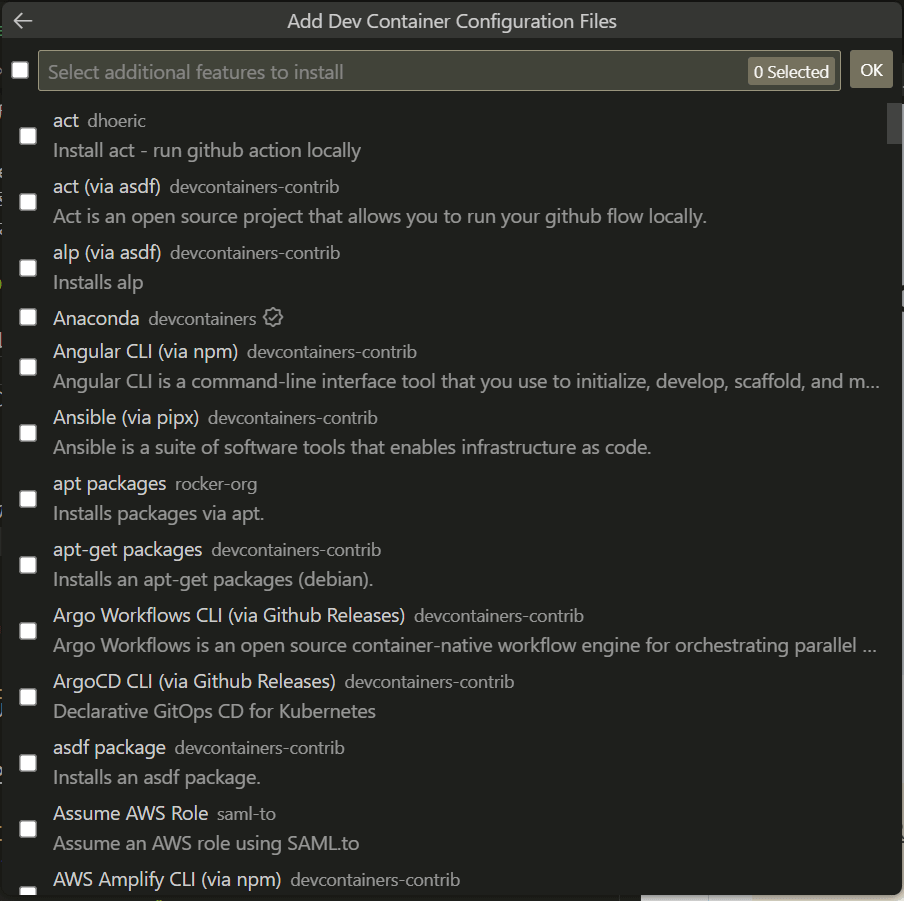
VS Code's Dev Container Feature selection UI
To have them displayed in the VS Code or Codespaces UI, you need to register them in the index on the devcontainers official website.
Specifically, you submit a pull request to update the following YAML file:
The approach seems to be basically "all are welcome," and they should be registered without any particular review.
The registered ociReference values are periodically crawled, and the Features included there are displayed on the following page:
Summary
- Using Dev Container Features allows you to create a development environment with multiple tools installed just by editing a simple JSON file, without writing a Dockerfile.
- Dev Container Features can be easily created, distributed, and published.
- Since it's an open specification, I hope more support tools will emerge.
- Codespaces is now available for free to all GitHub users, so please give it a try.
Discussion