iTranslated by AI
Lambda Function Input and Output when Using Lambda as a Data Source in AWS AppSync


I tried using AppSync as an introduction to GraphQL.
When selecting Lambda as a data source for AppSync, I found it difficult to visualize:
- How input values are passed to the Lambda function
- What kind of values should be returned
So, I decided to test it out.
Environment
- node 15.11.0 (on terminal)
- aws-cdk 1.117.0
- typescript 4.3.5
- @types/aws-lambda 8.10.81
schema.graphql
type user {
  id: String!
  name: String!
}
type Query {
  userFind(id: String!): user!
}
I prepared a simple schema.graphql like this.
LambdaHandler
// index.ts
import { AppSyncResolverEvent } from 'aws-lambda'

export const userFindHandler = async (
  event: AppSyncResolverEvent<
    {
      id: string
    },
    unknown
  >
) => {
  console.log(JSON.stringify({ event }))

  return {
    id: 'USER_ID',
    name: 'USER_NAME'
  }
}
This is the Lambda function that serves as the data source. Regarding the contents of the event, which I will describe later, using AppSyncResolverEvent from @types/aws-lambda makes typing easier.
All it does is output the input value event and return fixed values. In a real-world scenario, you would access a database or similar here to fetch and return data.
CDK
I will use CDK for IaC (Infrastructure as Code). The details of resource creation are supplemented with comments in the source code.
import * as cdk from '@aws-cdk/core'
import * as appsync from '@aws-cdk/aws-appsync'
import * as lambda from '@aws-cdk/aws-lambda'

export class CdkStack extends cdk.Stack {
  constructor(scope: cdk.Construct, id: string, props?: cdk.StackProps) {
    super(scope, id, props)

    // Create AppSync API
    const api = new appsync.GraphqlApi(this, 'my-appsync-api', {
      name: 'my-appsync-api',
      schema: appsync.Schema.fromAsset('../schema.graphql'),
      authorizationConfig: {
        defaultAuthorization: {
          authorizationType: appsync.AuthorizationType.API_KEY,
        },
      },
      xrayEnabled: true,
    })

    // Create Lambda function
    const userFindFn = new lambda.Function(this, 'user-find-fn', {
      runtime: lambda.Runtime.NODEJS_14_X,
      code: lambda.Code.fromAsset('../server/dist'),
      handler: 'index.userFindHandler',
    })

    // Link the Lambda function as a DataSource to the AppSync API
    const userFindDS = api.addLambdaDataSource('userFindDataSource', userFindFn)

    // Specify which operation defined in schema.graphql to map it to
    userFindDS.createResolver({
      typeName: 'Query',
      fieldName: 'userFind',
    })
  }
}
Calling the userFind query from the AWS Web Console
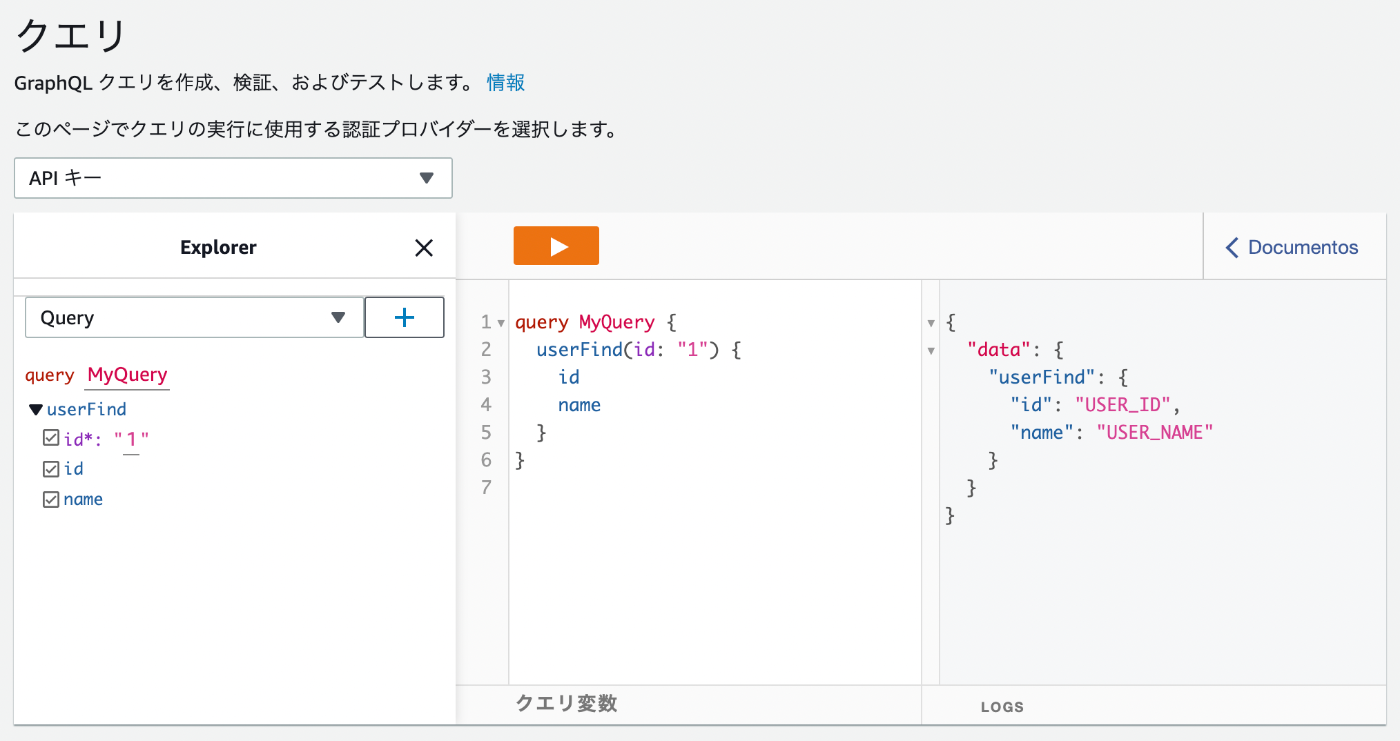
I executed the userFind query by passing id: "1".
Output
The return value seems to come back like this:
{
  "data": {
    "userFind": {
      "id": "USER_ID",
      "name": "USER_NAME"
    }
  }
}
Input values to Lambda
console.log(JSON.stringify({ event }))
The output here is as follows. Note that while there are actually objects like the request object, I am omitting everything except for the arguments which are the query parameters.
{
    "event": {
        "arguments": {
            "id": "1"
        },
    }
}
In other words, it looks like you can get and use the passed id like this:
const { id } = event.arguments
Discussion