iTranslated by AI
The content below is an AI-generated translation. This is an experimental feature, and may contain errors. View original article
🎧
Unity/Android: Resolving Vivox Bluetooth Audio Issues (Permission Requirements)


Overview
- I am developing an Android (mobile) application in Unity, using Vivox as the voice chat library.
- I encountered an issue where sound would output from the device speaker even when Bluetooth earphones were connected once the Vivox connection was established.
- For devices running Android 12 or later, it is necessary to declare
android.permission.BLUETOOTH_CONNECTin theAndroidManifestand request the permission at runtime.
Environment
- Unity 2022.3.10f1
- Vivox 16.0.0pre1
Problem Details
- On devices with Android 12 or later, once a Vivox voice call begins, audio is output from the device itself instead of the Bluetooth earphones.
- Before the Vivox connection is established, audio is output from the Bluetooth earphones as expected.
- This issue does not occur with wired earphones; it is specific to Bluetooth.
- This issue does not occur on iOS.
Resolution
- The Vivox official documentation provides instructions regarding Android permissions.
- You need to request access permissions at runtime.
android.permission.BLUETOOTH_CONNECT - Allows access to Bluetooth devices on Android version 12 and later
Note: On Android 12 (Android SDK version 31) and later, you need to request the android.permission.BLUETOOTH_CONNECT permission at runtime. For more information, see the Android developer documentation on Bluetooth permissions.
Implementation
- I created a script like the one below, combined with the microphone permission request.
- Note: The application we are developing also supports Android-based standalone VR such as Quest. In VR mode, the
BLUETOOTH_CONNECTpermission is not requested.
- Note: The application we are developing also supports Android-based standalone VR such as Quest. In VR mode, the
using System.Collections;
using UnityEngine;

#if PLATFORM_ANDROID
using UnityEngine.Android;
#endif

public class PermissionRequester : MonoBehaviour
{
#if PLATFORM_ANDROID
    private static readonly string BluetoothConnectPermission = "android.permission.BLUETOOTH_CONNECT";

    IEnumerator Start()
    {
        if (!Permission.HasUserAuthorizedPermission(Permission.Microphone))
        {
            yield return RequestUserPermission(Permission.Microphone);
        }

        if (!Permission.HasUserAuthorizedPermission(BluetoothConnectPermission))
        {
            yield return RequestUserPermission(BluetoothConnectPermission);
        }
        yield break;
    }

    IEnumerator RequestUserPermission(string permission)
    {
        Permission.RequestUserPermission(permission);
        yield break;
    }
#endif
}
- Actual request screens
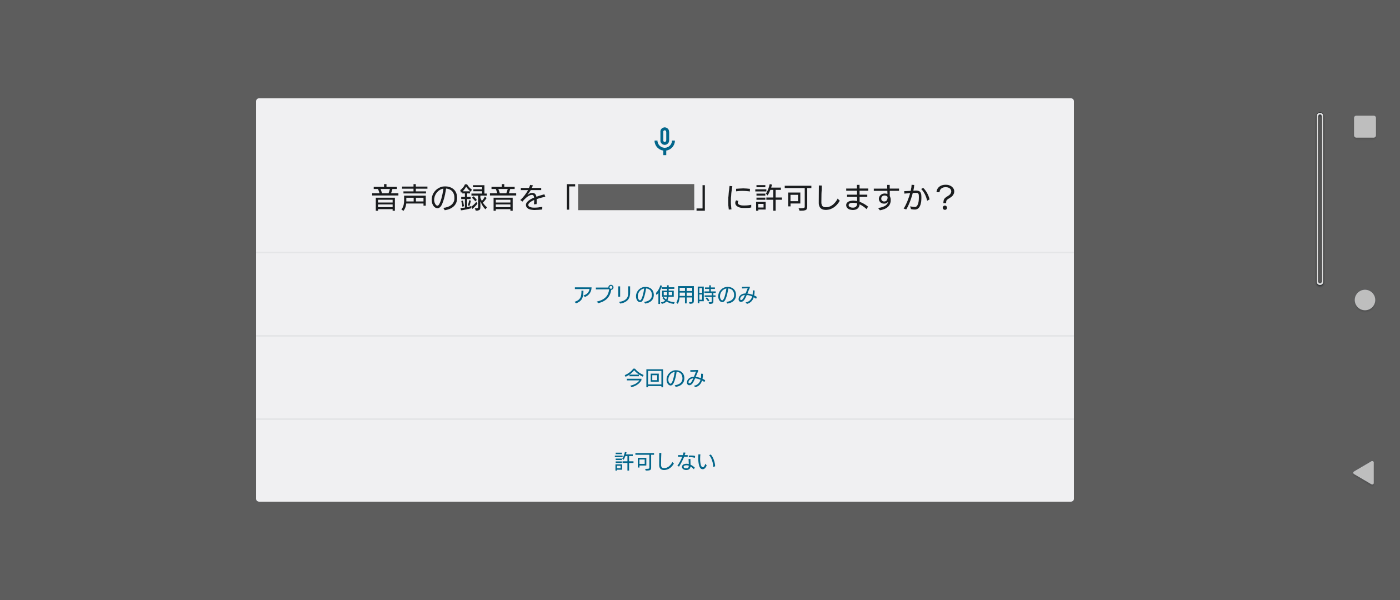
Permission for microphone access itself

Bluetooth permission
- It seems that the addition of
android.permission.BLUETOOTH_CONNECTto theAndroidManifestis performed automatically.
Supplement: About Android Permissions
- Permissions on Android include install-time permissions and runtime permissions.
- About runtime permissions:
Many runtime permissions access private user data (special types of restricted data that may include sensitive information). Examples of private user data include location and contact information.
Runtime permissions are assigned the
dangerousprotection level.
- The
BLUETOOTH_CONNECTpermission used this time is classified asdangerous. Therefore, runtime confirmation is necessary.
https://developer.android.com/reference/android/Manifest.permission#BLUETOOTH_CONNECT
Discussion